0
Hytale 0

  • Nobody is online this server.

FruitServers Wiki

Home

Fruit Servers

Welcome to the Fruit Servers Wiki!

Fruit Servers is a vibrant Australian-based Minecraft community offering a range of exciting game modes including Survival, Skyblock, Prison, Creative, and Cobblemon. Whether you're here to build, explore, compete, or collect, there's something for every kind of player.

At Fruit, we're passionate about delivering the best and most unique Minecraft experience possible. From custom features and community events to friendly staff and active players, our goal is to make every moment on the server fun and memorable.

We are proudly hosted in Sydney, ensuring low-latency gameplay for our Australian players.

Dive into the wiki to learn more about each server, game mechanics, events, and how to get the most out of your time on Fruit Servers!

lceMocha was here.

lceMocha lceMocha edited 12 days ago
11483 Views

New Players Start Here

Welcome to FruitServers! If you're reading this, chances are you’re new here, welcome aboard! You might be wondering what steps you need to take to get started and become part of our amazing community. Don’t worry, we’ve put together a handy checklist below to help you get set up and start enjoying all the perks and benefits of being a FruitServers member.


Step one: Read our server rules

Before you start playing, please take a moment to read through our server rules [here] and make sure you're familiar with them. Following these rules is essential to maintaining a safe, positive, and inclusive environment for everyone. Breaking the rules may result in appropriate action by our trusted staff, which can include warnings, mutes, Discord timeouts, or even bans. If you have any questions or need clarification, feel free to contact a staff member.


Step two: Join our discord

The first step is to join our FruitServers Discord! This is where you'll connect and chat with other players and staff from the server. If you ever need help, it's also the best place to reach out to staff for support and assistance.

To join, simply type in this address: discord.gg/fruitservers

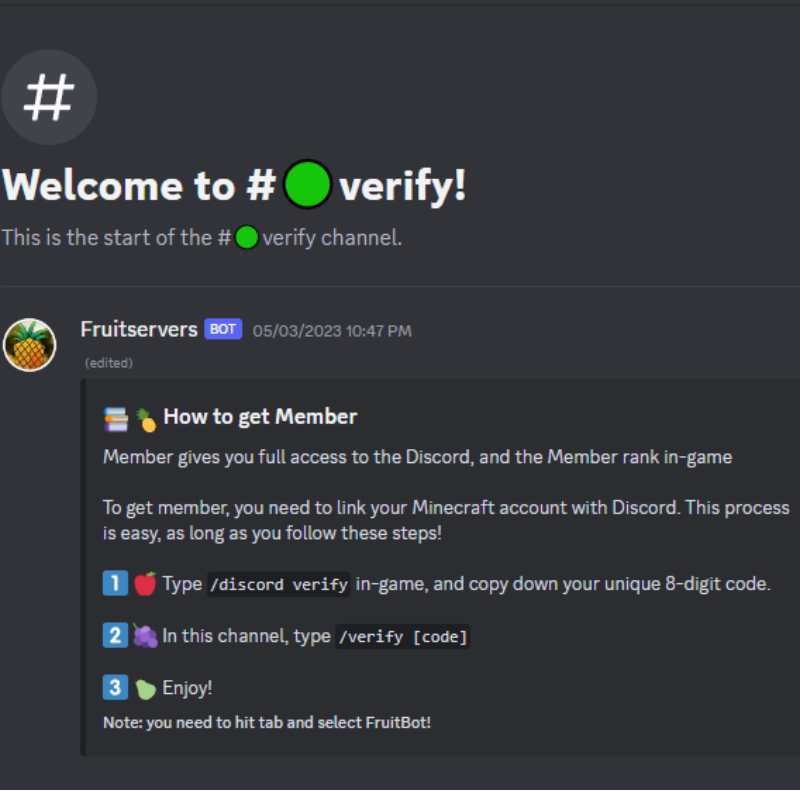
Complete the process by following the instructions in #verify


Step three: Join and verify your account on the website

The second step is to create an account on our website and link it to your Minecraft profile. Just follow the instructions provided below.

  1. go to fruitservers.net/
  2. On the top right hand corner, click on "login"
  3. If you have an account, log-in. Otherwise, click on "Create an account" under the sign in button.
  4. Enter in the required information, then click on "create an account"
  5. Log in and then click on your name on the top right hand corner, a drop down menu should pop up
  6. Click on "Settings"
  7. Now locate "connections" in the settings menu panel
  8. Click on "connect" if you're not connected yet, else, click on "verify"
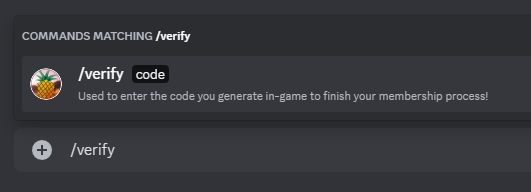
  9. A green banner should pop up with instructions. Copy the command that starts with "/verify [code]" and paste it in-game to complete the verification
  10. Now your account is successfully linked to the website!

Step four: Join the server

Connect to our server via the ip mc.fruitservers.net

If you need help setting up, check out the "Getting Started" guides for the respective server you wish to play on.


Step five: find your server's community

Find your community!
By now, you should have joined our Discord server. Navigate to the channel that matches the server you primarily play on, for example, if you're mainly on Fruit Pixelmon, head to #fruitpixelmon.

These community channels are great spaces to:

  • Ask questions

  • Share your journey with screenshots

  • Chat with fellow players from your server

To keep things organised, please stay on topic within these channels. For anything unrelated or general conversation, use #general instead.


Step six: Introduce yourself!

Click the link here [Introduce yourself] to head over to the forum and introduce yourself! Let the community get to know you! Don’t worry, we’re friendly and won't bite, we promise!

lceMocha lceMocha edited about 1 year ago
0 Views

Rules & Policies

Survival Jail Cell
Survival Jail Cell

Fruit Servers is a friendly and inclusive community for all players to enjoy. As such, there are rules established that are enforced by Fruit Staff Members to ensure that everyone has a fun and safe server to hang out on. You can have a read of our server rules in-game by running the command /rules. All players are expected to follow the rules and staff instructions. Any players caught breaking a rule shall be dealt with accordingly. All Fruit Staff are also expected to abide by the server rules and are not exempt from the servers rules. If you need help, please do not hesitate to contact Staff for assistance!

Global Server Rules

  1. Respect all players and staff.
  2. Use of hacked clients or x-ray mods/texture packs is a bannable offence.
  3. No offensive or distasteful usernames, skins or builds.
  4. Deliberately causing lag will result in a warning.
  5. Swearing must be kept to a minimum. No spamming.
  6. No attempts to abuse bugs, exploits, or glitches. (Report all bugs/exploits to staff as soon as possible please)
  7. Your account is your responsibility; don't blame others for incidents on your account.
  8. Advertising other servers is strictly forbidden.
  9. Asking for ranks and/or impersonating staff is not allowed.

Survival Rules

  1. Respect all players and staff.
  2. Use of hacked clients, x-ray mods and texture packs, and the clay/lapis exploit is a bannable offence.
  3. Griefing/raiding/defacing is not allowed.
  4. No offensive/distasteful usernames, skins, or builds.
  5. Deliberately causing lag will result in a warning.
  6. Swearing must be kept to a minimum. No spamming.
  7. No McMMO grinders or auto-clickers.
  8. Creation/advertisement of death traps is not allowed.
  9. No attempts to abuse bugs, exploits, or glitches.
  10. No anti-afk mechanisms and/or idling at grinders.
  11. Your account is your responsibility; don't blame others for incidents on your account.
  12. Advertising other servers is strictly forbidden.
  13. No handing out free items of value to other players.
  14. Asking for ranks and/or impersonating staff is not allowed.
  15. A maximum of 10 villagers is allowed in a 100 block radius.

Skyblock Rules

  1. Respect all players and staff.
  2. Use of hacked clients or x-ray mods/texture packs is a bannable offence.
  3. No offensive or distasteful usernames, skins or builds.
  4. Deliberately causing lag will result in a warning.
  5. Creation or advertisement of death-traps is not allowed.
  6. No attempts to abuse bugs, exploits, or glitches.
  7. No anti-afk mechanisms.
  8. Your account is your responsibility. Don't blame others for incidents on your account.
  9. Advertising or mentioning other servers is strictly forbidden.
  10. Asking for ranks and/or impersonating staff is not allowed.
  11. Profit shops are prohibited.
  12. Island farming is prohibited.
  13. No inappropriate use of alternate accounts.

Note: See /rules [#] for further explanation.

Prison Rules

  1. Respect all players and staff.
  2. Use of hacked clients or mods that give an unfair advantage is a bannable offence.
  3. No offensive/distasteful usernames, skins, or builds.
  4. Deliberately causing lag will result in a warning.
  5. Spamming and/or swearing must be kept to a minimum. Any attempts to bypass the chat filters will not be tolerated.
  6. Use of auto-clickers or macros is not allowed.
  7. No attempts to abuse bugs/exploits or glitches. (Please notify a staff member of any xploitations or bugs you find. Can be done with /ticket)
  8. No anti-AFK mechanisms and/or idling at grinders.
  9. Advertising other servers is strictly forbidden.
  10. Asking for ranks and/or impersonating staff is not allowed.
  11. Your account is your responsibility. Don't blame others for incidents on your account.

Cobblemon Rules

  1. Respect all players and staff.
  2. Use of hacked clients, x-ray mods and texture packs, and the clay/lapis exploit is a bannable offence.
  3. No grief/raiding/defacing allowed.
  4. No offensive/distasteful usernames, skins, or builds.
  5. Deliberately causing lag will result in a warning.
  6. Swearing must be kept to a minimum. No spamming.
  7. No attempts to abuse bugs, exploits, or glitches.
  8. No anti-afk mechanisms and/or idling at grinders.
  9. Your account is your responsibility; don't blame others for incidents on your account.
  10. Advertising other servers is strictly forbidden.
  11. No inappropriate use of alt accounts.
  12. Asking for ranks and/or impersonating staff is not allowed.
  13. Do not snipe other players Pokemon or bosses.
  14. A maximum of 10 villagers is allowed in a 100 block radius.
  15. Spawning platforms for the purpose of manipulating excessive Pokemon spawns are not allowed.

Creative Rules

  1. Respect all players and staff.
  2. Use of hacked clients.
  3. No grief/raiding/defacing or inappropriate builds allowed.
  4. No offensive/distasteful usernames and/or skins.
  5. No lag-oriented redstone creations.
  6. Swearing must be kept to a minimum. No spamming.
  7. No attempts to abuse bugs/exploits or glitches.
  8. Your account is your responsibility. Don't blame others for incidents on your account.
  9. Advertising other servers is strictly forbidden.
  10. Asking for ranks and/or impersonating staff is not allowed.

Discord Rules

  1. Global server rules apply to the Discord too.
  2. Show respect and courtesy to other users.
  3. Be considerate of noise levels, consider muting yourself if not speaking.
  4. Use the appropriate and relevant voice and text channels. Spamming text channels will result in a time-out and inappropriate use of voice channels will result in mute and or time out.

Frequently Asked Questions

How do I contact staff for assistance?

Players can contact via multiple ways:

  • Placing a support ticket in the #Support channel on Discord.
  • Direct message staff on Discord (You can see staff on the right side of the discord server, right click their name and click 'message').
  • Private message staff in-game (You can do /pm (name) (msg) in-game to message a staff privately).
  • Placing a ticket in-game if there are no online staff. Simply stand near where the issue (eg. grief) is and do /ticket (brief description of issue here) and the next available staff will respond to the ticket.

How do I report a player?

Contact staff immediately should you witness a player breaking the rules or have an issue with a player.

I'm having trouble understanding the rules

If you need a rule explained to you, you can always contact any of our friendly staff member to have the rule further clarified.

What happens if I get banned for breaking the rules?

If you have been banned from any of our servers, you may place a ban appeal via our website here: [Ban Appeals]. Staff will review your application and notify you the result of your ban appeal in a timely manner but please do be patient and do not place multiple ban appeals or it will delay your ban appeal from being reviewed. Ban appeals may take up to 7 business days or more for a response.

Help! A player is being annoying!

If a player is being annoying or making you uncomfortable in-game, you can always do /ignore (name) or message a staff member for assistance.

A player is being inappropriate in a voice channel on the discord

If a player is being inappropriate in a voice channel on our discord server, please do not hesitate to contact a staff member for assistance.

How do I know someone is a staff member and not impersonating staff?

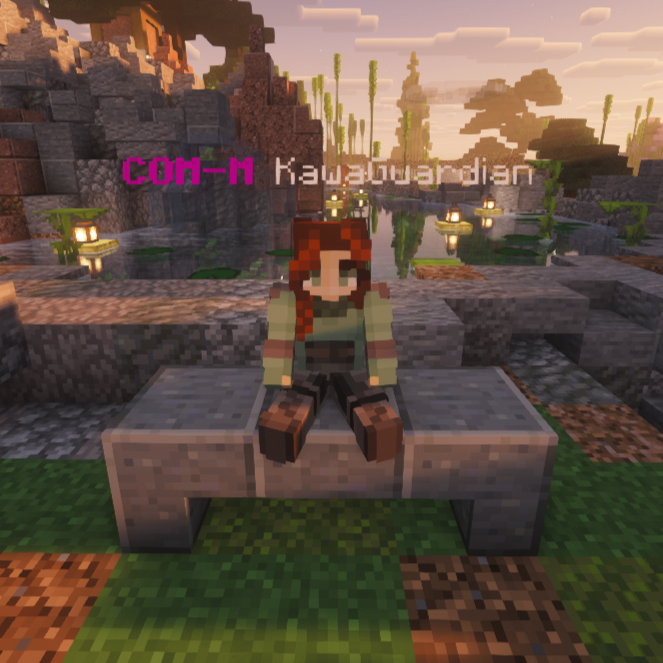
Staff members (moderators) will have the rank T-MOD, MOD, MOD+, ADMIN, ADMIN+ or COM-M before their name. Our other staff (non-moderators) will have either EVENT-C, EVENT-C+, BUILDER or DEV in front of their name. You can also check out /warp staff on any of our servers in-game to see our staff members of that server. Alternatively, you can do /staff to see currently online staff. If you suspect someone is impersonating staff, please report them to staff.

I have an issue with a staff member, can I talk to someone else?

If you have an issue with a staff member (such as their behaviour or their interaction with you), you can always message a Community-Manager (DG_AU, ellenox, Ascacos, St0nka0tron, Ahtnamas80 or KawaGuardian) or the Server Owner H1N9 (H1N9#4550) via discord to discuss the issue further.

lceMocha lceMocha edited 5 days ago
2 Views

Survival - Getting Started

Survival Information

Survival Spawn

The atmosphere you will encounter in the FruitSurvival Server is truly a one-of-a-kind experience. Whether it is the friendly community, the abundance of fun events, or the opportunity to adventure out into the wild, you will never become bored and will always leave with a thirst for more. FruitSurvival offers a variety of custom fruity plugins to provide you, the player, with a rare but enjoyable experience. An example of a plugin that we have to offer is the Auction House; a custom interface which allows you to buy and sell items without even having to move or teleport to the shop.

Although FruitSurvival is mainly a PvE environment, there are specially designed PvP arenas and a duels plugin that allow players to fight one another, in controlled conditions.

More Information can be found on your right at the spawn, and links to the Server's social media sites can be found on your left.

Useful Commands

  • /spawn - This command will teleport you to spawn
  • /rtp - This will take you to a random spot within the world
  • /basics - This brings up a list of basic commands for you to use
  • /sethome - This allows you to set a home in the location you are standing
  • /home - This will teleport you to the place you set a home
  • /ignore - This will allow you to ignore a player in the server
  • /msg - You can private message with other players using this command
  • /warnings - You use this command to check the warnings you currently have
  • /info - This is a command you can use to look up all the things you need to know about FruitSurvival

More information on warps available here.

Protection

The only build protection FruitSurvival has to offer is the Staff themselves. We believe you shouldn't have to pay to protect your stuff or do anything special with a golden shovel, so instead we use a system called "tickets". Tickets are used so that the Staff can roll back any damage on your builds that another player may have caused. However, we do also offer a plugin called 'lockette', so you can be assured that all of your goodies are safe and secure. More information can be found under the Protection page.

Events

To bring even more fruity fun to the Survival Experience, the staff team coordinate and usually host events in FruitSurvival twice a week.

  • These events are held on Wednesdays and Fridays at 8:00 p.m. AEST.

The staff offer a wide variety of different games to play as events, so you can bet that they will be nothing short of fun and exciting as well as providing the players the opportunity to win valuable in-game items and trophies! More information about events can be found Survival Events Page.

Fruity Quests

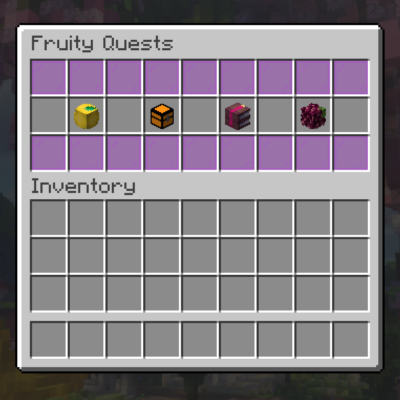
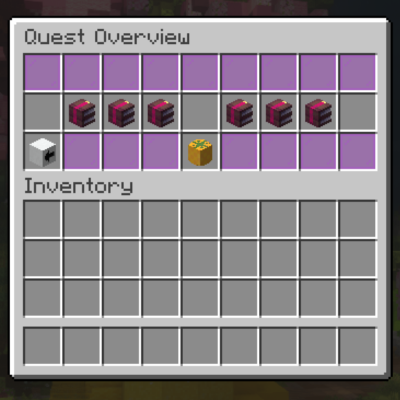
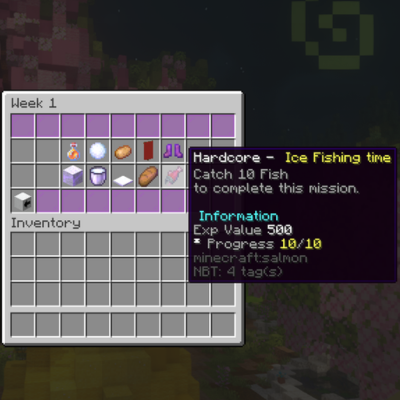
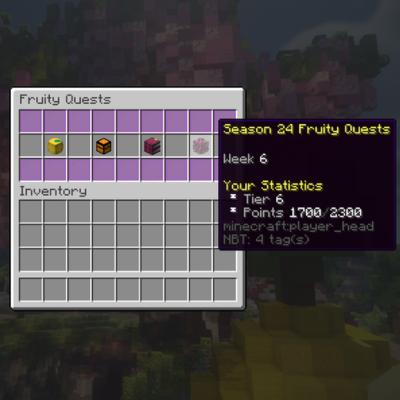
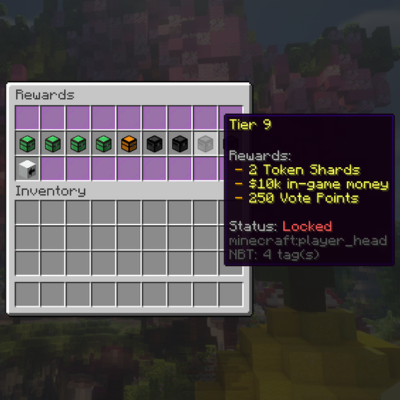
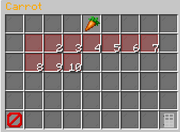
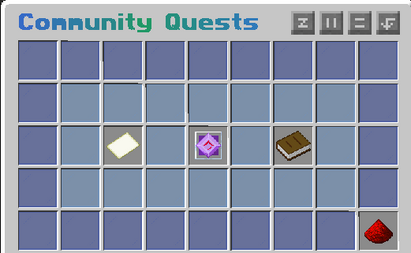
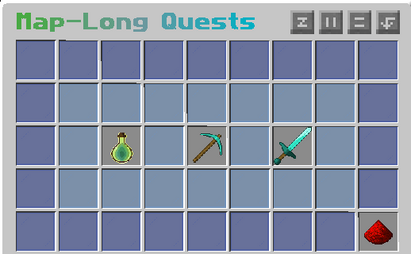
Our quests system rewards you with points that go towards levelling up your tier. Each time you advance your tier you earn rewards, inlcuding in game money, valuable items, fruit token shards and even a custom tool at teir 10!

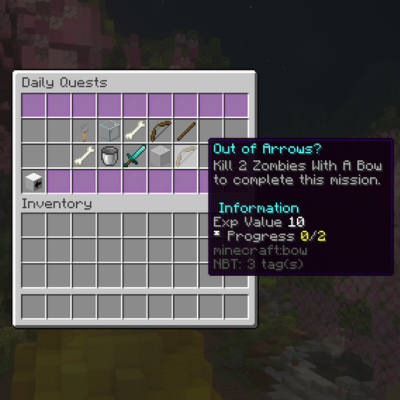
To earn points, you can complete a range of daily and weekly quests, which are worth different amounts of points depending on the quest type. Each time you complete a quest or reach a new tier you will receive a message of your achievement.

To get started type /fq to bring up the quests gui.

  • A full guide to Fruity Quests can be found here.

Discord

FruitServers has their very own Fruity Discord! Click here to see more information regarding our Discord Server.

iiUnity iiUnity edited 6 months ago
2 Views

Skyblock - Getting Started

Skyblock is one of the 5 servers hosted on fruitservers. Skyblock can be accessed by clicking while holding the apple in our hub, or by executing the command /skyblock whilst on another one of our 5 total servers. Skyblock is one of the most popular servers on Fruitservers.

Overview

Skyblock has no win condition or specific goal; rather, players create their own goals: some attempt to get the best items or mcmmo stats, while some work to have the most money, or highest prestige, or most finished collections. After entering the portal at spawn players will start on their own basic island, with a max size of 53x53. Players can also invite other people to their islands to co-op with them, by doing /coop invite (username). This will allow other players to have access to the island itself, and it's storage. To gain further resources for your Skyblock adventure you can head to /warp shop which is located directly in front of spawn. At warp shop you will have access to be able to buy and sell items.

Island Information


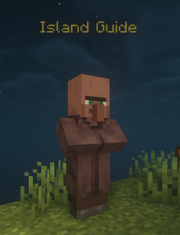
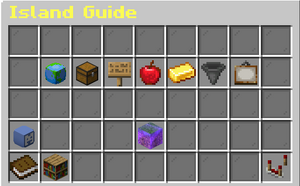
Once you have started your island on Skyblock, a Island Guide will also spawn. This Island Guide can be used to see other wiki pages, collections, and useful warps.

Islands on Skyblock, have their own settings which can be changed at any point by the player. These settings, can limit what other players who are visiting the island can and cannot do.

On Skyblock you are able to co-op with friends. To add someone to your co-op you can do /coop invite (username), and then the player joining you needs to do /coop accep, twice. Once the player is added, they will have access to storage on the island as well as breaking and placing blocks. On a co-op each player has a role that they can do different things with for the island.

Sometimes while you are playing Skyblock you may want to be able to let other players assist you in building or harvest farms. To do this you will need to do /tempcoop (username), this will give the player access to being able to break and place things on the island. They will NOT have access to storage on the island. You can untemp a player by running the command once again. Alternatively, you can log out or the player you temp can log out and they will no longer be temped on the island.

lceMocha lceMocha edited about 1 year ago
0 Views

Prison - Getting Started

Prison Information:


Prison Spawn 2025

Prison is one of five servers that is available to play on Fruit Servers. It can be accessed by clicking while holding the apple in the hub, or by executing the commands /prison or /server prison when connected to any one of the other servers on Fruit. Prison is one of the newly and recently-revamped servers available to play on Fruit Servers.

Starting a Isle

Once you spawn in prison, you can begin by typing /isle to create your island. This will then guide you through an informative tutorial to get you started. 

Useful Commands

  • /rules - A list of server rules, some of them prison-specific. Remember to follow them.
  • /basics - A list of basic commands available to all players
  • /spawn - Teleports you to spawn
  • /isle - Opens your Isle info Gui. If you do not already have a Isle, one will automatically be generated for you
  • /tphome - Teleports players to the SE corner of their build plot.
  • /coop invite [Username] - This is to invite someone to your island.
  • /coop kick [Username] - To kick someone from your island - /coop leave [Username] - Leave someones island
  • /req - Shows you a Total of Resource Requirements per Area, or you can click the Total button to display total requirements.
    • Req is best experienced on 1.21.6 and above.
  • /ignore [username] - This will allow you to ignore a player in the server (does not apply to staff)
  • /msg [username] [message] - You can private message with other players using this command
  • /warnings - View your current warnings. If you have received any warnings from staff, they will show up here
  • /ticket [reason] - To send a ticket to a staff that is not online and will help with your problem once to do get online

Events

Prison's event area, accessible via /warp events

To bring even more fruity fun to the Prison experience, the Prison staff team coordinate and usually host events on Prison twice a week.

  • These events are held twice in one week; first on Tuesdays, as well as on Sundays. Events are held on both of these days at 8:00pm Australian Eastern Standard Time (AEST).

The Prison staff team offer a wide variety of different games available to play as events, so players can bet that they will be nothing short of fun and exciting, as well as providing everyone with the opportunity to win valuable in-game items, event coins and trophies.

More information on upcoming Prison events can be found by joining our Discord server, and checking out the event calendar there.

Discord

Fruit Servers has their very own Fruity Discord! Click here to see more information regarding our Discord Server.

Notes

note 1 Access to the Prison auction house requires Member rank. For more information, see Member.

XoApollo_ XoApollo_ edited 12 months ago
0 Views

Cobblemon - Getting Started

Getting Started with Cobblemon

Setting up your computer to join the Cobblemon server for the first time is an easy process that does not require a lot of technical knowledge.

All you need to do is follow a few simple steps and you will be chasing Pokémon before you know it!

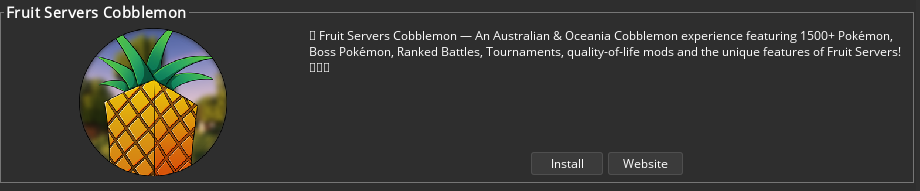
We have a custom modpack through Modrinth and CurseForge, which will handle all the setup for you. Once you follow the steps listed below, you will be set up and ready to go.

CurseForge Method

1. Make Sure You Have Minecraft Java Edition and CurseForge

This guide will assume you already have Minecraft: Java Edition and CurseForge installed and set up.

2. Installing the Fruit Servers Cobblemon Modpack

  • Open the CurseForge application. On your homepage, select Minecraft from the list of supported games (complete any initial setup prompts if required).
  • At the top in the search bar, look up "Fruit Servers Cobblemon" - You'll see a modpack by H1N9 and Ascacos.

CurseForge Search Bar

Fruit Servers Cobblemon Modpack

  • Click "Install".
  • You can also install the modpack directly from its CurseForge page here: Fruit Servers Cobblemon on CurseForge.
  • Your browser may ask for permission to open CurseForge - click "Open".
  • CurseForge will begin downloading and installing all required files automatically.

3. Launch the Modpack and Join the Server

Once installation is complete:

  • Open "My Modpacks" in CurseForge.
  • Find Fruit Servers Cobblemon.
  • Click "Play".

(This is how you load Minecraft and join the server every time you want to play on the Cobblemon server.)

The first time you join, you will have to choose your starter Pokémon — now that is the hard part!

ATLauncher Method

1. Make Sure You Have Minecraft Java Edition and ATLauncher

This guide will assume you already have Minecraft: Java Edition and ATLauncher installed and set up.

2. Installing the Fruit Servers Cobblemon Modpack

  • Open the ATLauncher client. Then go to the "Packs" tab on the right-hand side.

Packs Tab

  • ATLauncher allows you to browse modpacks from multiple platforms, including CurseForge.
  • Select the "CurseForge" platform/tab.

CurseForge Tab

  • At the top in the search bar, look up "Fruit Servers Cobblemon".

Search Result

  • Click "Install".
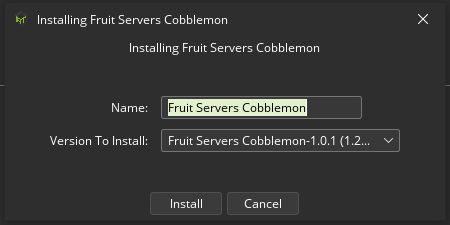
  • A popup will appear prompting a name and version to install. Give it whatever name you desire so that you can locate the modpack in the instances list later, select the latest version from the dropdown menu, and click "Install".

Install Prompt

  • ATLauncher will begin downloading and installing all required files automatically.

3. Launch the Modpack and Join the Server

Once installation is complete:

  • You will find the new pack available to launch in the "Instances" tab.
  • Click on "Instances" and you'll see Fruit Servers Cobblemon.
  • Click "Play".

Instances Tab

(This is how you load Minecraft and join the server every time you want to play on the Cobblemon server.)

The first time you join, you will have to choose your starter Pokémon — now that is the hard part!

CurseForge FAQ

My modpack crashes / won't launch when I try to open it, what can I do?

If you are experiencing crashes or difficulty loading the client, consider the following:

  • Make sure you are launching the modpack through CurseForge.
  • Do not manually change the Minecraft or Fabric version.
  • Ensure the modpack installation has completed successfully.
  • Restart CurseForge and try again.

I'm getting a mod mismatch error, what can I do?

Make sure you are using the latest version of the Fruit Servers Cobblemon modpack. Do not add, remove, or update mods manually unless you know what you are doing or instructed to by server staff. If you still require assistance, kindly reach out to FruitCobblemon staff for assistance.

CurseForge isn't detecting Minecraft, what can I do?

Check your CurseForge Minecraft settings and ensure Minecraft has been correctly configured. CurseForge supports setting up and managing a dedicated Minecraft modding folder.

My game is really laggy, what can I do?

  • In your CurseForge app, click the 'Settings' icon on the bottom left-hand corner (cogwheel).
  • Select 'Minecraft' under the 'Game specific' settings.
  • Scroll to 'Java Settings' and under 'Allocated Memory', use the slider to increase or decrease the amount of RAM allocated to Minecraft.
  • We recommend having 4GB (4096MB) minimum allocated for an enjoyable experience.
  • Close the settings and launch your modpack; repeat the steps above if necessary.

ATLauncher FAQ

I can't find the modpack, what can I do?

Make sure you are searching under the CurseForge section in the 'Packs' tab. Try searching "Fruit Servers Cobblemon".

If you're still unable to find it, check that your ATLauncher is up to date or reach out to staff for assistance.

I'm getting a mod mismatch error, what can I do?

Make sure you are using the latest version of the Fruit Servers Cobblemon modpack. Do not add, remove, or update mods manually unless you know what you are doing or instructed to by server staff. If you still require assistance, kindly reach out to FruitCobblemon staff for assistance. If necessary, try creating a fresh instance of the modpack from Step 2 above.

My game won't launch/crashes, what can I do?

Try the following:

  • Restart ATLauncher.
  • Ensure your Minecraft account is logged in correctly.
  • Make sure the modpack installation completed successfully.
  • Try launching the modpack again.
  • Try restarting your PC/Laptop/Device.

My game is really laggy, what can I do?

  • In ATLauncher, click the 'Settings' tab on the right-hand corner.
  • Select 'Java/Minecraft' tab at the top.
  • Find 'Maximum Memory/RAM' and via the dropdown increase or decrease the amount of RAM allocated to Minecraft.
  • We recommend having 4GB (4096MB) minimum allocated for an enjoyable experience.
  • Click 'Save' at the bottom and launch your modpack; repeat the steps above if necessary.
lceMocha lceMocha edited 12 days ago
0 Views

Bedrock - Getting Started

FruitServers On Bedrock

Minecraft Bedrock | Source

Fruit Servers is now available for Cross-Play for Minecraft players on Bedrock! For more information on how to join our server via Bedrock, see below for a step by step guide!

What is Bedrock and Java?

To summarise, there are two versions of Minecraft and that is 'Minecraft Java Edition' and 'Minecraft Bedrock Edition'. Minecraft Java is only run on Windows, Mac and Linux platforms. Minecraft Bedrock Edition means that Minecraft is available on multi-platforms that is:

  • Windows 10 and 11
  • Xbox One
  • Xbox Series S and X
  • PlayStation 4 and 5
  • Nintendo Switch
  • Fire OS/TV
  • Android
  • iOS
  • Windows Mobile
  • Samsung Gear VR

If you'd like to learn more about Minecraft Bedrock, you can have a read at the Official Minecraft Article here.

Note: A separate online subscription is required for online play for each respective console eg. Nintendo Switch Online Membership and PlayStation Plus for PlayStation Consoles etc...

How do I connect to Fruit Servers on Bedrock?

To start playing Minecraft on Fruit Servers simply follow the steps below:

FS Bedrock Guide - Step 1

Step 1: (Note: This guide will assume you have the Minecraft Bedrock Launcher open and ready to connect to a server)

  • Click "Play" in the Main Menu

Step 2:

FS Bedrock Guide - Step 2
  • Click on the "Severs" tab (3rd Tab on the top)

Step 3:

FS Bedrock Guide - Step 3
  • On the "Servers" tab, scroll down to the very bottom of the server list and click "Add Server".
  • Note: You might be prompted with "Unknown External Server" pop-up that says "You should only connect to servers you trust! Do you still wish to join?" - click "Proceed"

Step 4:

FS Bedrock Guide - Step 4
  • You should now have a screen that pop-up prompting you to input the server details. The server details are as follows:
Server Details
Server Name Server Address Port
FruitServers (Or whatever name you want to save the server as) mc.fruitservers.net 19132
  • You can now either click "Save" to save Fruit Servers to your server list to quickly reconnect next time you play or you can click "Play" to directly connect to Fruit Servers but you'll have to redo all the above steps if you want to connect to Fruit Servers again. It is highly recommended you click "Save"!

Step 5:

FS Bedrock Guide - Step 5
  • Voila! You have now saved Fruit Servers to your server list and should be able to connect to it and start playing on Fruit Servers!
  • Note: You might have another pop-up with "Online play is not rated" - click Proceed.

Frequently Asked Questions

Why is there a dot in my name?

Since Minecraft can be cross-play for multi-platforms between Minecraft Java and Minecraft Bedrock Editions, there is the potential for username clashes as players may have the exact same name for either platforms. In order to keep usernames unique, a dot prefix is added to prevent name clashes.

If I connect on Java and play on Bedrock on Fruits, do I keep my stuff?

Unfortunately, you won't really get to keep your stuff that you have in your inventory as your Java character and Bedrock character is considered to be two separate entities despite having the "same" usernames. You can however, add your own name to your locked chests and doors to give your other character access to your own items. If you need assistance with how to add your name to your lock sign, please ask for staff assistance at anytime while in-game!

lceMocha lceMocha edited about 1 year ago
0 Views

Creative - Getting Started

Creative Server

Fruit Creative Hub

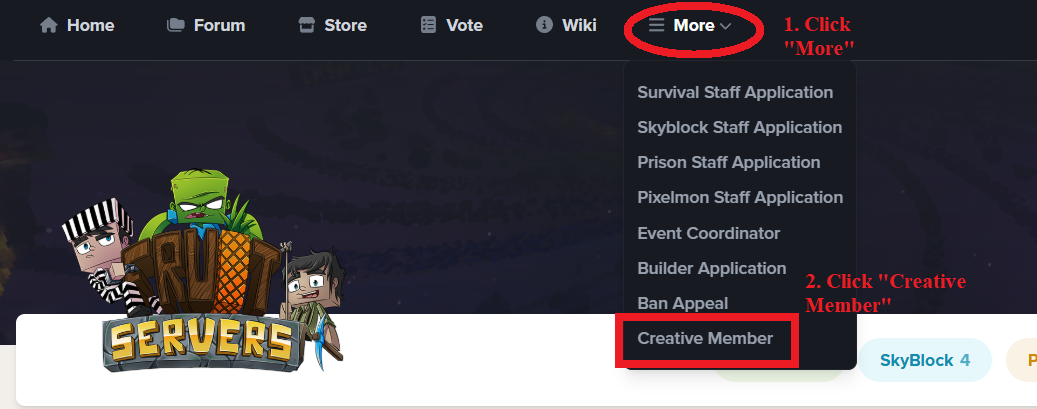
Fruit Servers currently offers five types of servers; Survival, Skyblock, Prison, Pixelmon and Creative. Creative can be accessed by clicking while holding the apple in our hub, or by executing the commands /creative or /server creative when connected to any one of the other servers on Fruit. However, unlocking the full potential of the Creative Server requires you to sign up for member. You can do this by visiting this link for instructions on how to obtain member for creative.

The Creative Server is a place where people can go to relax, and simply build for fun. They can let their imagination run wild and build whatever it is their heart desires. It uses a plot system, which is very useful as it is all automatic. Commands for the plots can be found in the extensive list below. All server rules still apply on the Creative Server.

Note: A handy WorldEdit guide for beginners drafted by Former Builder (Now Event-C+) shiverly can be found on our discord forum here: Shiv's Handy Dandy Worldedit guide for Beginners.

Useful Commands

  • /plot - This command brings up your Plot Manage Interface.
  • /plot claim - This command lets you claim the plot you are currently in, and can only be used if the plot is unclaimed.
  • /plot auto - This command lets you automatically claim the next available plot.
  • /plot home - This command teleports you to your very own plot (once you have claimed one).
  • /plot home:# - This command teleports you to your other plots, (you are able to purchase another plot at the server store).
  • /plot info - This command informs you about the plot you are currently standing in.
  • /plot list - This command informs you about which plots you are allowed to build in.
  • /plot biome <biome> - This command lets you change the biome of your own plot.
  • /plot biomes - This command lists you all the possible biomes you are allowed to use for your own plot.
  • /plot home <name> - This command teleports you the a specific person's plot.
  • /plot home:# <name> - This command teleports you to a specific person's plot, similar to the fourth command listed above.
  • /plot clear - This command clears the plot you are currently standing on, returning it to its' original state of flat grass.
  • /plot dispose - This command lets you unclaim the plot you're currently standing on, note that you can only unclaim your own plots. Unclaiming plots will not clear the plots to its' original state of flat grass.
  • /plot add <name> - This command lets another person build on your plot only when you are online. Rules still apply with griefing.
  • /plot remove <name> - This command removes permissions of another person to build on your plot.
  • /plot deny <name> - This command denies a person from entering your plot.
  • /plot undeny <name> - This command un-denies a person, letting them enter your plot.
  • /plot trust <name> - This command allows a person to build on your plot when you are online or offline.

World Edit

Basic World Edit commands are available to those who are members or above. Below is a list of all available commands you can use with this tool.

  • //wand - This command gives you the "edit" wand (by default, a wooden axe). Left click with this tool to select position 1 and right click to select position 2.
  • //undo - This command allows you to undo your last action.
  • //sel - [-d] <cuboid|extend|poly|ellipsoid|sphere|cyl|convex> - This allows you to choose the region shape to use for selections.
  • //desel - This command deselects the current selection.
  • //pos1 - Using [X,Y,Z], this command allows you to set selection position 1 to the block above the one you are standing on.
  • //pos2 - Using [X,Y,Z], this command allows you to set selection position 2 to the block above the one you are standing on.
  • //set <block> - This command sets all blocks inside the selection region to a specified block.
  • //replace <to-block> - This command replaces all non-air blocks inside the region.
  • //replace <from-block> <to-block> - This command replaces all blocks of the specified blocks with the other block inside the region.
  • //copy - [-m] - This command copies the currently selected region. It stores your position relative to the selection when copying.
  • //cut - [-m] - This command cuts the currently selected region.
  • //paste - [-sao] [-a] - This command pastes the clipboard. If you paste with [-a], the air blocks will be ignored.
  • //rotate - <y-axis> <x-axis> <z-axis> - This command rotates the clipboard.
  • //flip - [direction] - This command flips the clipboard.
  • /tree - [type] - This command switches you to the tree tool. Available types of trees are tree, regular, big, bigtree, redwood, sequoia, tallredwood, tallsequoia, birch, white, whitebark, pine, randredwood, randomredwood, anyredwood, rand, random.

Notes

  • Build Competitions are normally hosted on the Creative Server.
  • Spawn eggs are disabled in the Creative Server.
  • Barrier Blocks are allowed and can be created with World Edit.
lceMocha lceMocha edited about 1 year ago
0 Views

Fruit-Hytale - Getting Started

Basic Commands 

- Information - Basic server information

/rules - View server rules

/basics - View basic commands

/seen (name) - To see when player was last on

/links - To view all voting site links

/ticket (issue) - To report any issues to staff


- Homes - Set and teleport to personal locations
/sethome (name) - Set a home location
/home (name)  - Teleport to a home (alias /h)
/homes - List your homes
/delhome (name) - Delete a home


- Teleportation - Teleport to server made warps and other modes of teleportation
/spawn - Teleport to spawn
/warp (name) - Teleport to a warp
/warps - List available warps
/rtp - Find a safe random location to teleport to
/tpa (name) - Request to teleport to a player
/tpahere (name) - Request a player to teleport to you
/tpaccept - Accept a teleport request
/tpdeny - Deny a teleport request


- Messaging - Communicating with other players/staff
/msg (name) (message) - Send a private message (alias /w, /tell)
/r (message) - Reply to the last message

/mail send (name) (message) - To send a message to another player who is offline

/mail read/clear - To read your messages or to clear them.

/ignore (name) - To no longer see a specific's player messages in chat


- Block Locking - To protect your area
/lock - Lock the block you're looking at
/unlock - Remove a lock from your block
/trust (player) - Give a player access to your locked block
/untrust (player)  - Remove a player's access


- Future Perks - These commands will be on the store in the future

/back - Return to your previous location or death location

/top - To get to highest point from current location


- Other Commands

/f (name) - To pay respects to another player

/afk - To go Away from Keyboard (AFK)

FreyCake FreyCake edited 8 months ago
0 Views

Auction House

Auction House User Interface

The Auction House allows players to list and purchase items from other players. This is particularly helpful for offline sales and provides the opportunity to sell to others with differing timezones. The auction house is a great way to make money by selling farmable items other players might be interested in buying.

To list an item for sale, simply hold the item in your hand and run the command /ah sell 1000. The amount of 1000 has been used as an example and is completely arbitrary. To purchase an item, simply click on the desired listing and click on the green "confirm" pane.

A player's default amount of Auction House slots is three. However, an additional 4 slots can be purchased from the Fruit Server's Donor Store.

Commands

Auction House Commands
Commands Description
/ah Opens up the auction house interface
/ah sell (amount) Will list an item for sale with the specified amount
/ah cancel Will cancel all of your currently listen items on ah
/ah selling Allows you to cancel specific items listen on ah
/ah return Returns any expired items to your inventory
/ah sold Displays your recently sold items
/ah search (filter) Allows you to search ah for a specific item
/ah help Displays a full list of commands for ah
/ah sell (buynow price) (starting price) (Increment bid) Lists an item on the auction house for bidding


Please note: If your inventory is full when returning or canceling listings, the items will drop to the ground.

Interfaces

A summary of icons presented in the Auction House
iiUnity iiUnity edited 6 months ago
1 View

Coloured Tags

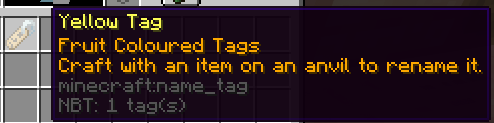
Yellow Coloured Tag

On Fruit Servers you are able to rename your items or pets in a set few colours. You are able to obtain these coloured tags via opening crates at /warp crates in game or through the points store in-game via /points.

Renaming a tool or item

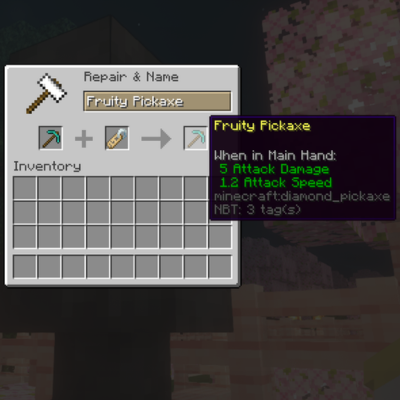
Renaming a pickaxe with a yellow tag

To rename a tool you will need: the tool, an anvil, enchantment levels and the coloured name tag. If you are wanting to rename an enchanted tool, rename this tool using the anvil. Note that if there are a lot of enchants on the tool, then more enchant levels will be required to rename it, so it is recommended to rename the tool first without enchanting it. After renaming the tool using the anvil, combine the renamed tool with the coloured tag to apply the colour effect.

Renaming pets or mobs

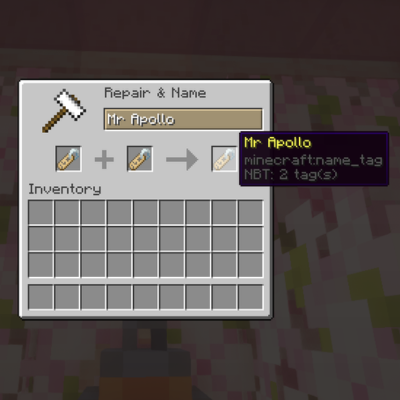
Renaming a name tag with a yellow tag

To rename any mob, you will need an anvil, enchantment levels, a regular name tag and the coloured name tag. Firstly you rename the regular name tag. After renaming the regular tag, you then combine this with the coloured name tag to obtain a coloured renamed tag. You can then right-click on the mob with this tag to apply the pretty name on them.

lceMocha lceMocha edited about 1 year ago
0 Views

Formatting Signs

You are able to Format signs on Fruit Servers with pretty colors and text effects. To properly format you will need to have the formatting signs perk which is accessible via multiple ways.

Obtaining the perk

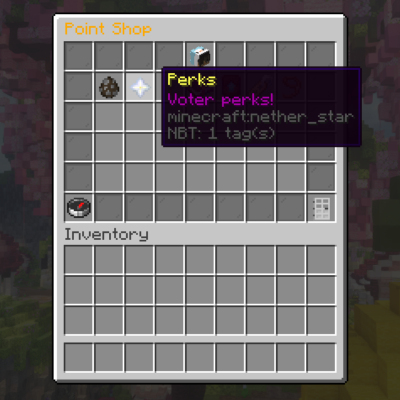
/point menu showing "voters perk" in-game

Format signs perk can be obtained multiple ways:

  • Via the Fruit Servers Donor Store
  • Via /points redemption for 170 vote points in-game
    • Run the /points command → Perks (Nether star in the GUI) → Voters Formatted Signs (Sign in GUI)
  • Win a monthly voting competition by becoming the top 3 voter and cash in your store voucher prize for the perk

Using format codes

Format Code Chart

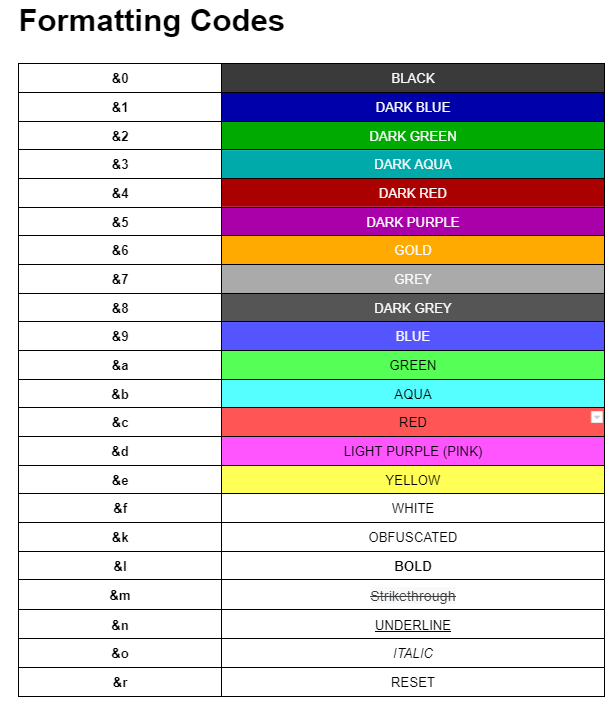
To apply colour or text format codes, the ampersand (&) symbol followed by the formatting letter is used to apply the effect on the sign. The numbers 0 to 9, and letters a to f are colour codes, and the letters k to r are text codes.

Multiple formatting codes can be applied on the sign as well. Each type of formatting will stack unless it is a colour symbol, thus two colours will not be able to stack or overlap. However, colour codes and text codes can be used simultaneously.

  • For example if we were to type the word "Fruit" in simply red, you can do &cFruit on your sign.
  • If we wanted two words, say "Fruit Cake" in red and blue, you can do &cFruit &bCake on your sign.

Note that when applying multiple text formatting codes, this must be done after applying the colour format codes.

  • For example if we were to type the word "Fruit" in red, bolded and underlined, we can do &c&l&nFruit on your sign.
  • Edit sign gui with &cFruit
    Sign with 'Fruit' Bolded, Red and Underlined
lceMocha lceMocha edited 7 days ago
1 View

Fruit Collectibles

Collectibles Info

Example of /fc
Example of /fc

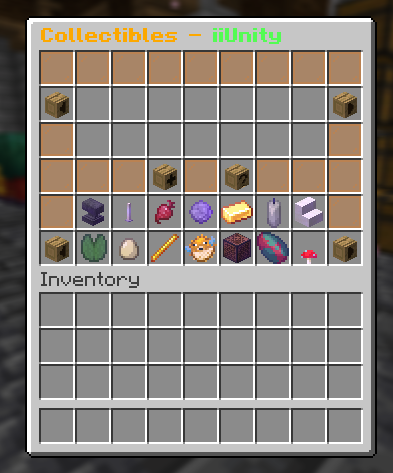
Fruit Collectibles is a custom plugin introduced in 2020 which allows you to store special items for safekeeping between map resets. The Fruit Collectibles act as a virtual trophy case that you can use to look back on special items from past resets, sort them into custom categories, and show them off in chat.

Please note: Once an item is added to Fruit Collectibles, it can't be taken back out again.

Additional information: /fc does not work on Skyblock, please use /fruitcollectibles instead!

All commands on Skyblock should be conducted using /fruitcollectibles and then the subcommand (e.g., additem).

Commands

Fruit Collectibles Commands
Command Description
/fc Opens up the Fruit Collectibles interface
/fc additem Adds the item held in your hand to your Fruit Collectibles collection
/fc addcategory (itemname) (categoryname) Creates a category to sort your items into
/fc deletecategory (name) Deletes any category you wish and moves the items inside back into the main interface

Creating & Editing Categories

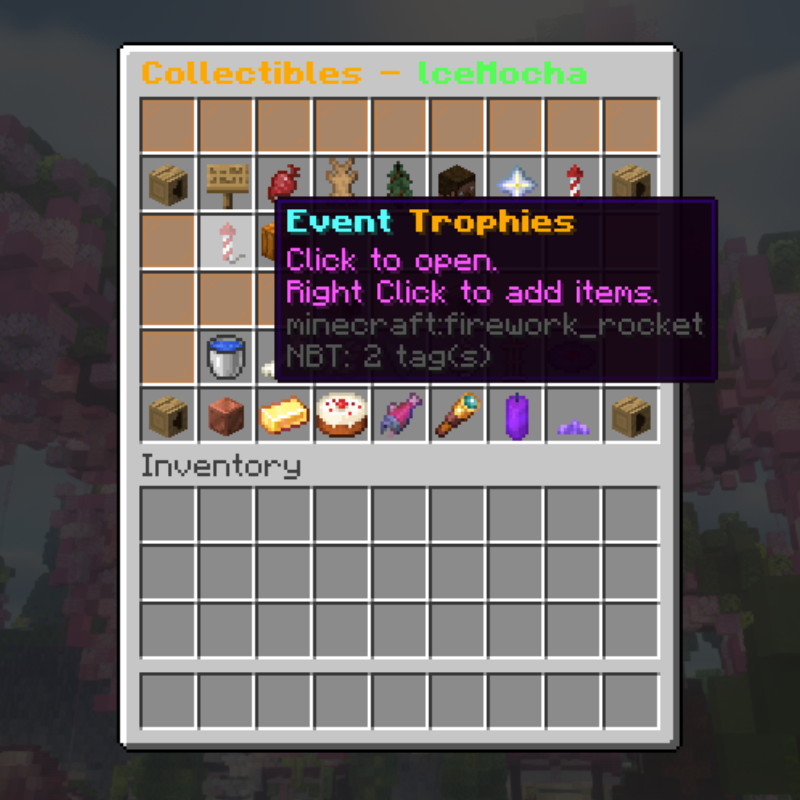
An example category created with formatting codes

Creating a Fruit Collectibles category is done through a single command, and is fully customisable to your preferences. You can create multiple categories and move items into and out of them as you see fit.

Command: /fc addcategory (itemtype) (categoryname)

  • (itemtype): The Minecraft ID of any item, used as the category's thumbnail (e.g., cake, diamond_sword, golden_apple).
  • (name): A name for your category, can also include formatting codes (e.g., H1's Cakes, &c&lWeapons).

Example: /fc addcategory firework_rocket &b&lEvent &6&lTrophies

To rename a pre-existing category, open it within the /fc menu and click on the button in the bottom right titled Rename Category. You will then be prompted with a command to type in chat, which is used similarly to the command used for creating a category: /fc rename (name).

Categories can also be deleted with /fc deletecategory (name), and any items in the category will be moved back into the uncategorised items section.

Adding & Moving Items

You can add any item into Fruit Collectibles, simply by holding the item you want to add in your hand and typing /fc additem in chat. (Again, please be advised that any item added cannot be retrieved back into your inventory).

An item will by default be placed into the bottom (uncategorised) section of the /fc main menu, and right-clicking on any category will open a menu where you can move an uncategorised item into that category.

To remove an item from a category and place it back into the uncategorised section, open a category and select the Remove Items option. This will open a menu for you to select any of the items in that category and move them out, ready to be placed into a different category.

lceMocha lceMocha edited 12 days ago
1 View

Fruit Marriage

Marriage

The marriage plugin available on FruitServers allows players to connect in a unique way by linking two players together in holy matrimony. Marriage is available on all FruitServers — Survival, Skyblock, Prison, and Cobblemon!

How do you get married?

The first steps to link yourself with your Minecraft lover are as follows:

  1. Find a partner. It's best that you are familiar with your choice of partner and are happy together on the server before proposing.
  2. You must contact a staff member with a rank of MOD or above, requesting to be married. Follow the staff member's instructions, as they will often announce the warp you are to be married in.
  3. The staff member will then proceed with: Do you (Player 1) wish to marry (Player 2) on this server? To accept the marriage, you must type /marry accept. If you decide to change your mind and don't think that you should marry that player, you can deny the marriage by typing /marry deny.

Should you wish to be divorced, you must notify a staff member in order to do so.

Pixelmon's 2025 Spawn /Warp Love

What's the point?

Apart from tying the knot with your special someone, marrying another player comes with some perks! Once married, typing /marry help shows all available commands between you and your partner. (NOTE: Hold your crouch key and right-click to kiss your partner rather than typing /marry kiss)

Some basic commands that are exclusively for married couples are:

  • /marry list — Able to view all married players on the server.
  • /marry gift — Allows you to send a gift to your partner if they are online.
  • /marry tp — Allows you to teleport to your partner without asking.
  • /marry sethome — Allows you to set a shared home for you and your partner.
  • /marry delhome — Allows you to delete the shared home.
  • /marry home — Allows you to teleport to the shared home.
lceMocha lceMocha edited 12 days ago
1 View

McMMO

McMMO

McMMO is an open-source plugin for Minecraft. Its main function is to incorporate an RPG-like skill system that players have access to right from the beginning. Depending on how much a certain tool is used or a specific action is performed, players gain experience that eventually unlocks bonuses such as double drops, rare drops, or ability enhancements.

Gathering Skills

McMMO stands for Minecraft Massively Multiplayer Online. It allows players to level up skills commonly found in RPGs, such as Archery, Woodcutting, Mining, and many more!

Excavation

Excavation is leveled up by digging sand, dirt, or gravel. Increasing your Excavation level allows you to find buried treasures. The higher your skill level, the better the loot—including glowstone dust, music discs, flint, name tags, cocoa beans, diamonds, and more. To level this skill, simply grab a shovel and start digging.

Giga Drill Breaker Ability: Activated by right-clicking with a shovel in hand. It lasts for a few seconds and allows you to instantly break excavation blocks.

Fishing

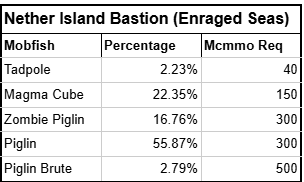
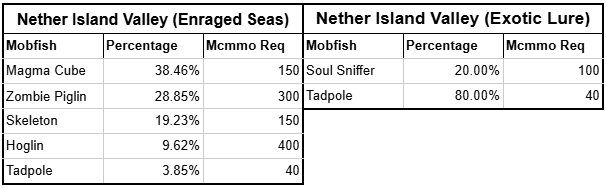
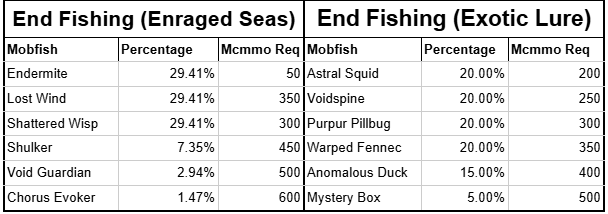
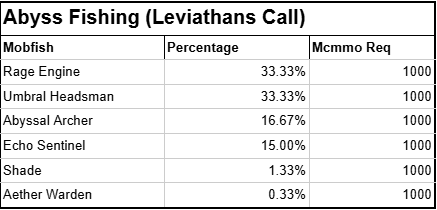
Fishing is simple: cast your rod, wait for a bite, and right-click to reel it in. Higher fishing levels unlock better treasures, but be careful—it is also possible to catch live TNT! Below are the abilities unlocked as you level your Fishing skill:

  • Ice Breaker: Unlocked at level 50. Allows you to fish through ice by casting your line at an ice block to turn it into water.
  • Master Angler: Unlocked at level 125. Increases your catch rate and makes fishing from a boat or in ocean biomes much easier.
  • Shake: Unlocked at level 150. Allows you to hook mobs and shake valuable items loose from them.

Fishing Experience Table

Activity Experience Gained
Catching a Fish 800 EXP
Catching Treasure 1000 EXP
Successful Shake 50 EXP

Herbalism

The Herbalism skill is leveled by harvesting crops and plants. Higher levels increase the chances of getting extra drops, seeds, mushrooms, and flowers.

  • Green Terra: Activated by right-clicking while holding a hoe. This ability increases the chance of receiving triple drops from harvested plants.
  • Green Thumb: Converts blocks into their plant-related counterparts by right-clicking them while holding seeds (consumes seeds on failure). Converts stone to mossy stone or dirt to grass. Has a 25% success rate at level 750 and 50% at level 1500.
  • Shroom Thumb: Converts dirt into Mycelium by right-clicking while holding red or brown mushrooms (consumes mushrooms on failure). Has a 25% success rate at level 750 and 50% at level 1500.
  • Instant Wheat-Regrowth: Gives a chance for wheat to instantly replant itself when harvested.

Instant Replant Chance Table

Herbalism Level Wheat Stage Chance
0 – 199 0 0% – 13.2%
200 – 399 I 13.2% – 26.6%
400 – 599 II 26.6% – 40%
600 – 799 III 40% – 53.2%
800+ IV 53.2% – 100%
  • Farmer's Diet: Increases hunger restoration from food items. Base restoration ranges from ½ to 4 hunger points, while maximum restoration adds an additional 1½ to 2½ hunger points.

Food Restoration Table

Item Base Restoration Max Restoration Item Base Restoration Max Restoration
Raw Potato ½ 2 Poisonous Potato 1
Baked Potato 3 Carrot 2
Golden Carrot 3 Melon Slice 1
Bread 5 Cookie ½ 2
Pumpkin Pie 4 Mushroom Stew 4
  • Hylian Luck: Grants a chance to drop rare treasure when breaking plants like grass, saplings, dead bushes, and flowers. Unlocks at level 100 with a 1% chance, gaining +1% every 100 levels.
  1. Grass / Saplings / Dead Bushes: Drops Melon Seeds, Pumpkin Seeds, or Cocoa Beans.
  2. Flowers: Drops Potatoes, Carrots, or Apples.
  3. Flower Pots: Drops Emeralds, Diamonds, or Gold Nuggets.

Herbalism Experience Table

Item Experience Gained Item Experience Gained
Wheat 50 EXP Melon 20 EXP
Pumpkin 20 EXP Potato 50 EXP
Carrot 50 EXP Cocoa Beans 30 EXP
Sugar Cane 30 EXP Cactus 30 EXP
Mushrooms 150 EXP Nether Wart 50 EXP
Flowers 100 EXP Lily Pads 100 EXP
Vines 10 EXP

Mining

The Mining skill is leveled up by breaking stone and ores. Higher levels yield double drops from ores.

  • Super Breaker: Activated by right-clicking with a pickaxe. Grants Efficiency V, increases double drop chances, and speeds up mining. Lasts 2 seconds initially, with +1 second added every 50 levels. Cooldown is 240 seconds. (Note: Tool durability consumes faster during use).
  • Blast Mining: Activated by crouching and lighting TNT with a Flint and Steel. At level 750+, Blast Mining yields triple drops and leaves no debris. Keep blast areas small to prevent server lag and drop clear resets.

Mining Experience Table

Block Type Experience Gained Block Type Experience Gained
Stone 30 EXP Sandstone 30 EXP
Glowstone 30 EXP Moss Stone 30 EXP
Netherrack 30 EXP End Stone 150 EXP
Obsidian 150 EXP Coal Ore 100 EXP
Redstone Ore 150 EXP Lapis Lazuli Ore 400 EXP
Iron Ore 250 EXP Gold Ore 350 EXP
Diamond Ore 750 EXP Emerald Ore 750 EXP

Woodcutting

The Woodcutting skill is leveled up by chopping wood, mushroom stems, or leaves using an axe.

  • Tree Feller: Activated by right-clicking with an axe and breaking the bottom log of a tree. This instantly chops down all connected logs above it. Duration increases every 50 levels.
  • Leaf Blower: Unlocked at level 100. Allows axes to break leaf blocks instantly and increases sapling/item drop rates by 10%.
  • Double Drop: Grants a passive chance to receive two log drops instead of one. Chance increases by 0.1% per level, reaching 100% at level 1000.

Woodcutting Experience Table

Block Type Experience Gained
Acacia / Birch / Dark Oak 90 EXP
Oak 70 EXP
Jungle 100 EXP
Spruce 80 EXP
Huge Red / Brown Mushroom 70 EXP

External Resources & Guides

Combat Skills

Manufacturing & Utility Skills

General Features

lceMocha lceMocha edited 12 days ago
0 Views

Player Shops

On FruitServers you are able to make shops using chests and signs, where you are able to specify quantities of a particular item to be bought or sold at a specified price. There are usually multiple player shops accessible throughout all servers. For a tutorial and example on how to make a player shop in-game, visit /warp chestshop.

Making a Player Shop

Making a player shop requires you to have a sign, a chest, and the item you wish to either buy or sell. After placing the chest, make sure to crouch and place the sign on the chest to allow it to be edited. To successfully make a shop, follow these steps:

  • Line 1: Username
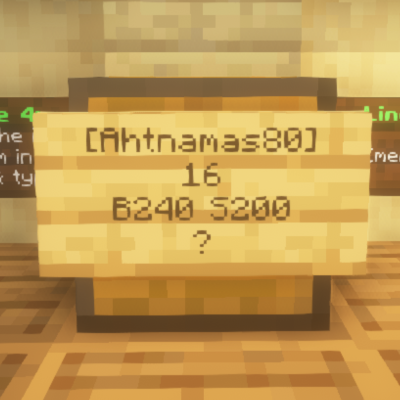
    Specifics of a player shop sign
    Specifics of a player shop sign

    This is where your name will go when the player shop is made. You do not need to fill out anything when making the shop; leave this line blank.

  • Line 2: Quantity

    This is where the quantity of the item to be bought or sold is placed (ranging from 1 to 2304). Specifying this number means when a player clicks to buy or sell, they will instantly transact that quantity in one click.

  • Line 3: Price (Buy / Sell)
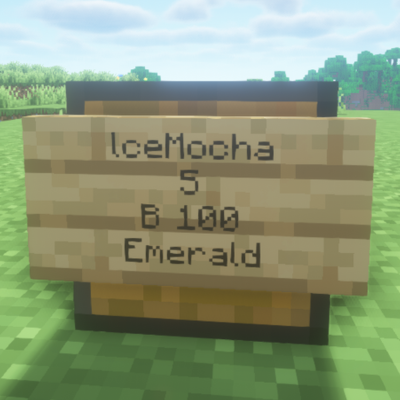
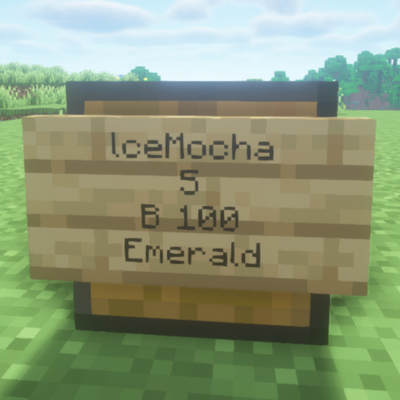
    Shop selling 5 emeralds for $100
    Shop selling 5 emeralds for $100

    This is where you specify whether you are buying or selling:

    • To allow others to buy an item from you, write B(price).
    • To allow others to sell an item to you, write S(price).

    When making a chest shop, the buy price must be greater than the selling price. You have the option of either buying, selling, or both. If both are to be done in one shop, separate them with a colon (:).

  • Line 4: Item Name
    Example result for /iteminfo command for Emerald
    Example result for /iteminfo command for Emerald

    This is where you specify the item being sold. Type ? and click Done to finish your shop sign. You will then be prompted to click the sign with the item you wish to sell or buy, or you can place the item inside the chest beforehand so line 4 automatically fills when you type ? and click Done.

    Note: If you wish to obtain the shop name of an item to manually fill line 4, hold the item in your hand and run the command /iteminfo.

lceMocha lceMocha edited 7 days ago
0 Views

Protection

Lockette and Protection

Lockette sign on a chest
Players can lock chests, furnaces, beacons, and even doors in-game with this Lockette sign.

Protection is a broad term used to explain the various ways players are able to protect their belongings from theft and grief. Players may visit /warp lockette on Survival to see tutorials and examples on display to learn about the various ways to protect their belongings.

Grief

FruitServers doesn't employ an anti-grief plugin to prevent grief or allow players to protect their own land. All players are able to build in any location on the map, which does leave potential for grief. Players who find their base griefed or belongings stolen should contact staff immediately.

Below is a list of protection plugins we have installed in order to give you an optimal playing experience on our server!

Lockette

Lockette is a plugin that allows players to lock their various containers, doors, and a range of different blocks. The owner of a lock can add other players to a locked container and perform special actions on locks, such as setting timers on doors.

Locking a Chest

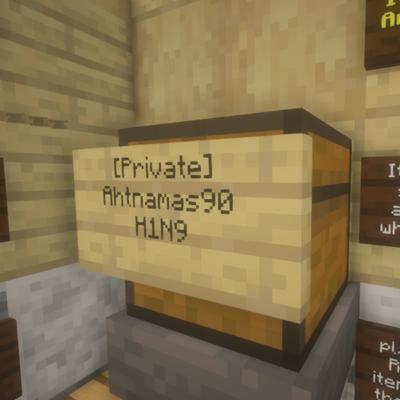
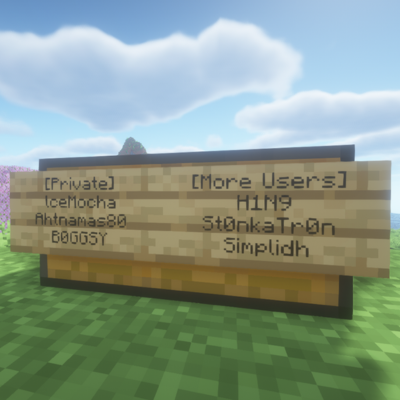
To lock a chest, simply right-click it with a sign. The sign on the chest will auto-complete with [Private] followed by your username. Note that you must not be crouching/shifting while holding the sign for this to work.

Adding Players to Locks

Adding more players to a lock

To add a friend to a chest, right-click on the sign to bring up the edit sign GUI and add their username on an empty line. Signs have a total of 4 lines: the first line is reserved for the Lockette plugin, and the second line will always be the owner's username.

If the sign becomes full (only 3 players will fit on a single sign), you can place another sign on a different side of the chest by right-clicking with a new sign. This creates a new lock sign with [More Users] on the first line, opening up 3 additional slots. This process can be repeated as needed to grant other players access.

Lockette with Redstone

A lock with [Redstone] on a furnace

To allow hoppers to deposit or extract items from a locked chest or container, right-click on the sign to open the edit GUI and type [Redstone] on any empty line. [Redstone] must be explicitly added to locked containers; otherwise, hoppers will not take from or deposit into them.

lceMocha lceMocha edited 7 days ago
0 Views

Crafting Event

Crafting Event

Example 2025 Fruitlympics Crafting Comp 1st Prize

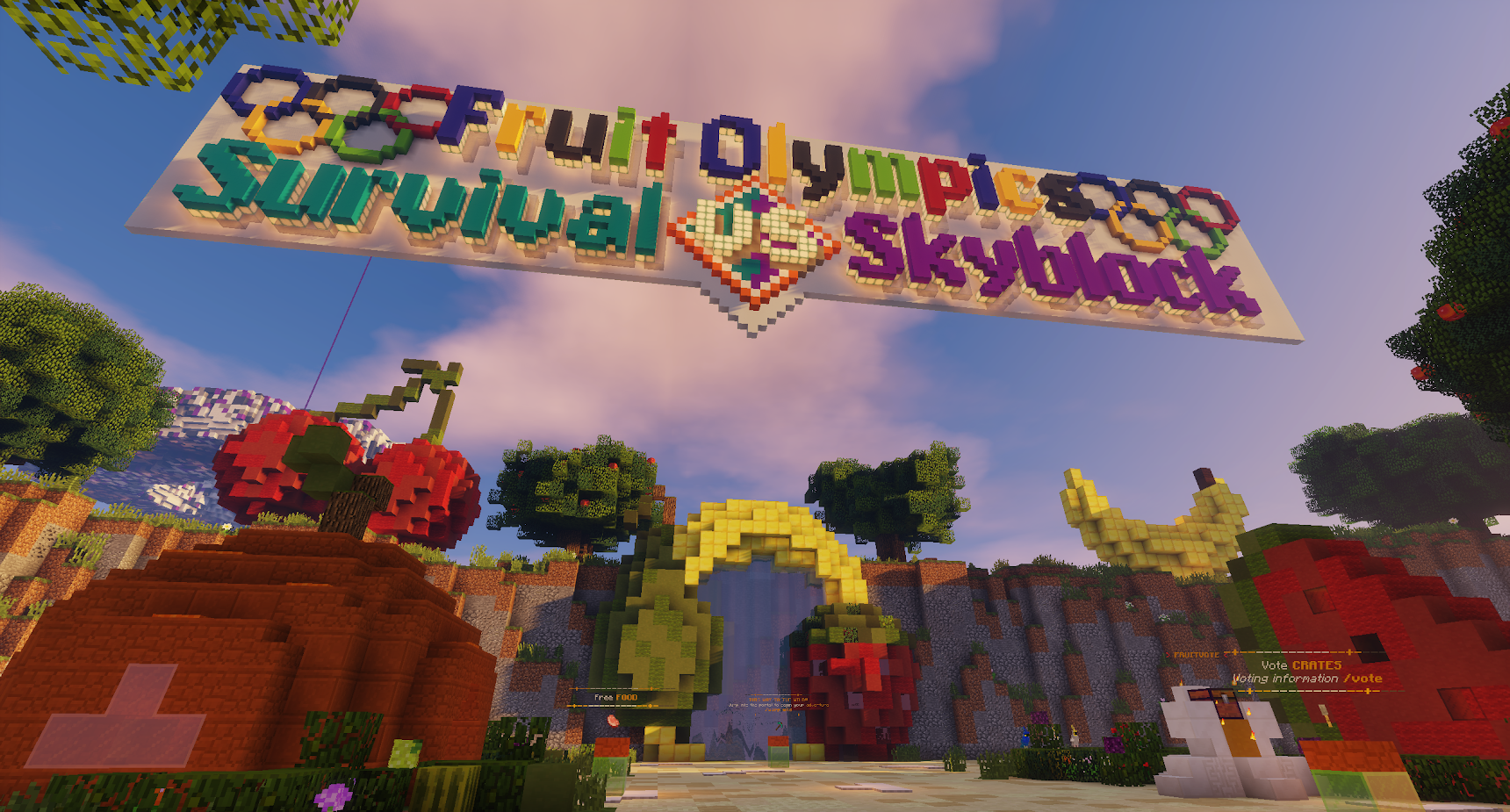
Crafting events are special events unique to Fruit Servers, and happen at special and milestone events throughout the year. Currently, FruitServers hosts crafting events at the following times: Christmas, Valentine's Day, Easter, Fruitlympics and Halloween. Points and prizes are counted separately for Skyblock, Survival, and Pixelmon.

The basic premise of a crafting event is to use regularly obtainable items in the vanilla game, and follow set crafting recipes that are distinct to each event. These items, once crafted, can be turned into the special event NPC found in the event area on the server you're participating on.

Note: For the duration of the crafting competition, certain items that are normally sold at /warp shop may become temporarily unavailable. The duration of the crafting competition is at the discretion of H1N9.

How do I enter?

Example Fruitlympics 2023 Crafting Competition Collectible on Survival
Example Fruitlympics 2023 Crafting Competition Crate Key Tool Prize

To enter, simply head to the crafting competition area at /warp craft on your respective server and there should be a recipes board when there is an active crafting competition. You will then need to craft special recipes with a Crafting Table using the provided recipes and then submit them to the special event NPC to earn points and collectibles. Recipes are worth different amounts of points and the player with the most points at the end of the crafting competition wins!

Players may additionally donate to the Fruit Servers Store to obtain crafting competition keys to unlock at the crafting competition crate at /warp craft for a chance to win cool crafting competition amours and special crafting ingredients to craft special recipes that are worth a lot more points than the standard crafting recipes.

Note: To get a reward/collectible from the special event NPC, you must craft and submit at least 500 points worth per submission to the NPC.

How do I Craft the Recipes?

Recipe Board for Crafting Competition at /warp craft for Survival
Example Witches Candy Apple Recipe
Crafting Witches Apple Candy in Crafting Table

To craft a recipe, simply head to /warp craft to see the recipe board. On the recipe board, it will tell you what materials you need to combine in your crafting table to craft a recipe. For the purposes of this guide, we shall use "Witches Candy Apple" as an example. The materials required to craft one Witches Candy Apple is:

  • 1 Apple
  • 1 Dead Bush
  • 1 Sugar

Note: Do not hoard materials as recipes may be subject to change at any given moment!

What can I win?

Each crafted item is worth a number of points, which are added to your points total. The top 3 players at the end of the event period receive epic rewards, including gear like gaming keyboards, mice, headsets, and more. Competitors can view the leaderboard by running the command /fhtop ingame or /fhpoints to view your own points.

Rules

To ensure fairness of the crafting competition the following rules are enforced:

  • The crafting competition is strictly a single player event only (teaming is not allowed)
  • You can not sell crafted recipes to other players
  • You can only sell ingredients to craft a recipe to other players but for a fair price
  • Sharing Information in relation to tier-specific points is prohibited.

Players caught breaking the above rules will have their Crafting Competition Points reset.

lceMocha lceMocha edited about 1 year ago
0 Views

Network Events

On Fruit Servers, we have a myriad of events in store for you to participate in and enjoy. We showcase Pop-up events which could be run at any time of the day, and scheduled events which are run regularly between 08:00PM to 09:00PM AEST. The server hosting the event for the night is based on a weekly schedule that you can read more about below. To join a scheduled event you can type /fe join, and if you wish to leave, type /fe leave.

Fruit Event Calendar

Week Day Server Hosting Event Night
Monday Pixelmon
Tuesday Prison
Wednesday Survival
Thursday Skyblock
Friday Survival
Saturday Skyblock
Sunday Prison

Survival Events

Survival hosts event night every Wednesday and Friday nights between 08:00PM to 09:00PM AEST. There are usually two events on Wednesday nights with their duration being 30 minutes each and on Friday it is usually 1 hour long with one event. To see a list of events that may be hosted on Survival check out Survival Events.

Skyblock Events

Skyblock hosts event night every Thursday and Saturday nights between 08:00PM to 09:00PM AEST. A public poll on #fruitSkyblock channel on discord is sometimes hosted by Event-Cs before events to determine what players want to play. To find out more about Skyblock events, feel free to contact an Event-C on skyblock or #fruitSkyblock channel on discord! Have a browse of Skyblock events on Skyblock Events.

Prison Events

Prison hosts event night every Tuesday and Sunday nights between 08:00PM to 09:00PM AEST.

Pixelmon Events

Pixelmon hosts event night every Sunday night between 08:00PM to 09:00PM AEST. Stay tuned via the Fruit Discord to see what event is scheduled! To see a list of Pixelmon Events check out Pixelmon Events.

Pop-up events

Pop-up events can occur at any given moment of time on any server. They are usually quick and fun little events where players have an opportunity to win prizes. Prizes are usually handed out to winners by an Event-C after the event has concluded. Below is a list of pop-up events that could be hosted by an Event-C:

Find the Heads

Survival Spawn Area 2023

Run around spawn and find the heads of our lovely staff members

Instructions: Listen carefully to broadcast's instructions. Start at /spawn when the round starts and search for the staff heads scattered across spawn. When a head is found call out for an Event-Coordinator or a Moderator to assist you.

Aim: Find as many staff heads before your fruity companions do!

Rules: Server’s /rules and staff instructions always apply.

  • No pets, potions, disguises or trails
  • Do not leave the spawn area until the broadcast instructs you to
  • No assisting other players if you have already found a head

Parkour

Classic old Minecraft parkour, jump around and make it to the end!

Instructions: Wait for the broadcast to announce the parkour area and begin to make your way through the multiple obstacles and blocks to the end of the parkour area. If you fall, you must start again.

Aim: Be the first to make your way to the end of the parkour to win!

Rules: Server’s /rules and staff instructions always apply.

  • No pets, potions, disguises or trails
  • Do not use /fly
  • Do not afk at the event area, or you will be removed

Trivia

Do you know your general knowledge? Show us what you got in chat!

Instructions: Wait patiently for broadcast to ask a question, and if you think you know the answer, type it out in chat.

Aim: Get as many questions right as fast as possible!

Rules: Server’s /rules and staff instructions always apply.

  • Do not spam answers, this is warnable
  • Be appropriate, no need for silly answers

Unscramble the word

Reveal the letters and unscramble the mysterious word!

Instructions: Multiple microblock letters will be spread across the spawn area. Find the letters to unscramble and reveal the mysterious word. If you have an idea of what the word is, message an Event-Coordinator or a Moderator.

Aim: Find the letters and unscramble the words before the other fruity contestants do!

Rules: Server’s /rules and staff instructions always apply.

  • Do not spam answers, this is warnable
  • Be appropriate, no need for silly answers

Special Events

Fruitlympics

Survival Fruity Event World 2023

Every year showcase your minigames and event skills into one grand event - the Fruitlympics.

Fruitlympics is usually a week long event hosted by FruitSurvival sometime in July of every year. Every server (Skyblock, Prison, and Pixelmon) gathers on Survival nightly between 08:00PM - 09:00PM AEST to participate in competitive events that are run by Event-Coordinators and Staff along with the assistance of Marshals (Temporary rank for the duration of Fruitlympics given to staff that aren't from Survival to assist with the special events).

Instructions: On the Forum page make mention of which events you would like to participate in. There are four teams that you are able to be a part of, each represented by the different servers - Survival, Skyblock, Prison and Pixelmon. During the week of Fruitlympics you will be taking part in daily events if you have enrolled yourself to them. These events will all be taken place on Survival, and broadcast will display the instructions appropriately for each night of the event.

Aim: Win as many events for your team to earn points. The server team with the most points will be the winner of the Fruitlympics!

Rules: Server’s /rules and staff instructions always apply.

  • Rules will vary according to the event, see individual event details.

Discord Event Channel

Image of Minecraft Staff gaming left to right: RebornIV, _Duckyy__, DG_AU and lceMocha

Every night when a scheduled event is live our discord Event Channel is open for everyone to join and hang out for the duration of the event. Once the event is concluded for the night, the Event Channel must be vacated. Please ensure conversations are in relation to the event and push-to-talk is enabled or muted if not speaking. Any player intentionally disrupting the Event Channel shall be server muted by staff until the conclusion of the event. If you haven't already joined our discord server, you can click here for more info!

lceMocha lceMocha edited about 1 year ago
0 Views

Survival Events

FruitSurvival Events


Survival Event Coordination team front to back: Z0MB11_, Emmy_x, DG_AU

On FruitSurvival, we have a myriad of events in store for you to participate in and enjoy. We showcase Pop-up events which could be run at any time of the day, and scheduled events which are run Wednesdays and Fridays between 08:00PM to 09:00PM AEST. To join a scheduled event you can type /fe join, and if you wish to leave, type /fe leave.

Weekly Events

Bingo

Survival Bingo Area

Test your luck with a bingo board, but Minecraft style!

Note: Make sure to empty your inventory before you join in! You can die and lose your items, staff will not replace them.

Instructions: Select a bingo board before the round commences. Once the game begins, pay close attention to the broadcast as it will be calling out the items that are on your board. If you have an item on your board that was called, close the gate on your board.

Aim: If it is a normal round, obtain 4 in a row (in any direction) and be the first to call out bingo. For a full board round, you must complete the entire board before being the first to call bingo.

Rules: Server’s /rules and staff instructions always apply.

  • Griefing is NOT allowed and is warnable.
  • Stick to your board throughout the round
  • Do not place signs on other players boards.
  • Don’t lie about getting bingo, staff can check!

Boat Race

Survival Boat Race Starting Area

Float and skid around in a boat around our tracks, dodge the obstacles, and cross the finish line!

Note: Make sure to empty your inventory before you join in! You can die and lose your items, staff will not replace them.

Instructions: Wait patiently in your pods for the round to begin. Once your pod is open, hop into a boat and wait for the broadcast to countdown and begin the race. There will be obstacles in your path, do your best to dodge them and make it to the finish line.

Aim: Be the quickest to get through to the finish line to win!

Rules: Server’s /rules and staff instructions always apply.

  • All contestants must pass the finishing line, do not wait for the next round to start
  • No use of /fly or /back
  • No foul play, do not break other boats
  • Remain in your boat at all times
  • No disguises, pets or potions

Bully

Survival Bully Arena

Whack around players off the edge inside the bully arena. Showcase your power and pvp and be the biggest bully of them all!

Note: This is a PVP Event. Make sure to empty your inventory before you join in! You can die and lose your items, staff will not replace them.

Instructions: Wait behind the gate for the round to commence. Once it has begun, obtain your knockback stick from the dispensers and travel up the water elevator into the bully arena. Use your stick to hit people off the edge of the arena.

Aim: Be the last one standing in the arena to win!

Rules: Server’s /rules and staff instructions always apply.

  • No armour, potions or food, keep your inventory empty
  • No use of /fly or /back
  • No pets or disguises in the arena

Bunnings Hunt

Survival Bunnings Area

Grab a Bunnings Snag and run around the multiple Bunnings aisles to find some goodies.

Note: Make sure to empty your inventory before you join in! You can die and lose your items, staff will not replace them.

Instructions: Wait patiently behind the gates for the round to start. Broadcast will announce the items you must find in the warehouse. When the round begins run through the aisles in attempt to the obtain the item that the broadcast had announced.

Aim: Find the items before your fruity companions do to win!

Rules: Server’s /rules and staff instructions always apply.

  • No use of /fly or /back
  • Keep an empty inventory, no potion effects
  • No pets or disguises

Corners

Survival Corners Arena

An event where you can show off your dance moves as you prance around 4 different corners whilst the groovy tunes play.

Note: Make sure to empty your inventory before you join in! You can die and lose your items, staff will not replace them.

Instructions: Make your way down the stairs and wait patiently behind the gates before the start of the round. Once you are allowed inside the arena, dance around as the music begins, and choose a corner to stay in once the music stops. A corner will be broadcasted and eliminated. If you are eliminated proceed to the exits specified as soon as possible.

Aim: Be the last player standing once all other corners have been eliminated!

Rules: Server’s /rules and staff instructions always apply.

  • No use of /fly or /back
  • Keep an empty inventory, no potion effects
  • No pets or disguises

Dig Down

Survival Dig Down Arena

Show off your digging and mining skills as you dig all the way down to the bottom, break all the obstacles in your path!

Note: Make sure to empty your inventory before you join in! You can die and lose your items, staff will not replace them.

Instructions: Jump into a pod and wait patiently for the round to commence. Once it has begun, break blocks to help you craft tools that will assist you to dig your way down to the bottom.

Aim: Be the first one to dig and mine your way to the bottom and hit the pressure plate to let out a firework, indicating your victory!

Rules: Server’s /rules and staff instructions always apply.

  • No use of any virtual tools
  • No use of spectator modes to assist you in finding an optimal path

Ender Pearl Golf

Survival Ender Golf Participants attempting to Pearl to Island 8

Showcase your Minecraft physics by ender pearling to multiple islands!

Note: Make sure to empty your inventory before you join in! You can die and lose your items, staff will not replace them.

Instructions: Grab ender pearls from the dispensers on the ground to launch yourself to the next island. You will notice numbers on the islands, every island has ender pearls for you to continue your journey to the top! Halfway through the course there is a checkpoint, make sure to reach it to claim an advantage! First person to launch the firework at island 12 wins the round!

Aim: Be the first person to make to the final island to win!

Rules: Server’s /rules and staff instructions always apply.

  • No pets, potions, disguises or trails
  • No use of any commands

Fishing

Survival Fishing Event Area

Reel out your rods and rack up multiple fish to be the king of the sea!

Note: Make sure to empty your inventory before you join in! You can die and lose your items, staff will not replace them.

Instructions: Obtain a fishing rod from the dispensers provided and settle yourself at one of the multiple seating areas. Begin reeling your rod as the broadcast instructs you to do so and try to catch as many fish within the specified round time. Different fish will get you different amount of points, which total up at the end of the round.

Aim: Get the highest amount of points from the fish that you catch to win!

Rules: Server’s /rules and staff instructions always apply.

  • No fishing before the round start
  • Do not exchange fish during or after round finishes
  • Stealing another person's fish is prohibited

Hide and Seek

Underwater Hide and Seek Arena

Because who doesn't love a bit of hiding and seeking?!

Note: Make sure to empty your inventory before you join in! You can die and lose your items, staff will not replace them.

Instructions: Wait patiently behind the gates for the round to commence and the staff to find their hiding spots. Once the round starts, players will go out into the arena to find the disguised staff members. If the Candyland arena is being played, staff will hide as rabbits which you will have to find across the area. If the Underwater arena is being played, staff will be hiding as small tropical fish dispersed around the water. When you see a disguised staff member, make sure to punch them to indicate you have found them.

Aim: Find as many staff members as you can before anyone else!

Rules: Server’s /rules and staff instructions always apply.

  • No use of /fly or /back
  • No use of potions or food
  • Do not assist other players, every person is on their own
  • Do not use any pets or disguises

Horse Racing

Survival Cup Racetrack

Gallop away on a stallion and make your way past the obstacles to the finish line!

Note: Make sure to empty your inventory before you join in! You can die and lose your items, staff will not replace them.

Instructions: Wait behind the gates for the round to commence. When your pod is open sit on the horse and wait for the broadcast to countdown and begin the race. Make your way through the obstacles and steer your horse towards the finish line.

Aim: Be the first one to cross the finish line to win!

Rules: Server’s /rules and staff instructions always apply.

  • No pets, potions, trails or disguises
  • Stay on your horse at all times
  • No use of any commands

Lilypad Drop

Survival Lilypad Drop Area

Plunge into the water and drop some lily pads while you're at it!

Note: Make sure to empty your inventory before you join in! You can die and lose your items, staff will not replace them.

Instructions: Wait patiently behind the gates for the round to commence. As the gates open travel up the water elevator to the jumping platform. Run and jump into the water below while avoiding the lilypads. A lilypad shall be automatically placed at the spot you landed. Repeat this process and avoid falling on the other lilypads until last person stands!

Aim: Jump from a platform and avoid the lilypads on the way down, be the last survivor to win!

Rules: Server’s /rules and staff instructions always apply.

  • No use of /fly or /back
  • No pets, potions, trails or disguises
  • Once you reach the jumping platform you must jump and fall immediately

Musical Chairs

Survival Musical Chairs Arena

When the music plays dance around to your heart's content, but when the music stops, grab a chair!

Note: Make sure to empty your inventory before you join in! You can die and lose your items, staff will not replace them.

Instructions: Wait patiently behind the gates for the round to commence. Once the gates are opened, find a chair to sit on around the arena and wait for broadcast to begin the music. When the music plays get out of your chair, and once it spots, find a chair to sit on. If you are unable to find a seat, make your way to the exit.

Aim: Sit down on the chair before the final contestant to win!

Rules: Server’s /rules and staff instructions always apply.

  • Keep running when music players, do not camp around a chair
  • No pets, potions, disguises or trails
  • No use of any commands

Paint Run

Survival Paint Run Arena

Run through some paintings and make your way to the end with a view!

Note: Make sure to empty your inventory before you join in! You can die and lose your items, staff will not replace them.

Instructions: Wait patiently in your pod before the round commences. When your pod opens you must run and make your way through the paintings to go to the next room. If you successfully make it through a painting and into the room, the pathway behind you will close. As you progress through the rooms, some pathways may already be closed, keep finding a way to make it to the next room. If you are unable to make it through the room, exit from the sides.

Aim: Be the first one to make it through all the rooms to win!

Rules: Server’s /rules and staff instructions always apply.

  • No pets, potions, disguises or trails
  • No use of any commands
  • If you are unable to proceed to the next room, swiftly exit

Regicide

Survival Regicide Castle

Every special occasion such as Easter, Halloween, or Christmas, staff host a regicide event where players battle it out in PvP against staff.

Note: Make sure to empty your inventory before you join in! You can die and lose your items, staff will not replace them.

Instructions: When the event begins obtain your armour and tools from the dispensers provided and enter the arena. Work together as a team with your fellow fruity friends to take down the staff members until there is only H1N9 remaining. Once all the other staff members have fallen, bring down H1 and claim victory.

Aim: Defeat as many staff members or H1N9 for prizes!

Rules: Server’s /rules and staff instructions always apply.

  • Do not intentionally team kill, you must target staff
  • No pets, potions, disguises, trails, food or external armour
  • No use of commands

Rob the Nest

File:2021-02-03 13.27.42.png
Survival Rob the Nest area

Run around and defend your nest, steal some eggs while you're at it!

Note: This is a PVP Event. Make sure to empty your inventory before you join in! You can die and lose your items, staff will not replace them.

Instructions: After joining the event you will be allocated to one of four teams. Each team will have their own nest of microblock eggs, coloured accordingly to match the team's colour. When the round begins you must protect your own team's nest, whilst trying to steal eggs from another team's nest. You must break the egg placed on the ground and bring it back to be placed at your nest to score points. Your own team's eggs are worth 1 point, and stolen eggs are worth 3 points.

Aim: Have the most points at the end of the round for your team to win!

Rules: Server’s /rules and staff instructions always apply.

  • Do not intentionally team kill, you must target the other teams
  • You can only carry and transport one egg at a time
  • No pets, potions, disguises, trails, food or external armour
  • No use of commands

Spleef

Survival Spleef Arena

Bounce around the slime blocks and avoid falling into the fiery pit of lava below!

Note: Make sure to empty your inventory before you join in! You can die and lose your items, staff will not replace them.

Instructions: Wait patiently in your pod until the round commences. Once your pod is open, the round begins and you must break the slime blocks around you to make the other contestants fall whilst simultaneously jumping around.

Aim: Be the last one to standing in the arena to win!

Rules: Server’s /rules and staff instructions always apply.

  • No pets, potions, disguises or trails
  • Do not sit in a corner, keep jumping
  • No commands to be used

Thunderdome

Survival Thunder Dome Arena

Come along for an electrifying adventure. Players run around a large dome to try and dodge lightning!

Note: Make sure to empty your inventory before you join in! You can die and lose your items, staff will not replace them.

Instructions: Gather around the arena gates, and once open keep moving and running around the dome. When the countdown begins, lightning will strike all over the dome and you must try your best to avoid electrocution!

Aim: Be the last one to die from the almighty hands of Thor!

Rules: Server’s /rules and staff instructions always apply.

  • No use of /fly or /back
  • No potions, armour or food
  • No hiding! The point of this game is to run around the arena.

TNT Run

File:TNT+Run.png
Survival TNT Run arena

Make your way through the arena as everything behind you touch breaks and falls into the void!

Note: Make sure to empty your inventory before you join in! You can die and lose your items, staff will not replace them.

Instructions: Wait patiently in a pod before the round commences. When your pod opens you will need to run around the pressure plates triggering a TNT underneath, breaking everything you run or jump on.

Aim: Be the last one to fall into the void to win!

Rules: Server’s /rules and staff instructions always apply.

  • No pets, potions, disguises or trails
  • No use of any commands
  • Keep moving as TNT will be falling at all times

Walk the Plank

File:Walk+the+Plank.png
Survival Walk the Plank

It's time to walk the plank matey!

Note: Make sure to empty your inventory before you join in! You can die and lose your items, staff will not replace them.

Instructions: Join the event via /fe join and you will be allocated into one of two teams. Wait patiently for the broadcast to commence the round. Once the round begins you must knock the other team off the plank into the lava.

Aim: Knock all members of the other team off the plank to win!

Rules: Server’s /rules and staff instructions always apply.

  • No pets, potions, disguises or trails
  • No use of any commands
  • You must have an empty inventory to participate

Wool Wars

Survival Wool Wars Arena

Compete with your team against other enemy teams to dominate the centre for victory!

Note: This is a PVP event. Make sure to empty your inventory before you join in! You can die and lose your items, staff will not replace them.

Instructions: Join the event via /fe join and you will be allocated into one of four teams. Wait patiently for the broadcast to commence the round. Once the round begins you must try and place your team's coloured wool in the centre. You may trade with the villager npc in your team's area for your team's wool. You may kill sheep scattered around the area for neutral coloured wool. You have 5 minutes per round!

Aim: Team with the most wool in the centre wins!

Rules: Server’s /rules and staff instructions always apply.

  • No pets, potions, disguises or trails
  • No use of any commands
  • You must have an empty inventory to participate

Egg and Spoon Race

Players competing in Egg and Spoon Race on Survival

Do you have the perfect balance to protect your egg as you navigate obstacles, parkour and a maze?

Note: Make sure to empty your inventory before you join in! You can die and lose your items, staff will not replace them.

Instructions: Join the event via /fe join and you will be allocated into a pod. Wait patiently for the broadcast to commence the round. Once the round begins you must try navigate the course with helmets (egg). Try not to take damage with the helmets as they have very low durability. First person across the finish line with their helmet intact wins!

Aim: Complete the obstacle course with your helmet (egg) still intact!

Rules: Server’s /rules and staff instructions always apply.

  • No pets, potions, disguises or trails
  • No use of any commands
  • You must have an empty inventory to participate

Match It

Example Match It House on Survival

Who doesn't like a little spot the difference?

Note: Make sure to empty your inventory before you join in! You can die and lose your items, staff will not replace them.

Instructions: Join the event via /fe join. Wait patiently for the broadcast to commence the round. Once the round begins you must choose an available house and place a sign on the mailbox and door to claim it. Collect resources and craft items to match the Example House. First three players to match their house to the example house wins!

Aim: Match your house to the example house by spotting the difference!

Rules: Server’s /rules and staff instructions always apply.

  • No pets, potions, disguises or trails
  • No use of any commands
  • You must have an empty inventory to participate

Beacon Rush

Player Mystic_Hawk defending their placed beacon at site A for Beacon Rush on Survival

Feel the rush of a beacon!

Note: This is a PVP Event. Make sure to empty your inventory before you join in! You can die and lose your items, staff will not replace them.

Instructions: There are two teams, Team Alpha and Team Omega. A team will be chosen to either be attacking or defending. The attacking team are required to place the beacon at either site A or B, once the beacon is placed a timer starts. The defending team will need to break the beacon before the fireworks go off, attackers will need to defend their placed beacon! Another way of winning is by killing the whole enemy team before the round ends! First team to win 3 rounds gets a point!

Aim: Either attack or defend your beacon site or wipe out the enemy team!

Rules: Server’s /rules and staff instructions always apply.

  • No pets, potions, disguises or trails
  • No use of any commands
  • You must have an empty inventory to participate

Event Rush

You feel a surge of adrenaline as you rush to complete each event!

Note: Make sure to empty your inventory before you join in! You can die and lose your items, staff will not replace them.

Instructions: Event Rush is a collection of events that we will play in the 1 hour we have! Each event will run for approximately 10-15 minutes!

Aim: Win as many events as possible!

Rules: Server’s /rules and staff instructions always apply.

  • No pets, potions, disguises or trails
  • No use of any commands
  • You must have an empty inventory to participate

Capture the Flag!

Red team's flag board

Capture the Flag: Conquer, Claim, and Conquer Again - Join the Battle!

Note: This is a PVP Event. Make sure to empty your inventory before you join in! You can die and lose your items, staff will not replace them.

Instructions: In the arena, three flags (banners) await. Red or Blue team, your mission is to secure all three put them on your team's wall. First team to 5 points wins the round!

Aim: Capture the enemy team's flag and place them on your own team's wall!

Rules: Server’s /rules and staff instructions always apply.

  • You must have an empty inventory to participate
  • Strictly one flag PER player's inventory at any given time!

Celestial Combat!

Celestial Combat PVP Duel Arena

Forge your cosmic destiny, conquer in Celestial Clash PvP!

Note: This is a PVP Event. Make sure to empty your inventory before you join in! You can die and lose your items, staff will not replace them.

Instructions: To participate or spectate, visit /warp celestial. At the arena center, find the PVP Duel Arena Information board. Right-click the sign to queue up. Upon an available arena, you'll be teleported for a celestial duel using our new celestial kit! Be the last one standing to win the round!

Aim: Be placed as one of the top 3 duelers on the leaderboard at the end of the hour to win!

Rules: Server’s /rules and staff instructions always apply.

  • You must have an empty inventory to participate

Leap Frog!

Survival Leap Frog Arena

Hop, Skip, and Outsmart – Be the Ultimate Leapfrog Champion!

Note: This is a PVP Event. Make sure to empty your inventory before you join in! You can die and lose your items, staff will not replace them.

Instructions: All players must knock each other off the lilypad arena with their froggy knockback sticks! To add a little fun, jump boost in enabled in the arena to make you more like a frog! Ribbit! Be the last froggie standing to win the round! Aim: Be the last froggie in the arena to win the round!

Rules: Server’s /rules and staff instructions always apply.

  • You must have an empty inventory to participate

Pop-up events

Find the Heads

Survival Spawn Area 2023

Run around spawn and find the heads of our lovely staff members

Instructions: Listen carefully to broadcast's instructions. Start at /spawn when the round starts and search for the staff heads scattered across spawn. When a head is found call out for an Event-Coordinator or a Moderator to assist you.

Aim: Find as many staff heads before your fruity companions do!

Rules: Server’s /rules and staff instructions always apply.

  • No pets, potions, disguises or trails
  • Do not leave the spawn area until the broadcast instructs you to
  • No assisting other players if you have already found a head

Parkour

Classic old Minecraft parkour, jump around and make it to the end!

Instructions: Wait for the broadcast to announce the parkour area and begin to make your way through the multiple obstacles and blocks to the end of the parkour area. If you fall, you must start again.

Aim: Be the first to make your way to the end of the parkour to win!

Rules: Server’s /rules and staff instructions always apply.

  • No pets, potions, disguises or trails
  • Do not use /fly
  • Do not afk at the event area, or you will be removed

Trivia

Do you know your general knowledge? Show us what you got in chat!

Instructions: Wait patiently for broadcast to ask a question, and if you think you know the answer, type it out in chat.

Aim: Get as many questions right as fast as possible!

Rules: Server’s /rules and staff instructions always apply.

  • Do not spam answers, this is warnable
  • Be appropriate, no need for silly answers

Unscramble the word

Reveal the letters and unscramble the mysterious word!

Instructions: Multiple microblock letters will be spread across the spawn area. Find the letters to unscramble and reveal the mysterious word. If you have an idea of what the word is, message an Event-Coordinator or a Moderator.

Aim: Find the letters and unscramble the words before the other fruity contestants do!

Rules: Server’s /rules and staff instructions always apply.

  • Do not use /fly or /back
  • No potions or effects

Special Events

Fruitlympics

Survival Fruity Event World 2023

Every year showcase your minigames and event skills into one grand event - the Fruitlympics.

Instructions: On the Forum page make mention of which events you would like to participate in. There are four teams that you are able to be a part of, each represented by the different servers - Survival, Skyblock, Prison and Pixelmon. During the week of Fruitlympics you will be taking part in daily events if you have enrolled yourself to them. These events will all be taken place on survival, and broadcast will display the instructions appropriately for each night of the event.

Aim: Win as many events for your team to earn points. The server team with the most points will be the winner of the Fruitlympics!

Rules: Server’s /rules and staff instructions always apply.

  • Rules will vary according to the event, see individual event details.

End Reset

Ender Dragon Fight | Photo: KawaGuardian

The Ender Dragon has issued you a challenge! Can you defeat the dragon, but with a twist to the fight?

Note: You can die and lose your items, staff will not replace them.

Instructions: The End World occasionally resets which triggers a special Ender Dragon fight to celebrate the new End World. End Resets are announced ahead of schedule on our discord server. Come along and slay the Ender Dragon. Once the Ender Dragon has been successfully slain, players are free to explore the End for End cities and all the goodie loots that they contain.

Aim: Defeat the Ender Dragon!

Rules: Server’s /rules and staff instructions always apply.

  • No use of any commands during Ender Dragon Fight
  • After the Ender Dragon is slain for the first 24 hours (these rules only apply while in the End Dimension): No flying, no setting homes, no warps, no teleporting other players to you, no sharing coordinates. These restrictions will be lifted AFTER 24 hours has passed.
  • STRICTLY only 2 elytra per player per end reset.

Spooktacular Build Battle

Survival Spooktacular Build Battle Area

Can we build it?! Yes we can!

Note: Halloween Event for 2023. Building blocks will be provided. Join with an empty inventory.

Instructions: You will be split into teams and have time to build your themes. You can only build from the coloured shulkers provided or /hdb perk (if you have access to it). You will have 15 minutes per round.

Aim: Build the provided theme within 15 minutes!

Rules: Server’s /rules and staff instructions always apply.

iiUnity iiUnity edited 6 months ago
0 Views

Skyblock Events

FruitSkyblock Events

On FruitSkyblock, we have a myriad of events in store for you to participate in and enjoy. We showcase Pop-up events which could be run at any time of the day, and scheduled events which are run Thursdays and Saturdays between 08:00PM to 09:00PM AEDT. To join a scheduled event, look out for the warp said by broadcast in chat or ask a staff member.

Weekly Events

Bingo

Skyblock Bingo Area

Test your luck with a bingo board, but Minecraft style!

Note: Make sure to empty your inventory before you join in! You can die and lose your items, staff will not replace them.

Instructions: Select a bingo board before the round commences. Once the game begins, pay close attention to the broadcast as it will be calling out the items that are on your board. If you have an item on your board that was called, close the gate on your board.

Aim: If it is a normal round, obtain 4 in a row (in any direction) and be the first to call out bingo. For a full board round, you must complete the entire board before being the first to call bingo.

Rules: Server’s /rules and staff instructions always apply.

  • Griefing is NOT allowed and is warnable.
  • Stick to your board throughout the round
  • Do not place signs on other players boards.
  • Don’t lie about getting bingo, staff can check!

Mushroom Hunt

Skyblock Mushroom Hunt - Example Mushrooms at /warp mushy

It's time to seek some mushrooms!

Instructions: There are set amount of mushrooms hidden around /warp ehs or any other location set by event team. Message an Event-C via /msg [name] and stay with the mushroom until it is broken when you find a mushroom. There are example mushrooms at /warp ehs so you know what you are looking for.

Aim: Find as many mushrooms as you can!

Rules: Server’s /rules and staff instructions always apply.


Parkour Run

Skyblock Parkour Run at /warp parkourrun

Do you have the agility of a cat?!

Note: Make sure to empty your inventory before you join in! You can die and lose your items, staff will not replace them.

Instructions: Head to /warp parkourrun and complete the parkour within 30 minutes to win!

Aim: Complete the parkour within the time limit!

Rules: Server’s /rules and staff instructions always apply.

Pop-up events

Find the Heads

Skyblock Spawn Area 2023

Run around spawn and find the heads of our lovely staff members

Instructions: Listen carefully to broadcast's instructions. Start at /spawn when the round starts and search for the staff heads scattered across spawn. When a head is found call out for an Event-Coordinator or a Moderator to assist you.

Aim: Find as many staff heads before your fruity companions do!

Rules: Server’s /rules and staff instructions always apply.

  • No pets, potions, disguises or trails
  • Do not leave the spawn area until the broadcast instructs you to
  • No assisting other players if you have already found a head

Parkour

Classic old Minecraft parkour, jump around and make it to the end!

Instructions: Wait for the broadcast to announce the parkour area and begin to make your way through the multiple obstacles and blocks to the end of the parkour area. If you fall, you must start again.

Aim: Be the first to make your way to the end of the parkour to win!

Rules: Server’s /rules and staff instructions always apply.

  • No pets, potions, disguises or trails
  • Do not use /fly
  • Do not afk at the event area, or you will be removed

Trivia

Do you know your general knowledge? Show us what you got in chat!

Instructions: Wait patiently for broadcast to ask a question, and if you think you know the answer, type it out in chat.

Aim: Get as many questions right as fast as possible!

Rules: Server’s /rules and staff instructions always apply.

  • Do not spam answers, this is warnable
  • Be appropriate, no need for silly answers

Unscramble the word

Reveal the letters and unscramble the mysterious word!

Instructions: Multiple microblock letters will be spread across the spawn area. Find the letters to unscramble and reveal the mysterious word. If you have an idea of what the word is, message an Event-Coordinator or a Moderator.

Aim: Find the letters and unscramble the words before the other fruity contestants do!

Rules: Server’s /rules and staff instructions always apply.

  • Do not use /fly or /back
  • No potions or effects

Special Events

Fruitlympics

Survival Fruity Event World 2023

Every year showcase your minigames and event skills into one grand event - the Fruitlympics.

Instructions: On the Forum page make mention of which events you would like to participate in. There are four teams that you are able to be a part of, each represented by the different servers - Survival, Skyblock, Prison and Pixelmon. During the week of Fruitlympics you will be taking part in daily events if you have enrolled yourself to them. These events will all be taken place on survival, and broadcast will display the instructions appropriately for each night of the event.

Aim: Win as many events for your team to earn points. The server team with the most points will be the winner of the Fruitlympics!

Rules: Server’s /rules and staff instructions always apply.

  • Rules will vary according to the event, see individual event details.

Dragon Battle

The Ender Dragon is roaring for a fight, can you slay the Dragon?

Note: You can die and lose your items, staff will not replace them.

Instructions: Come along for our end-of-month dragon battle! Make sure to bring your best gear and try to be within the top 10 damage dealers for some extra goodies!

Aim: Defeat the Ender Dragon and be in the top 10 damage dealers!

Rules: Server’s /rules and staff instructions always apply.

lceMocha lceMocha edited about 1 year ago
0 Views

Prison Events

FruitPrison Events

On FruitPrison, we have a myriad of events in store for you to participate in and enjoy. We showcase Pop-up events which could be run at any time of the day, and scheduled events which are run Tuesdays and Sundays between 08:00PM to 09:00PM AEDT. To join a scheduled event you can type /fe join, and if you wish to leave, type /fe leave.

Weekly Events

Bingo

Test your luck with a bingo board, but Minecraft style!

Note: Make sure to empty your inventory before you join in! You can die and lose your items, staff will not replace them.

Instructions: Select a bingo board before the round commences. Once the game begins, pay close attention to the broadcast as it will be calling out the items that are on your board. If you have an item on your board that was called, close the gate on your board.

Aim: If it is a normal round, obtain 4 in a row (in any direction) and be the first to call out bingo. For a full board round, you must complete the entire board before being the first to call bingo.

Rules: Server’s /rules and staff instructions always apply.

  • Griefing is NOT allowed and is warnable.
  • Stick to your board throughout the round
  • Do not place signs on other players boards.
  • Don’t lie about getting bingo, staff can check!

Boat Race

Row row row your boat gently down the stream...

Note: Make sure to empty your inventory before you join in! You can die and lose your items, staff will not replace them.

Instructions: Steer across around obstacles in the race course and reach the finish line first!

Aim: Reach the finish line first!

Rules: Server’s /rules and staff instructions always apply.


Ace Race

I'm fast as Fruit boi!

Note: Make sure to empty your inventory before you join in! You can die and lose your items, staff will not replace them.

Instructions: You run around a course with the help of special Speed, Jump and Glide Pads. And the first person to reach the finish line wins!

Aim: Be the first to reach the finish line!

Rules: Server’s /rules and staff instructions always apply.


The Whole 75 Blocks

Can you run 75 blocks?!

Note: Make sure to empty your inventory before you join in! You can die and lose your items, staff will not replace them.

Instructions: you need to run through a course (75 blocks long) and press the button at the end! The first player to press it, wins the round!

Aim: Be the first to reach the end of the course and press the button to win the round!

Rules: Server’s /rules and staff instructions always apply.


Paint Run

Which painting is the trap?

Note: Make sure to empty your inventory before you join in! You can die and lose your items, staff will not replace them.

Instructions: you'll have to run through paintings and reach the end first!

Aim: Be the first to reach the end of the course to win the round!

Rules: Server’s /rules and staff instructions always apply.


Grid Runners

Grids? Running?

Note: Make sure to empty your inventory before you join in! You can die and lose your items, staff will not replace them.

Instructions: You have to go through multiple rooms, each with different tasks. And if your place top 3, you win!

Aim: Finish top 3 to win!

Rules: Server’s /rules and staff instructions always apply.


Prison Drift

Grids? Running?

Note: Make sure to empty your inventory before you join in! You can die and lose your items, staff will not replace them.

Instructions: You'll have to steer your boat across the ice, avoiding obstacles and trying to stay ahead of your opponents.

Aim: Be the first to reach the finish line to win!

Rules: Server’s /rules and staff instructions always apply.


Free for All

Itching for some chaos? A free for all is in order!

Note: This is a PVP Event. Make sure to empty your inventory before you join in! You can die and lose your items, staff will not replace them.

Instructions: You'll be pitted against other players in a battle to the last one standing

Aim: Be the the last one standing to win the round!

Rules: Server’s /rules and staff instructions always apply.

Pop-up events

Find the Heads

Prison Spawn 2023

Run around spawn and find the heads of our lovely staff members

Instructions: Listen carefully to broadcast's instructions. Start at /spawn when the round starts and search for the staff heads scattered across spawn. When a head is found call out for an Event-Coordinator or a Moderator to assist you.

Aim: Find as many staff heads before your fruity companions do!

Rules: Server’s /rules and staff instructions always apply.

  • No pets, potions, disguises or trails
  • Do not leave the spawn area until the broadcast instructs you to
  • No assisting other players if you have already found a head

Parkour

Classic old Minecraft parkour, jump around and make it to the end!

Instructions: Wait for the broadcast to announce the parkour area and begin to make your way through the multiple obstacles and blocks to the end of the parkour area. If you fall, you must start again.

Aim: Be the first to make your way to the end of the parkour to win!

Rules: Server’s /rules and staff instructions always apply.

  • No pets, potions, disguises or trails
  • Do not use /fly
  • Do not afk at the event area, or you will be removed

Trivia

Do you know your general knowledge? Show us what you got in chat!

Instructions: Wait patiently for broadcast to ask a question, and if you think you know the answer, type it out in chat.

Aim: Get as many questions right as fast as possible!

Rules: Server’s /rules and staff instructions always apply.

  • Do not spam answers, this is warnable
  • Be appropriate, no need for silly answers

Unscramble the word

Reveal the letters and unscramble the mysterious word!

Instructions: Multiple microblock letters will be spread across the spawn area. Find the letters to unscramble and reveal the mysterious word. If you have an idea of what the word is, message an Event-Coordinator or a Moderator.

Aim: Find the letters and unscramble the words before the other fruity contestants do!

Rules: Server’s /rules and staff instructions always apply.

  • Do not use /fly or /back
  • No potions or effects

Special Events

Fruitlympics

Survival Fruity Event World 2023

Every year showcase your minigames and event skills into one grand event - the Fruitlympics.

Instructions: On the Forum page make mention of which events you would like to participate in. There are four teams that you are able to be a part of, each represented by the different servers - Survival, Skyblock, Prison and Pixelmon. During the week of Fruitlympics you will be taking part in daily events if you have enrolled yourself to them. These events will all be taken place on survival, and broadcast will display the instructions appropriately for each night of the event.

Aim: Win as many events for your team to earn points. The server team with the most points will be the winner of the Fruitlympics!

Rules: Server’s /rules and staff instructions always apply.

  • Rules will vary according to the event, see individual event details.
lceMocha lceMocha edited about 1 year ago
0 Views

Cobblemon Events

FruitCobblemon Events

Former Pixelmon Event Coordinators left to right: Memmie_ and Raviolii_

On FruitCobblemon, we have a myriad of events in store for you to participate in and enjoy. We showcase Pop-up events which could be run at any time of the day, and scheduled events which are run only on Mondays between 08:00PM to 09:00PM AEST.

Weekly Events

Bingo

Pixelmon Bingo Area at /warp bingo

Test your luck with a bingo board, but Minecraft style!

Note: Make sure to empty your inventory before you join in! You can die and lose your items, staff will not replace them.

Instructions: Select a bingo board before the round commences. Once the game begins, pay close attention to the broadcast as it will be calling out the items that are on your board. If you have an item on your board that was called, close the gate on your board.

Aim: If it is a normal round, obtain 4 in a row (in any direction) and be the first to call out bingo. For a full board round, you must complete the entire board before being the first to call bingo.

Rules: Server’s /rules and staff instructions always apply.

  • Griefing is NOT allowed and is warnable.
  • Stick to your board throughout the round
  • Don’t lie about getting bingo, staff can check!

Corners

Pixelmon Corners Event Area at /warp corner

An event where you can show off your dance moves as you prance around 4 different corners whilst the groovy tunes play.

Note: Make sure to empty your inventory before you join in! You can die and lose your items, staff will not replace them.

Instructions: Make your way down the stairs and wait patiently behind the gates before the start of the round. Once you are allowed inside the arena, dance around as the music begins, and choose a corner to stay in once the music stops. A corner will be broadcasted and eliminated. If you are eliminated proceed to the exits specified as soon as possible.

Aim: Be the last player standing once all other corners have been eliminated!

Rules: Server’s /rules and staff instructions always apply.

  • No use of /fly or /back
  • Keep an empty inventory, no potion effects
  • No pets or disguises

Spleef

Pixelmon Spleef Arena at /warp spleef

Bounce around the slime blocks and avoid falling into the fiery pit of lava below!

Note: Make sure to empty your inventory before you join in! You can die and lose your items, staff will not replace them.

Instructions: Wait patiently in your pod until the round commences. Once your pod is open, the round begins and you must break the slime blocks around you to make the other contestants fall whilst simultaneously jumping around.

Aim: Be the last one to standing in the arena to win!

Rules: Server’s /rules and staff instructions always apply.

  • No pets, potions, disguises or trails
  • Do not sit in a corner, keep jumping
  • No commands to be used

Musical Chairs

Pixelmon Musical Chairs Arena

When the music plays dance around to your heart's content, but when the music stops, grab a chair!

Note: Make sure to empty your inventory before you join in! You can die and lose your items, staff will not replace them.

Instructions: Wait patiently behind the gates for the round to commence. Once the gates are opened, find a chair to sit on around the arena and wait for broadcast to begin the music. When the music plays get out of your chair, and once it spots, find a chair to sit on. If you are unable to find a seat, make your way to the exit.

Aim: Sit down on the chair before the final contestant to win!

Rules: Server’s /rules and staff instructions always apply.

  • Keep running when music players, do not camp around a chair
  • No pets, potions, disguises or trails
  • No use of any commands

Bully

Pixelmon Bully Arena at /warp bully

Whack around players off the edge inside the bully arena. Showcase your power and pvp and be the biggest bully of them all!

Note: This is a PVP Event. Make sure to empty your inventory before you join in! You can die and lose your items, staff will not replace them.

Instructions: Wait behind the gate for the round to commence. Once it has begun, obtain your knockback stick from the dispensers and travel up the water elevator into the bully arena. Use your stick to hit people off the edge of the arena.

Aim: Be the last one standing in the arena to win!

Rules: Server’s /rules and staff instructions always apply.

  • No armour, potions or food, keep your inventory empty
  • No use of fly on Pokémon or /back
  • No pets or disguises in the arena

Battle of the Wizards

Pixelmon Battle of the Wizards Arena at /warp bow

Note: This is a PVP Event. Make sure to empty your inventory before you join in! You can die and lose your items, staff will not replace them.

Instructions: In this event you are given a magic wand to shoot other players with! Each player has 3 shields and after being hit a fourth time you are eliminated!

Aim: Be the last player standing!

Rules: Server’s /rules and staff instructions always apply.

  • No armour, potions or food, keep your inventory empty
  • No use of fly on Pokémon or /back
  • No pets or disguises in the arena

Lilypad Drop

Pixelmon LilyPad Drop

Plunge into the water and drop some lily pads while you're at it!

Note: Make sure to empty your inventory before you join in! You can die and lose your items, staff will not replace them.

Instructions: Wait patiently behind the gates for the round to commence. As the gates open travel up the water elevator to the jumping platform. Run and jump into the water below while avoiding the lilypads. A lilypad shall be automatically placed at the spot you landed. Repeat this process and avoid falling on the other lilypads until last person stands!

Aim: Jump from a platform and avoid the lilypads on the way down, be the last survivor to win!

Rules: Server’s /rules and staff instructions always apply.

  • No use of fly on Pokémon or /back
  • No pets, potions, trails or disguises
  • Once you reach the jumping platform you must jump and fall immediately

Paint Run

Pixelmon Paint Run at /warp paintrun

Run through some paintings and make your way to the end with a view!

Note: Make sure to empty your inventory before you join in! You can die and lose your items, staff will not replace them.

Instructions: Wait patiently in your pod before the round commences. When your pod opens you must run and make your way through the paintings to go to the next room. If you successfully make it through a painting and into the room, the pathway behind you will close. As you progress through the rooms, some pathways may already be closed, keep finding a way to make it to the next room. If you are unable to make it through the room, exit from the sides.

Aim: Be the first one to make it through all the rooms to win!

Rules: Server’s /rules and staff instructions always apply.

  • No pets, potions, disguises or trails
  • No use of any commands
  • If you are unable to proceed to the next room, swiftly exit

Thunderdome

Pixelmon Thunderdome Arena at /warp thunder

Come along for an electrifying adventure. Players run around a large dome to try and dodge lightning!

Note: Make sure to empty your inventory before you join in! You can die and lose your items, staff will not replace them.

Instructions: Gather around the arena gates, and once open keep moving and running around the dome. When the countdown begins, lightning will strike all over the dome and you must try your best to avoid electrocution!

Aim: Be the last one to die from the almighty hands of Thor!

Rules: Server’s /rules and staff instructions always apply.

  • No use of fly on Pokémon or /back
  • No potions, armour or food
  • No hiding! The point of this game is to run around the arena.

Build It

Race to replicate, build, and press stop in this crafting challenge!

Note: Make sure to empty your inventory before you join in!

Instructions: All players will receive a designated template determined by an Event-C. Participants will have a specified time to gather resources from across the map and then return to their building platform. The challenge is to construct an exact replica of the given template. The first player to successfully replicate the design and press the stop button in front of their building platform will emerge as the winner of the round

Aim: Your goal is to rebuild a structure by gathering resources. The first player to complete the build wins!

Rules: Server’s /rules and staff instructions always apply.

  • No use of fly on Pokémon or /back
  • No use of potions or food
  • Do not use any pets or disguises

Pop-up events

Find the Heads

Old Pixelmon Spawn Area at /spawn

Run around spawn and find the heads of our lovely staff members

Instructions: Listen carefully to broadcast's instructions. Start at /spawn when the round starts and search for the staff heads scattered across spawn. When a head is found call out for an Event-Coordinator or a Moderator to assist you.

Aim: Find as many staff heads before your fruity companions do!

Rules: Server’s /rules and staff instructions always apply.

  • No pets, potions, disguises or trails
  • Do not leave the spawn area until the broadcast instructs you to
  • No assisting other players if you have already found a head

Parkour

Classic old Minecraft parkour, jump around and make it to the end!

Instructions: Wait for the broadcast to announce the parkour area and begin to make your way through the multiple obstacles and blocks to the end of the parkour area. If you fall, you must start again.

Aim: Be the first to make your way to the end of the parkour to win!

Rules: Server’s /rules and staff instructions always apply.

  • No pets, potions, disguises or trails
  • Do not use /fly
  • Do not afk at the event area, or you will be removed

Trivia

Do you know your general knowledge? Show us what you got in chat!

Instructions: Wait patiently for broadcast to ask a question, and if you think you know the answer, type it out in chat.

Aim: Get as many questions right as fast as possible!

Rules: Server’s /rules and staff instructions always apply.

  • Do not spam answers, this is warnable
  • Be appropriate, no need for silly answers

Unscramble the word

Reveal the letters and unscramble the mysterious word!

Instructions: Multiple microblock letters will be spread across the spawn area. Find the letters to unscramble and reveal the mysterious word. If you have an idea of what the word is, message an Event-Coordinator or a Moderator.

Aim: Find the letters and unscramble the words before the other fruity contestants do!

Rules: Server’s /rules and staff instructions always apply.

  • Do not use /fly or /back
  • No potions or effects

Special Events

Fruitlympics

Survival Fruity Event World 2023

Every year showcase your minigames and event skills into one grand event - the Fruitlympics.

Instructions: On the Forum page make mention of which events you would like to participate in. There are four teams that you are able to be a part of, each represented by the different servers - Survival, Skyblock, Prison and Pixelmon. During the week of Fruitlympics you will be taking part in daily events if you have enrolled yourself to them. These events will all be taken place on survival, and broadcast will display the instructions appropriately for each night of the event.

Aim: Win as many events for your team to earn points. The server team with the most points will be the winner of the Fruitlympics!

Rules: Server’s /rules and staff instructions always apply.

  • Rules will vary according to the event, see individual event details.

End Reset

Ender Dragon Fight | Photo: KawaGuardian

The Ender Dragon has issued you a challenge! Can you defeat the dragon, but with a twist to the fight?

Note: You can die and lose your items, staff will not replace them.

Instructions: The End World occasionally resets which triggers a special Ender Dragon fight to celebrate the new End World. End Resets are announced ahead of schedule on our discord server. Come along and slay the Ender Dragon. Once the Ender Dragon has been successfully slain, players are free to explore the End for End cities and all the goodie loots that they contain.

Aim: Defeat the Ender Dragon!

Rules: Server’s /rules and staff instructions always apply.

  • No use of any commands during Ender Dragon Fight
  • After the Ender Dragon is slain for the first 24 hours (these rules only apply while in the End Dimension): No flying, no setting homes, no warps, no teleporting other players to you, no sharing coordinates. These restrictions will be lifted AFTER 24 hours has passed.
  • STRICTLY only 2 elytra per player per end reset.

lceMocha lceMocha edited 7 days ago
0 Views

Fruitlympics

The Fruitlympics is an annual, server-wide, multi-day competitive event where individual servers within the FruitBowl compete to be crowned the overall champion. The tournament features a series of competitive events: including King of the Hill, Hunger Games, and FruitKart,with the official roster of events changing each year to maintain competitive variety. 

Event History

2017:

The first iteration of the Fruitlympics took place over several days in July 2017. The tournament was structured as a direct dual-server competition between FruitSurvival and FruitSkyblock.

Events Contested: Boat Race, Rainbow Road, Free for All, Enderpearl Golf, Archery, and Obstacle Course.

Result: FruitSurvival won the inaugural championship.

2018: 

The second Fruitlympics saw a restructuring of the team formats. To combat the reigning champions, FruitSkyblock and FruitPrison formed a joint team under the moniker "PrisonBlock" to challenge FruitSurvival.

Events Contested: Bow Wars, Spleef, Boat Race, Hunger Games, and Horse Race.

Result: FruitSurvival successfully defended the title, securing a decisive victory with 37 points over PrisonBlock's 17 points.

2019: Roman Theme

The 2019 tournament introduced official thematic elements for the first time, adopting a Roman motif. FruitPrison dissolved its alliance with Skyblock to compete as an independent faction, turning the tournament into a three-way server battle.

Events Contested: Boat Race, Bow Wars, Obstacle Course, Mob Arena, Horse Race, and Triathlon.

Result: FruitPrison won the tournament, breaking FruitSurvival's multi-year winning streak.

2020: 

The 2020 Fruitlympics maintained the three-way rivalry between Survival, Skyblock, and Prison.

Events Contested: Spleef, Musical Chairs, Enderpearl Golf, Bow Wars, King of the Hill, Obstacle Course, and Horse Race.

Result: FruitPrison secured back-to-back championships, successfully defending their title.

2021: Japanese Theme

The fifth annual Fruitlympics adopted a Japanese theme and expanded the competitive roster to four teams with the official debut of FruitPixelmon.

Events Contested: King of the Hill, Mob Arena, Horse Race, Battle of the Wizards, Spleef, Dig Down, Bedwars, Obstacle Course, and Hunger Games.

Result: FruitSurvival reclaimed the championship with 29 points. Pixelmon and Prison tied for second with 21 points each, while Skyblock finished in fourth with 1 point.

2022: Pirate Theme

The 2022 tournament featured a Pirate theme, which included full thematic renames for the entire event roster.

Events Contested: Race to the Treasure! (Obstacle Course), Galleon Grand Prix! (FruitKart), Feed the Fish! (Mob Soccer), Flintlock Fighters! (Bow Wars), Pirates Parley! (Battle of the Wizards), Cannon Drop! (Anvil Drop), Chase the Clipper! (Boat Race), and Plunder the Booty! (Rob the Nest).

Result: FruitPrison won their third overall championship with 29 points, narrowly defeating Survival (27 points), Pixelmon (23 points), and Skyblock (20 points).

2023: Fairy Tale Theme

The 2023 event utilized a Fairy Tale motif, where the winning server would be designated the network's "Story Teller."

Events Contested: Rescue Rapunzel (Spleef), King of the Castle (KOTH), Dwarven Dash (FruitKart), Thumbelina’s Travels (Ace Race), Wizard Wars (Battle of the Wizards), Hey Diddle Diddle Derby (Mob Soccer), Down the Rabbit Hole (Dig Down), Wool Wars, and Cinderella’s Battle Royale (Hunger Games).

Result: The tournament resulted in the first statistical draw in history. FruitSkyblock and FruitSurvival shared the championship with 26 points each, followed by Pixelmon (24 points) and Prison (23 points).

2024: Japan Theme

The tournament returned to an Eastern setting for 2024, utilizing a revised Japanese theme.

Events Contested: Spleef, King of the Hill, Battle of the Wizards, Diggy Diggy, FruitKart, Obstacle Course, Capture the Flag, Craft It, and Hunger Games.

Result: FruitSkyblock secured its first undisputed championship, topping the standings with 34 points. Survival and Pixelmon tied for second with 23 points, while Prison finished last with 20 points.

2025: Steampunk Theme

The ninth annual tournament featured a Steampunk aesthetic and introduced several new custom mini-game formats.

Events Contested: Mob Soccer, Craft It, FruitKart, Battle of the Wizards, Bingo, Triathlon, Skywars, Lilypad Drop, and Hunger Games.

Result: FruitPixelmon won its first-ever Fruitlympics championship, capturing 35 points. FruitSkyblock finished second with 31 points, followed by Prison (25 points) and Survival (21 points).

FreyCake FreyCake edited 3 months ago
0 Views

Survival Jobs

On FruitSurvival, players can earn money by performing various activities such as breaking blocks, placing items, killing mobs, fishing, crafting, and more. You can choose up to three professions, gain experience as you work, and receive payments for your efforts!

/jobs user interface

How does Jobs work?

To get started with Jobs in Survival, simply use the command /jobs while in-game. This will open the Jobs user interface, where you'll find a selection of 10 different professions to choose from. Each profession offers unique ways to earn money and gain experience through activities such as mining, building, farming, fishing, and more.

Players are allowed to select up to three professions at a time, giving you the flexibility to customise your gameplay experience based on your interests and preferred playstyle. To join a job, left-click on the desired profession within the interface. If you ever want to switch or leave a job, you can right-click on it to resign from that profession.

Additionally, you can hover your cursor over each job icon to view detailed information about the role. This includes the types of tasks that will help you progress, the rewards you can earn, and your current experience or level within that job. Exploring this information can help you make an informed decision about which professions best align with how you like to play in Survival mode.

/jobs user information

Type of Jobs

  1. Farmer - Level up by farming crops
  2. Beekeeper - Level up by breeding bees
  3. Enchanter - Level up by enchanting items
  4. Lumberjack - Level up by chopping wood
  5. Toolsmith - Level up by crafting tools
  6. Miner - Level up by mining blocks
  7. Smlter - Level up by smelting items
  8. Fisherman - Level up by fishing
  9. Builder - Level up by placing blocks
  10. Slayer - Level up by killing mobs
/jobs lumberjack profession information

Jobs Commands

Commands Command Description
/jobs Brings up jobs GUI
/jobs join <job> Join a job
/jobs leave <job> Leaves a job
/job <job> Opens the Job GUI with level progression information
lceMocha lceMocha edited about 1 year ago
0 Views

Fruit Trees

FruitTrees & Fruit Blender

Overview

FruitTrees adds custom fruit trees, harvestable fruit, and a Fruit Blender system to the server. Players can plant special saplings, grow full fruit trees, harvest custom fruits, and use those fruits to create juices and smoothies.

The system is built around exploration and discovery. You will not start with every drink recipe known. Instead, you unlock recipes by experimenting with fruit combinations and drinking the results.

Fruit Tree Species

There are currently 13 fruit tree species:

Apple, Orange, Lemon, Cherry, Peach, Pear, Banana, Coconut, Mango, Papaya, Plum, Pomegranate, and Lime.

12-1778482283.png

Each species has its own custom sapling item, fruit item, and grown tree style.

Getting Saplings

FruitTree saplings are custom items. Depending on the server, you may receive them from shops, events, crates, rewards, quests, player trading, or other progression systems.

Some servers may also allow rare FruitTree sapling drops from natural vanilla leaves, but this depends on the server’s settings.

Planting Fruit Trees

To plant a FruitTree sapling, hold the sapling in your hand and right-click the top of a valid ground block.


Fruit trees usually need natural ground such as grass, dirt, coarse dirt, podzol, rooted dirt, mycelium, or mud. The sapling must be placed on top of the block, not against the side.

You also need enough open space above and around the sapling. FruitTrees grow into full trees, so cramped spaces, roofs, walls, or nearby buildings may prevent growth.

Growing Trees

After planting, the sapling will grow over time. Growth is not instant. The server periodically checks planted saplings and grows them when they are ready.

You can use bonemeal on a FruitTree sapling to try to speed up growth. Bonemeal has a chance to reduce the remaining growth time, but it is not guaranteed every time.

Nearby grown fruit trees can also affect growth space. If you are making an orchard, leave room between trees.

Harvesting Fruit

Once a FruitTree is grown, fruit can appear among the leaves as custom fruit heads.

Break ripe fruit to harvest it. 

Harvested fruit spots can regrow later. Regrowth takes time, so orchards are meant to be revisited.

As the same tree is harvested repeatedly, future regrowth can become slower. Eventually, replacing an old tree with a fresh sapling may be more efficient.

The Fruit Blender

The Fruit Blender is the machine used to turn FruitTrees fruit into drinks.


A Fruit Blender requires:

  • Barrel on the bottom

  • Glass directly above the barrel

  • Juicing Lever attached to the side of the barrel (visit Warp FruitTrees)

Once built, right-click the barrel, glass, or attached lever to open the Fruit Blender menu.

Using The Fruit Blender

The Fruit Blender uses three fruit slots, one container slot, one ice slot, and output slots.

To make a drink, add:

  • Three FruitTrees fruits

  • One container

  • One ice item

Accepted ice items are Ice, Packed Ice, and Blue Ice.

Accepted containers are Glass Bottle and Milk Bucket.

Glass Bottle creates juice.

Milk Bucket creates a smoothie.

Fruit Blender GUI

The blender has three fruit input slots.

You must place fruit in all three slots before brewing.

Each fruit slot can hold up to 6 fruit, allowing multiple drinks to be prepared from one setup.

The fruit must be custom FruitTrees fruit. Vanilla food items are not valid blender ingredients.

Starting A Blend

Once the blender has three fruits, ice, and a container, use the buttons in the menu.

  • Make 1 starts one drink.

  • Make all queues as many drinks as the current ingredients allow.

  • Completed drinks appear in the output slots on the right side of the blender.

  • Make sure the output slots have space before starting large batches.

Blender Level

Each Fruit Blender tracks how many drinks it has made, as a blender is used more, it can level up and become faster.

The stats icon inside the Fruit Blender shows information such as blender level, total drinks made, brew time, smoothie time, and current queue status.


Recipe Discovery

To discover recipes, experiment with different combinations of three fruits, blend them, and drink the result.
When you discover a new recipe, the drink may be marked as a new recipe, and you may receive a discovery bonus depending on server settings.
The Recipe Book inside the Fruit Blender shows recipes you have discovered. Locked recipes remain hidden until you find them.

Unknown Combinations

Not every fruit combination is guaranteed to be a special recipe.

If you blend a combination that does not match a special recipe, the blender can still produce a basic drink. This means experimenting is still useful even when a combination is not one of the main discoveries.

Drinking Fruit Drinks (Alchemy)

Finished drinks are potion-style items, drink them to receive their effects.

Exact effects depend on the recipe you discovered.


iiUnity iiUnity edited 4 months ago
0 Views

Survival Tokens

Tokens & Token Items

/warp token on Survival

Fruit Tokens are rare items of high value that can be used to trade in for overpowered tools that can drastically change your gameplay experience.


Obtaining Tokens

Survival Fruit Token
Survival Fruit Token Shard

There are multiple ways to obtain Tokens on Fruit Survival, which can be seen below.


Token Shards

To create a Fruit Token, you can collect 5 Fruit Token Shards, which you can then exchange for a full Fruit Token at /warp token through the Token Exchange NPC. There are multiple ways of getting token shards:

  • Participating and winning in the Survival Events
  • Through the auction house via /ah
  • Player shops
  • Opening vote crates at /warp crates (See Vote for more info)


Fruit Tokens

Fruit Tokens can be obtained via the following methods:

  • Opening crates at /warp crates (See Vote for more info)
  • Completing the Fruity Quests
  • Completing the Secret Rooms
  • Winning Selfie of the Week
  • Through the auction house via /ah
  • Player shops


Token Shop

Once you obtain enough Tokens, you are able to cash in for overpowered tools at /warp token. All token tools cost 15 tokens and will begin at Tier I. Once you have purchased your tool, contact any admin, or our community-manager, and they will activate it for you, making the tool Unbreakable - meaning you never have to worry about durability!

Example Exclusive Token Pickaxe on Survival

Limited Time Token Shop

The token shop also offers some limited-time items, contact staff in-game to learn more about the current items. When these special items are available, they will be broadcasted and showcased at /warp token. These items usually will last a month or two, and will not be available after this time, so be sure to save up your tokens if you are interested in adding them to your tool collection!


Token Master

Want to become a Token Master, receive a chat tag, and get your very own custom token tool? All you need to do is collect all 3 of the following token tools:

  • Axe
  • Sword
  • Bow

Once you collect all of the following tools, submit them into a (locked) chest at /warp tokenmaster and notify one of the members of the Token Tools Team. A staff member will then contact you about making your custom token tool! Just like normal token tools, custom token tools are tiered and will begin at Tier I. The custom token tool at Tier 1 has the same enchants as a Tier 3 token tool!

Survival Token Tools Team: HiluxPrincess 


Upgrading Token Tools

Once you have obtained your overpowered tools, you can upgrade them further! Want extra ore drops, or more damage on your sword? Upgrading your tools is the next step!

Each token item starts at Tier 1, and can be upgraded twice, up to Tier 3! Each upgrade costs an additional 10 tokens. If you're after an upgrade for your token item, reach out to any of the admins, or our community-manager to upgrade it for you! Also, if you have achieved Token Master, you can upgrade your Custom Token Tool once as well, at the cost of 10 tokens!


Token Tool Tiers

As you upgrade your tools, the enchants get better and better! The enchants for each tiers are as follows:

Token Sword

Tier 1 Sharpness VII, Sweeping Edge IV, Fire Aspect II, Looting IV
Tier 2 Sharpness VIII, Sweeping Edge V, Fire Aspect III, Looting VI
Tier 3 Sharpness IX, Sweeping Edge VI, Fire Aspect IV, Looting VIII

Token Tools

This includes the Axe, Pickaxe, Shovel and Hoe!

Tier 1 Efficiency VI, Fortune IV
Tier 2 Efficiency VII, Fortune V
Tier 3 Efficiency X, Fortune VI

Token Armour

This includes the Helmet, Chestplate, Leggings and Boots, all of which come with the Silence Trim!

Helmet Chestplate Leggings Boots
Tier 1 Protection V, Blast Protection V, Fire Protection V, Projectile Protection V, Respiration V, Aqua Affinity Protection V, Blast Protection V, Fire Protection V, Projectile Protection V Protection V, Blast Protection V, Fire Protection V, Projectile Protection V, Swift Sneak V Protection V, Blast Protection V, Fire Protection V, Projectile Protection V, Depth Strider V, Feather Falling IV, Soul Speed III
Tier 2 Protection VI, Blast Protection VI, Fire Protection VI, Projectile Protection VI, Respiration V, Aqua Affinity Protection VI, Blast Protection VI, Fire Protection VI, Projectile Protection VI Protection VI, Blast Protection VI, Fire Protection VI, Projectile Protection VI, Swift Sneak VI Protection VI, Blast Protection VI, Fire Protection VI, Projectile Protection VI, Depth Strider V, Feather Falling V, Soul Speed III
Tier 3 Protection VII, Blast Protection VII, Fire Protection VII, Projectile Protection VII, Respiration VI, Aqua Affinity Protection VII, Blast Protection VII, Fire Protection VII, Projectile Protection VII Protection VII, Blast Protection VII, Fire Protection VII, Projectile Protection VII, Swift Sneak VI Protection VII, Blast Protection VII, Fire Protection VII, Projectile Protection VII, Depth Strider VI, Feather Falling VI, Soul Speed IV

iiUnity iiUnity edited 6 months ago
6 Views

Survival Fruity Quests

Fruit Quest Banner

On FruitSurvival we have launched our very own custom quests plugin whereby you can log on and complete a variety of tasks and adventures to earn multiple rewards. As you complete more quests, the rewards are greater. To get started with your quests, type /fq in game to begin the fruity fun!

/fq menu displaying Quest Info (Lemon Icon), Rewards Menu (Chest Icon), Quest Menu (Books Icon), Season Info (Grape Icon)

How do quests work?

Our quests system rewards you with points that go towards levelling up your tier. Each time you advance your tier you earn rewards, including in game money, valuable items and our new Token Shards, which can be combined to create Tokens!

To earn points, you can complete a range of daily and weekly quests, which are worth different amounts of points depending on the quest type. Each time you complete a quest, or reach a new tier you will receive a message of your achievement.


To get started type /fq to bring up the Fruity Quests menu, in which you will be able to see:

  • Rewards Menu - This is represented by the chest. Clicking on this will open the rewards that you have obtained or able to obtain during this season.
  • Season Info - This is represented by a grape. Hover over this to obtain details on the season info and the newest unlocked week of the quest.
  • Quests Menu - This is represented by the Enchanted book, click on this to open the quests directory to see the available daily and weekly quests.
Quests Overview, Weekly Quests (enchanted books), Daily Quests (lemon)
Week 1, Weekly Quest Menu
Daily Quests

Quests Menu

Clicking on the enchanted book will open the menu for the quests overview. From here you are able to visualise which week of the quest is unlocked, and the quests for each unlocked week. To check whether a week is unlocked, simply hover over the enchanted books in the menu. If a week is unlocked you can click on it to open the quests for that week. By clicking on the lemon (bottom middle), you are able to see the active daily quests, which refresh at 12pm AEDT daily.


Some daily quests may include, but are not limited to:

  • Crafting particular recipes
  • Shearing sheep
  • Harvesting crops
  • Mining ores

Some weekly quests may include, but are not limited to:

  • Placing types of blocks
  • Swimming in the water
  • Gaining enchantment levels
  • Wearing out tool durability


To get further details on the quest, and what must be done to complete it, simply hover your mouse over each icon of the quest to see the name, the requirements of finishing it, and how far off from completion you are. By finishing a quest you will receive more and more experience, which will help you increase your reward tiers. To exit out of the Quests menu, simply click on the arrow located on the bottom left of the menu, or you can simply press the "ESC" key on your keyboard to close it fully.

Season Info

Example Season Info

To obtain information on the season info, you must open the /fq Portal, and hover over the grape (far right of the menu). This will display details on:

  • Current season info
  • Newest unlocked week
  • Current unlocked tier
  • Experience points until the next tier

Rewards Menu

Example Rewards Menu

By clicking on the chest from the /fq , you will be relocated to the Rewards menu. In this menu you will be able to see:

  • Unlocked tiers, shown by the green chest with the claimed rewards
  • Pending rewards, shown by the chest, click on this to claim your rewards from completing quests.
  • Locked rewards, shown by the black chests.


The tier rewards are as follows:

Tier Level Rewards
1 $500 in game cash
2 $5000 in game cash, 16 experience bottles
3 3 wither skeleton skulls, 32 experience bottles
4 2 zombie villager eggs, 48 experience bottles
5 1 beacon, 64 experience bottles
6 1 Token, 1 Custom relic
7 1 Token, 150 vote points
8 1 Token, 2 Vote Keys
9 1 Token, 250 Vote Points, $10,000 in game cash
10 Special Elytra!

End Note

If there are any bugs or issues, contact any staff member for assistance. Happy questing!

iiUnity iiUnity edited 4 months ago
2 Views

Survival Warps

Warps are an extremely useful feature of the Survival Server. With such a large world, getting around would be rather difficult without the ability to instantly teleport to a wide range of important locations.

Warp Creation and Information

With the exception of your own personal home (using /sethome and /home), warp creation is only available to ranks MOD+ and above. In order to have your own warp made you will need to contact a Staff Member via In-Game with 1 warp shard from the shop at /warp custom

What are Warp Shards & Warp Signs?

Warp Shards and Warp signs are obtained through the NPC at warp Custom. Costing 5 Custom relics for a warp shard and 3 custom relics for a warp sign. Warp shards are used to create warps where warp signs are used to display a warp and make it a clickable sign.

Disclaimer: The warp you wish to place onto the warp sign must already exist for it to be possible. 

Warp Rules & Cost

Warp Names are public, and can be used by all players on the Survival Server unless deemed inaccessible by one of the Staff Members. As this is the case, there are certain rules and general understanding when a Staff Member creates a warp for you.

You cannot take existing warp names, as these are already in use by other members of the community who managed to have their warp created first.

⁍ Even if the players warp has not been in use for countless of days, the warp name will not given away or deleted unless the Owner of that warp has specifically stated for that to occur.

Inappropriate warp names will not be accepted. If it hints at any form of ill-suited words or terms the warp will not be created.

⁍ Insisting on having your warp created with an inappropriate name or the like may lead to disciplinary actions.

Having a warp created, moved or renamed requires one warp shard to be handed over to the given staff member that is creating the warp.

Warp Creation: = 1 Warp shard (5 custom relics)

Moving your warp: = 1 Warp shard (5 custom relics)

Renaming your warp: = 1 Warp shard (5 custom relics)

Warp Removal: = No Cost

Warp signs

Warp signs cost 3 custom relics and will display an already existing warp onto a clickable sign that acts like a sign shop. 

Please message or mail DG_AU to create a warp sign once purchased at Warp custom 

Server Warps

This is a list of important warps created by Staff of the Server:

  • /warp spawn - The Spawn
  • /warp member - a warp that explains a detailed walk-through on how to achieve the free "member" rank
  • /warp list - player-made warps listed in an area for easy access
  • /warp shop - server item shop
  • /warp crates - redeem vote keys and vote party keys here
  • /warp protection - learn how to protect your doors and chests
  • /warp chestshop - learn how to create chest shops
  • /warp wild - teleports you somewhere random in the wilderness
  • /warp love - you can marry an in-game player here
  • /warp staff - survival staff members on display
  • /warp hof - hall of fame of all job leaderboards
  • /warp eventhall - event shop, leaderboard and reward collection
  • /warp fest - event area - lots of fun activities to do (parkour, chess, minigolf etc) with your friends!
  • /warp collectables - information on and list of all collectables

Player-set warps

Players are able to request a warp to be set in their area, once they have collected 5 custom relics.

These Custom relics can be found in the Crates, or can be bought from other players in the Auction House or through Trading. A list of player warps can be found at /warp list in game.

iiUnity iiUnity edited 6 months ago
5 Views

Survival Customization Shop

Intro to Custom Relics


Custom relics are obtained via crates, occationally fruit quests, buying from shops & the auction house. They are used at /Warp Custom as a custom currency to buy the items listed below, given they are semi-rare they are worth a decent amount of money so keep your eyes peeled for any floating around! May be a good pick up at the right price.

Below are all of the items that can be traded for at warp custom, if you at any time have any questions feel free to message or mail a staff member! 

Please be aware staff have the discretion to not allow inappropriate names, phrases or sayings in any renaming, hologram or text message.

Glow Shard


image.png?ex=69cf7cac&is=69ce2b2c&hm=e2fd1b28959a859259e376c69f4c60c89626020169f93d058381afcc5c6838ce&

Example of a glow shard on a puffer fish!

The glow shard enables you to get any item in the game to glow as seen above. Note - It is as if the item is enchanted!

It costs 2 Custom Relics at Warp Custom, Message or mail DG_AU once purchased to make any of your items glow!

Loreline Shard


Example of a loreline!

The loreline shard is quite self explanitory in its purpose is to allow you to add a custom loreline to any tool or item you would like! 

Only costing 3 Custom Relics it allows you to rename this part of the item description with colours, fonts and symbols that otherwise are not able to be added! If you have a Loreline shard that you would like to use message or mail DG_AU in game! As stated above no inappropriate names will be allowed.

Rename Shard


Example of a renamed tool!

A rename shard allows you to do just that, rename any item or tool of your choosing. 

We allow different colours, fonts and symbols in the name however, no inappropriate names or symbols will be allowed and it is up to staff renaming the item to decide what is classed as inappropriate.

If you come into possession of a rename shard, message or mail DG_AU in game to get your item renamed! 

Armor Stand Shard 


Example of the armour stand shard in use & Hilux posing for the camera! 

As seen above the Armour stand shard allows you to make an armour stand pose in many ways! You can make it sit, stand, float, point and more. Many of these configuations can be seen at warp staff. Please be aware that some may not be possible and is up to the staff members discretion.

Costing 8 Custom Relics at Warp Custom you can message DG_AU in game if you have a shard and would like to own your own custom armour stand!

Hologram Shard


Example of the Hologram shard in use!

Hologram shards are our most expensive item at Warp Custom costing a whopping 10 Custom Relics! They can be used to make any text you want float in a hologram! Great for shops, warps and experiences for players that you want to have a premium and custom look to it!

You can also use the hologram shard to put up a pixel art image straight into minecraft! DG has been known to put selfies up at the horse race event!

As always message or mail DG_AU in game if you have a hologram shard you would like to use and be aware no inappropriate names or symbols will be allowed.

iiUnity iiUnity edited 6 months ago
4 Views

Cards

Trading Cards & Cardager

Trading cards is a unique feature of the Skyblock server introduced in early 2017, that gives players the ability to collect cards that drop from various mobs, and trade them to the Cardager (Card Villager) for some unique rewards.

Trading Cards

Trading cards have a chance of dropping from any hostile mob, and can drop in a rarity from common to legendary. Almost all mobs have the same loot table for cards to drop, with the exception of the wither - which have a significantly higher chance of Very Rare and Legendary cards.

Every time a card drops, it has the following chances:

  • Legendary: 0.6%

  • Very Rare: 0.01%

  • Rare: 1%

  • Uncommon: 20%

  • Common: 64.1%

Killing Bosses (Wither, Enderdragon, Elder Guardian, Piglin Brute) have the following chances:

EnderDragon:

  • Legendary: 10%

  • Very Rare: 20%

Wither:

  • Legendary: 10%

  • Very Rare: 20%

Elder Guardian:

  • Legendary: 10%

  • Very Rare: 30%

Piglin Brute

  • Uncomon: 50%

  • Rare: 33%

  • Very Rare 17%

There is a 0.01% chance to get a Shiny variant of that card on top on the percentage of the card dropping.

Redeeming Rewards
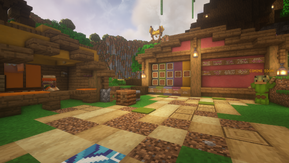
Cardager

The Cardager's hut, at /warp cards

The Cardager will only accept a small sample of cards at any given time, making it common practice for players to save their cards until they go on rotation. You can see a list of cards that are on rotation at /warp cards.

There are limits on how many times you can claim rewards.

  • Common - 15 times per card

  • Uncommon - 8 times per card

  • Rare - 4 times per card

  • Very Rare - 2 times per card

  • Legendary - 1 time per card

To redeem a reward more than once, you must have more than 1 card of that type. 1 card = 1 reward.

If you have the exact card specified in-game (Type & Name)

  1. Visit /warp cards

  2. Right click the Cardager and deposit desired cards

  3. Exit from his inventory

  4. Your rewards will be put directly into your inventory. Make sure to have an empty inventory (except for the cards) when redeeming.

Booster Packs

Booster packs are available on the Skyblock store which, when purchased, will award the player with a bundle of in-game cards. The available booster packs currently are:

Booster Packs

Starter Booster Pack

Advanced Booster Pack

Expert Booster Pack

Starter Booster Pack

Advanced Pack

Expert Pack

This pack includes:

This pack includes:

This pack includes:

9 x Common Cards

12 x Common Cards

6 x Uncommon Cards

1 x Rare Card

6 x Uncommon Cards

4 x Rare Cards

2 x Rare Cards

2 x Very Rare Cards

$7 AUD

$15 AUD

$25 AUD

Commands

/warp cards - This will teleport you to the Cardager's hut, where you can view the current cards and turn them in.

/cards toggle - This will enable/disable card drops

Shiny Cards

Every card type has slim chance of dropping as a shiny version card. Shiny cards have the same functionality, however will reward the player with a cash bonus when turned in to the Cardager, and will still count towards the players redemption limit.

  • Common: $10000

  • Uncommon: $25000

  • Rare: $50000

  • Very Rare: $75000

  • Legendary: $150000

Current Cards

Every reset the cards will have a different theme according to the theme that was chosen. This reset (October 2024) the theme is Movies. This means that the cards are named after all things related to Movies!

2024-2025 (Movies)

COMMON [21]: Grown_Ups, 28_Days_Later, ET_The_Extra-Terrestrial, Gone_With_The_Wind, Shaun_Of_The_Dead, The_Fast_And_The_Furious, Tag, Trolls, Ready_Player_One, Slumdog_Millionaire, Real_Steel, The-Social_Network, The_Day_After_Tomorrow, Back_To_The_Future, Top_Gun:Maverick, A_Nightmare_On_Elm_Street, Step_Up, Pixels, Jumanhi:Welcome_To_The_Jungle, Thor:Ragnarok, Uncharted

UNCOMMON [21]: The_Hurricane, Aquaman, Barbie, The_Musk, Groundhog_Day, The_Blind_Side, Zombieland, Now_You_See_Me, Psycho, The_Matrix, Scream, The_Blair_Witch_Project, Oppenheimer, Ratatouille, Iron_Man, Coraline, I_Am_Legend, Cloverfield, Parasite, Brokeback_Mountain, How_to_Train_Your_Dragon

RARE [21]: Monsters_Inc, Mad_Max:Fury_Road, The_Hunger_Games, The_Babadook, Jaws, Armageddon, The_Karate_Kid, Home_Alone, The_Waterboy, Megamind, Forrest_Gump, Halloween, Harry_Potter_and_The_Philosopher''s_Stone, Jurassic_Park, Bohemian_Rhapsody, Coach_Carter, Good_Will_Hunting, The_Autopsy_of_Jane_Doe, A_Quiet_Place, Raiders_of_the_Lost_Ark, Sonic_2

VERY RARE [10]: The_Shining, The_Dark_Knight, UP, The Mist, The_Notebook, Red_Dog, The_Thing, Get_Out, Happy_Gilmore, Wall-E

LEGENDARY [10]: Titanic, Interstellar, Star_Wars_Ep:4_A_New_Hope, Lord_of_the_Rings:The_Two_Towers, Frozen, The_Shawshank_Redemption, The_Green_Mile, Avatar, Alien, Hereditary

L

Archived Cards

2018 (Australia)

COMMON (Australian slang/Quotes [35]): Barbie, Bikky, Bloody ripper, Buggered, Chockers, Cuppa, Devo, Fair Dinkum, Flamin Galah, G'day Mate, Hard yakka, Hot under the collar, Idiot Box, Larrakin, Mates Rates, Nah Yeah!, No wuckin' furries, Ridgey didge, Rug up, Sausage Sizzle, She'll be right, Show you the ropes, Slack, Smoko, Snag, Sook, Sparrows fart, Spit the dummy, Stoked, Straya, Strewth, Thongs/Pluggers, Togs, Tracky Dacks, Yeah Nah!

UNCOMMON (Australian Animals [35]) Australian Dingo, Blue Ring Octopus, Box Jellyfish, Brown Snake, Cassowary, Dolphin, Echidna, Emu, Fairy Penguin, Freshwater Crocodile, Frilled neck lizard, Gala, Goanna, Great white shark, Green Tree Frog, Kangaroo, Koala, Kookaburra, Numbat, Pelican, Platypus, Possum, Quoll, Red Bellied Black Snake, Redback Spider, Saltwater crocodile, Sugar glider, Tasmanian Devil, Thorny devil, Tiger Snake, Wallaby, Wallaby, Wedge-Tailed Eagle, Wombat, Yabby.

RARE (Australian Landmarks/Attractions [20]) Australia Zoo, Bondi Beach, Darling Harbour, Dream World, Fraser Island, Great Barrier Reef, Great Ocean Road, Movie World, Phillip Island, Sea World, Sydney Harbour Bridge, Sydney Opera House, Taronga Zoo, The Big Pineapple, The Twelve Apostles, Uluru, Wet n' Wild, Whitehaven Beach, Whitsunday Islands, Yarra River.

VERY RARE (Australian Actors/Actresses [20]) Cate Blanchett, Chris Hemsworth, Eric Bana, Guy Sebastian, Heath Ledger, Hugh Jackman, Kylie Minogue, Liam Hemsworth, Margot Robbie, Naomi Watts, Nicole Kidman, Olivia Newton John, Paul Hogan, Rebel Wilson, Ruby Rose, Russell Crowe, Sam Worthington, Sia, Slim Dusty, The Veronicas.

LEGENDARY (Australian States/Capital Cities [14]) Adelaide, Brisbane, Darwin, Hobart, Melbourne, New South Wales, Northern Territory, Perth, Queensland, South Australia, Sydney, Tasmania, Victoria, Western Australia.

2020 (Pokemon)

COMMON [33]: Pidgey, Clefairy, Spearow, Caterpie, Weedle, Rattata, Jigglypuff, Zubat, Dratini, Bulbasaur, Oddish, Paras, Mankey, Poliwag, Geodude, Vulpix, Machop, Bellsprout, Doduo, Diglett, Seel, Krabby, Tentacool, Farfetch'd, Exeggute, Magikarp, Psyduck, Horsea, Growlithe, Gastly, Abra, Charmander, Squirtle.

UNCOMMON [31] Pidgeotto, Lickitung, Ditto, Metapod, Kakuna, Raticate, Fearow, Clefable, Golbat, Venonat, Dragonair, Ivysaur, Dugtrio, Staryu, Golduck, Poliwhirl, Ninetales, Machoke, Marowak, Weepinbell, Tentacruel, Graveler, Dewgong, Parasect, Onix, Gyarados, Arcanine, Kadabra, Charmeleon, Wartortle, Haunter.

RARE [25] Pidgeot, Kingler, Rhyhorn, Chansey, Venemoth, Flareon, Lapras, Tangela, Seadra, Jynx, Electabuzz, Magmar, Vileplume, Tauros, Jolteon, Pinsir, Porygon, Omanyte, Scyther, Beedrill, Exeggutor, Kabuto, Vaporeon, Wigglytuff, Butterfree.

VERY RARE [18] Poliwrath, Victreebel, Primeape, Hitmonlee, Hitmonchan, Omstar, Aerodactyl, Dagonite, Golem, Machamp, Alakazam, Gengar, Snorlax, Kangaskhan, Charizard, Kabutops, Blastoise, Venusaur.

LEGENDARY [10] Trainer Ascacos, Trainer Gylfmeister, Trainer H1N9, Trainer Goldsta, Trainer Ahtnamas80, Mew, Mewtwo, Articuno, Zapdos, Moltres.

2021 (Ancient Greece)

COMMON [31]: Achilles, Adonis, Arachne, Centaurus, Cetus, Chimera, Chiron, Cyclopes, Dryad, Eurystheus, Gorgon, Griffin, Harpy, Heracles, Hippocampus, Hydra, Manticorn, Medusa, Midas, Minotaur, Narcissus, Odysseus, Orion, Pandora, Perseus, Phoenix, Pygmalion, Satyr, Siren, Theseus, Triton.

UNCOMMON [30] Aether, Ananke, Anteros, Apate, Astraea, Auxesia, Bia, Ceto, Chaos, Cratos, Deimos, Enyo, Erebus, Eris, Harmonia, Hecate, Hebe, Hilaeira, Hypnos, Nemesis, Nyx, Peitho, Plutus, Pothos, Protogonus, Psyche, Thanatos, Themis, Tyche, Zelus.

RARE [22] Alectrona, Angelos, Apollo, Aristaeus, Attis, Brizo, Charon, Gaia, Galene, Glaucus, Harpocrates, Helios, Iris, Morpheus, Nyx, Oceanides, Panacea, Persephone, Thalassa, Thaumas, Thoosa, Uranus.

VERY RARE [12] Coeus, Crius, Cronus, Hyperion, Iapetus, Mnemosyne, Oceanus, Pheobe, Rhea, Tethys, Theia, Themis.

LEGENDARY [11] Aphrodite, Apollo, Artemis, Athena, Demeter, Dionysus, Hephaestus, Hera, Hermes, Poseidon, Zeus.

2021 (Video Game Characters)

COMMON [30]: Blinky, Bloodhound, Bob-omb, Cloud Strife, Clyde, Cole, Crypto, GLaDos, Goomba, Horizon, Inky, Jay, Kai, Koopa, Kracko, Lakitu, Mr. Frosty, PacMan, Pathfinder, Pinky, Piranha Plant, Scorpion, Shy Guy, Sub-Zero, Team Aqua Grunt, Team Magma Grunt, Team Rocket Grunt, Waddle Dee, Wraith, Zane.

UNCOMMON [30] Alex Mason, Amy Rose, Blathers, Blaze the Cat, Bulbasaur, Charmander, Diddy Kong, Dixie Kong, Funky Kong, Ganon, General Shepard, Globox, Hornet, K.K. Slider, King Dedede, Knuckles the Echidna, Lamar Davis, Mabel, Meta Knight, Navi, Niko Bellic, Quirrel, Raul Menendez, Rayman, Resetti, Shadow the Hedgehog, Soap MacTavish, Squirtle, Tails, Tom Nook.

RARE [20] Asgore, Boomerang Monkey, Coco Bandicoot, Cortana, Crash Bandicoot, Dart Monkey, Doctor Eggman, Doctor Neo Cortex, Flowey, Mettaton, Paimon, Papyrus, Pit, Tack Shooter, Toad, Toriel, Undyne, Waluigi, Wario, Yoshi.

VERY RARE [12] Alex, Bowser, Ciri of Cintra, Donkey Kong, Geralt of Rivia, Kirby, Lara Croft, Luigi, Princess Peach, Princess Zelda, Steve, Trevor Philips.

LEGENDARY [12] Ash Ketchum, Doomguy, Giygas, Isabelle, Kratos, Last Dragonborn, Link, Mario, Master Chief, Michael De Santa, Sans, Sonic the Hedgehog.

2022 (Space & The Universe)

COMMON [21]: Astronaut, Satellite, Space Debris, Wormhole, Initial Singularity, Atmosphere, Time, Astronomy, Astrology, Europa, Hyperion, Iapetus, Pan, Phobos, Ganymede, Titan, Lunar Eclipse, Equinox, Heat Death, Kuiper Belt, Rigel.

UNCOMMON [21] Starlight, Supernova, Solar Wind, Vacuum, Extraterrestrial, Syzygy, Big Bang Theory, Cosmic Dust, Quasar, Aurora, Binary Star, Exoplanet, Umbra, Ceres, Eris, Haumea, Sirius, Polaris, Alpha Centauri System, Betelgeuse, Aquila.

RARE [21] Shooting Star, Gravity, Dwarf Star, Light Year, Space Station, UFO, Solar System, Void, Swarf Planet, Atoms, Interstellar, Ice giant, Orbit, Oort Cloud, NASA, Spacecraft, Andromeda, Hypernova, Orion, Cassiopeia, Ursa Major.

VERY RARE [12] Constellation, Nebula, Black Hole, Solstice, Starburst, Hubble Space Telescope, Asteroid, Spaceship, Crater, Solar Flare, Asteroid Belt, Alien.

LEGENDARY [12] The Milky Way, The Sun, The Moon, Mercury, Venus, Earth, Mars, Jupiter, Saturn, Uranus, Neptune, Pluto.

2022 -2023 (Food and Beverages)

COMMON [21]: Nachos, Nasi_Lemak, Satay, Tagine, Couscous, Biryani, Gulab Jamun, Falafel, Ceviche, Chicken Rice, Beef Noodle Soup, Fish and Chips, Pad Thai, Pavlova, Tom Yum, Baklava, Borscht, Haggis, Pho, Apple Pie, Mashed Potato

UNCOMMON [21] Butter Chicken, Chocolate, Kebab, Hummus, Caviar, Dim Sum, Spaghetti, Lasagne, Baba Ganoush, Escargot, Burrito, Sashimi, Spring Rolls, Nutella, Peanut Butter, Jam, Vegemite, Salad, Cheese, Smoothie, Milkshake

RARE [21] Avocado, Cabbage, Kale, Custard Tart, Smores, Churros, Lamingtons, Rum Cake, Yakult, Cola, Macarons, Spanakopita, Goulash, Paella, Hamburger, Bulgogi, Kibbeh, Tabbouleh, Taco, Nasi Goreng, Sushi

VERY RARE [10] Lettuce, Broccoli, Cauliflower, Eggplant, Corn, Tomato, Olive, Peas, Asparagus, Spinach

LEGENDARY [10] Orange, Apple, Grapes, Watermelon, Peach, Plum, Mandarin, Lemon, Cucumber, Beans

2023 (Story Books and Fairy Tales)

COMMON [21]: Ali_Baba, Bingo, Clifford_the_Big_Red_Dog, Golden_Goose, King_Midas, Humpty_Dumpty, Jack_and_Jill, Little_Bo_Peep, Mary, Little_Jack_Horner, Little_Miss_Muffet, Old_McDonald, Old_Mother_Hubbard, Pippi_Longstocking, Rumplestiltskin, The_Gingerbread_Man, The_Muffin_Man, The_Three_Little_Pigs, The_Ugly_Duckling, The_Three_Bears, Tom_Thumb

UNCOMMON [21] Bert, Charlie, Chesire_Cat, Gaston, Goldilocks, Granny, Hansel_and_Gretel, Jack_and_the_Beanstalk, Lady_and_the_Tramp, Li_Shang, Magic_Mirror, Maid_Marian, Marry_Poppins, Paddington_Bear, Peter_Rabbit, Puss_in_Boots, The_Mad_Hatter, Toto, Tweedledee_and_Tweedledum, Wendy, The_Wizard_of_Oz

RARE [21] Aladdin, Captain_Hook, Dorothy, Dr_Facilier, Dumbo, Jafar, Jasmine, Lady_Tremaine, Mother_Gothel, Mufasa, Peter_Pan, Pinocchio, Prince_Naveen, Queen_of_Hearts, Robin_Hood, Scar, Sheriff_of_Nottingham, Simba, Tarzan, Tinker_Bell, Willy_Wonka

VERY RARE [10] Alice, Ariel, Beast, The_Big_Bad_Wolf, Cruella_De_Vil, Little_Red_Riding_Hood, Maleficent, Moana, Mulan, Ursula

LEGENDARY [10] Aurora, Belle, Cinderella, Evil_Queen, Fairy_Godmother, Prince_Charming, Rapunzel, Snow_White, Tiana, Wicked_Witch

2023 Flowers

COMMON (Weeds [23]): Daisy, Daffodil, Dandelion, Artichoke_Thistle, Aftican_Daisy, Alkali_Sida, Black_Knapweed, Kitou_Bush, Blackberry, Blue_Trumpet_Vine, Boneseed, Bridal_Creeper, Broom, Calotrope, Chinese,Firethorn, Crofton, Dog_Rose, Thornapple, Java_Bean, Knobweek, Lions_Ear, Giant_Marramatta_Grass

UNCOMMON (Spices [22]): Bay_Laurel, Great_Basil, Coriander, Dill, Cumin, Grains_of_Paradise, Oregano, Liquorice, Thyme, Vanilla, Nutmeg, Anise, Cardamom, Lovage, Grains_of_Selim, Jalapeno, Wasabi, Wormwood, Wintergreen, Allspice, Caper

RARE (Herbal [21]): Lavender, Aloe_Vera, Chamomile, Primrose, Tea_Tree, Lemongrass, Peppermint, Hyssop, Snake_Plant, Fern, Rosemary, Calendula, Fennel, Nasturtium, Sage, Violet, Honeysuckle, Squak_Blossom, Pansy, Borage, Daylily

VERY RARE (Flowers [10]): Poppy, Sunflower, Freesia, Allium, Catmint, Chrysanthemum, Hyacinth, Hydrangea, Marigold, Tulip

LEGENDARY (Australian Native Flowers [10]) Eucalyptus, Banksia, Bottlebrush, Wattle, Waratah, Spider_Flower, Kangaroo_Paw, Bluebell, Lilly_Pilly, Pandorea

 

FreyCake FreyCake edited about 1 year ago
0 Views

Co-Op Roles

Co-Op Roles allow island owners to set different permissions for each island member. There are a total of four island roles, starting with the island Owner, followed by Co-Owner, Trusted and the default role Member. This allows players other than the Owner to invite people to the coop, making it easier than ever to play together.

Co-Op Roles

Owner

Co-Owner

Trusted

Member

Owner

Co-Owner

Trusted

Member

Change the roles of other island members

Change roles of other island members below them

Can temp co-op players

Default Member role

Able to do quests

Able to do quests

Can change biome

Basic Member permissions

Ability to change biomes

Ability to change biomes

Can contribute to quests

Can contribute to quests

Replace island

See island info

See island info

Can upgrade island

Can upgrade island

Remove from coop

Remove from co-op

Invite to co-op

Invite to co-op

Manage Island Settings

Manage island settings

Note: Co-Owners cannot promote others to Co-Owner.


FreyCake FreyCake edited about 1 year ago
0 Views

Custom Enchants

 Custom Enchantments Update

New - Refreshed GUI with defined Groups and sources


Soul Powered Enchantments utilising Souls gained from Woodcutting

Use /wsouls to withdraw them to spend at the Soul shop at /warp enchant.

The Soul Tracker, and Wisp Seeker enchantment are each available for 100 Exp Levels.


Enchantment Rate: 35% chance to gain a custom enchantment from the Enchanting Table. This now includes Common, Uncommon, Rare, and Chaos groups!


Random Enchantment items are available in the Crates! The Vote Crate has Rare, Party Crate has Epic, and the Fruitster Crate has Legendary Enchantments. 


Evolution: Some enchantments will have the capacity to evolve based on your stats as a player! This includes your blocks broken, and McMMO level.


From 115 Enchantments, to 165 - See the changes on the wiki or in the in game “/enchants” GUI.


What are Custom Enchantments?

These are special enchantments that you can view in its respective GUI. You can place 4 of these enchantments on a single item, up to 8 with the use of slot increasers, which you can find in the crates! You can remove these as well with the use of a Black Scroll, however the custom enchantment removed is selected at random, so be sure you want to use it!


GUI

Type “/enchants” to open the in game Wiki for every custom enchantment. The descriptions will always be updated there if there needs to be any modifications. This allows you to view them all, and discover where you may receive them. You can also use “/ae view enchantment” to view specific enchantments.


Every enchantment can be viewed in this way, however they are all lower case, single words, and don’t include special characters like apostrophes. So the enchantment Double Strike is viewed with the command “/ae view doublestrike

12-1774650658.png


Where to find them:

Common, Uncommon, Rare, and Chaos enchantments are all discoverable in the Enchanting Table. The rates will vary if you’re enchanting an item or a book.


Overall chance to acquire a Custom Enchantment from the Enchanting Table: 35%

Enchanting Table Enchantment Level Distribution

Low: 1 Enchantment

Middle: 1-2 Enchantments

High: 1-3 Enchantments

Item Enchantment Group Chance Rates:

Common: 55%

Uncommon: 30%

Chaos: 10%

Rare: 5%

Book Enchantment Group Chance Rates

Low

Middle

High

Common: 70%

Common: 60%

Common: 45%

Uncommon: 20%

Uncommon: 30%

Uncommon: 40%

Chaos: 10%

Chaos: 10%

Chaos: 10%

Rare: 5%


Rare, Epic, and Legendary enchantments are available in the Vote, Party, and Fruitster crates with the Random Enchantment candle. Specific books may be available from time to time in the Cardager Rewards, and the Black Market. The Battlepass may also have some through the Battlepass Rewards!

12-1774650658.png


Mythical enchantments are available in the Token Enchantment Shop at “/warp token, an NPC shop that requires Tokens in order to purchase them. These are superior to most available enchantments.

12-1774650658.png


Soul Enchantments are available in the Soul Trader Shop at “/warp enchant”, an NPC shop that requires Souls in order to purchase the majority, however the Soul Tracker Scroll, and Wisp Seeker enchantment are available to purchase for 100 Experience Levels. The enchantment category allows you to begin acquiring Souls that are bound to your item, which you can redeem while holding the item by typing “/withdrawsouls” or “/wsouls”. The correct amount of souls needs to be redeemed as a single item in your inventory in order to spend it with the shop. After withdrawing the souls, you can apply them to another item as long as it has the Soul Tracker applied to it. Some enchantments will utilise souls as a cost requirement.

12-1774650658.png

12-1774650659.png

12-1774650658.png

12-1774650658.png

Evolution Enchantments, while not including the Wisp Seeker evolution line, are acquired by meeting certain conditions of enchantments, such as with Bamboom into Bamboo Bombardier, each with additional upgrades requiring McMMO thresholds.

12-1774650659.png

12-1774650659.png


12-1774650659.png

12-1774650659.png

12-1774650660.png

12-1774650660.png

12-1774650659.png

12-1774650660.png

12-1774650659.png

12-1774650659.png

Common

Available in the Enchanting Table


Nocturne - Weapons

Chance to deal slow effects to targets at night.


Poisoned - Armour

Chance to apply poison to attackers.


Stun - Weapons

Chance to freeze a target.


Poison - Weapons

Chance to apply poison to targets.


Sniper - Ranged Weapons

Chance to deal extra damage with headshots.


Allure - Weapons

Pull targets towards you.


Blacksmith - Weapons

Chance to repair durability while attacking.


Berserk - Melee Weapons

Chance to gain strength while attacking.


Heavy - Armour

Chance to decrease damage received.


Reflect - Chestplate

Chance to absorb and reflect damage.


Block - Weapons & Shield

Chance to negate 1-3 damage received.


Hungering Strike - Weapons

Chance to regain hunger when attacking, upgrade by slaying Zombies and Zombified Piglins.


Counter - Weapons & Shield

Negate 1 damage, return some damage received.


Bash - Shield

Deal up to +750% extra damage with a shield.


Angelic - Armour

Heal when attacked.


Justicar - Shield

Gain regeneration based on total damage blocked.


Shockwave - Chestplate

Push your attacker back when less than half health.


Uncommon

Available in the Enchanting Table


Mobster - Weapons

Deal extra damage based on the number of those mobs slain.


Aegis - Boots

Gain speed when taking fall damage.


Assassin - Weapons

Sneak when attacking to teleport behind your target.


Status - Anything

Scan your target's maximum and updated health.


Immolation - Melee Weapons

Chance to burn nearby targets.


Voodoo - Armour

Chance to apply Weakness when attacked.


Froglight Breaker - Hoe

Instantly break froglights.


Convulse - Armour

Chance to blast your attackers into the air.


Wither - Armour

Chance to apply Wither when attacked.


Cleave - Melee Weapons

Chance to deal 25% damage to nearby targets.


Chunky - Chestplates

Chance to negate up to 5 damage.


Perish - Weapons

Chance to apply Wither to targets.


Combo Strike - Weapons

Every strike of an unbroken combo increases damage.


Divert - Armour

Chance to regenerate and poison an attacker.


Caloric Burn - Melee Weapons, Shield & Stick

Right-Click to exchange half your hunger for health, upgrade by slaying Pandas.


Implants - Helmet

Chance to regain hunger.


Creeper Armour

Gain health from explosions.


Gorgon - Shield

Chance to Poison, Freeze, and Slow a target.


Snow Plough - Shovel

Dig up Snow and Snow Blocks in a Radius


Rebound - Weapons

Gain health when slaying a target.


Featherfall - Boots

Sneak while jumping to gain Slowfall, upgrade by slaying Chickens.


Safeguard - Armour

Gain damage resistance when attacked.


Chain Lightning - Melee Weapons

Strike with an Aoe lightning with a 3-hit combo.


Trickster - Armour

Sneak when attacked to teleport behind your attacker.


CHAOS

Available in the Enchanting Table.


Blindness, Darkness, Nausea, Slowness, and Weakness - Armour

These risky enchantments will give you a permanent debuff when equipped.


Chaos Removal - Anything

This will allow you to remove a Chaos enchantment without using a Black Scroll.


RARE

Available in the Enchanting table, Vote Crate, and Elsewhere.


Anchor - Weapons

Cancels your weapon's knockback.


Bamboom - Sword & Axe

Harvest Bamboo, upgradeable.


Cacti Cutter - Sword & Axe

Harvest Cactus, upgradeable.


Melon Masher - Sword & Axe

Harvest Melons, upgradeable.


Sweet Berry Replanter - Hoe

Replant sweet berry bushes, upgradeable.


Wheat Planter / Potato Planter / Carrot Planter / Beetroot Planter / Nether Wart Planter - Hoe

Shift+Right-Click to plant the respective crop in a 3-7 block radius.


Composition C - Pickaxe

5-15% chance to mine a 3x3x3 area of blocks in Spawn generative mines.


Excavator - Shovel

Dig up applicable blocks in a 3-9 block radius.


Frostbite - Weapons

5% chance to freeze nearby targets, upgrade by slaying Strays.


Furrow - Shovel

Mine to till applicable blocks in a 3-9 block radius.


Half Strike - Weapons

10% chance to deal +10% to +50% damage.


Hedge Farmer - Shears & Hoe

Break leaves in a 3-9 block radius.


Pyromancer - Weapons

Burn targets and deal +10% damage to burning targets, upgrade by slaying Blazes.


Seventh Strike - Weapons

The seventh unbroken combo boosts damage by +100%.


Spite - Weapons

Increase damage by 25% of your missing health.


Telepathy - Tools

Automatically pick up broken blocks.


Extinguish - Armour

Chance to extinguish flames while on fire.


Momentum - Elytra

Gain a speed boost when flying while using fireworks.


Thunderstrike - Weapons

Strike lightning with +20% damage, and cause paralysis.


Smelting - Pickaxe

Smelt ores while mining, granting extra Exp and Repair McMMO.


Charge - Shield

Right-Click with the shield in offhand to charge and cause knockback.


EPIC

Available in the Party Crate, Cards, and Elsewhere.


Harvest - Hoe

Harvest Wheat, Carrot, Potato, Beetroot, and Nether Wart, upgradeable.


Glowberry Breaker - Sword & Axe

Harvest Cave Vines, upgradeable.


Cocoa Crusher - Axe

Harvest Cocoa, upgradeable.


Kelp Clippers - Sword & Axe

Harvest Kelp, upgradeable.


Sugar Rush - Sword & Axe

Harvest Sugar Cane, upgradeable.


Pumpkin Smasher - Axe

Harvest pumpkins, upgradeable.


Logistics - Axe

Gain extra Experience from Woodcutting.


Inquisitive - Weapons

Gain extra Experience from Mobs.


Experience - Pickaxe

Gain extra Experience from Mining.


Silk Amethyst - Pickaxe

Budding amethyst drops when mined.


Sunder - Pickaxe

Reinforced Deepslate drops when broken.


Glass Breaker - Pickaxe

Instantly break and reclaim glass blocks.


Gemify - Pickaxe

5% chance to refine ores into blocks.


Pin Cushion - Chestplate

Chance of Knockback resistance, slay Guardians to upgrade.


Gears - Boots

Gain a Speed Boost of 1-3


Flubber - Boots

Jump and sneak for Jump Boost, slay Slimes to upgrade.


Cryomancer - Weapons

Slow and deal extra damage to slow targets, slay Breezes to upgrade.


Volcanic - Armour

Gain Fire Resistance for 10s, slay Magma Cubes to upgrade.


Solar Power - Weapons

+5% damage during the day, and extra from slaying Husks.


Nightmare - Weapons

+5% damage during the night, and extra from slaying Phantoms.


Bleed - Weapons

Chance to deal damage consecutively.


Double Strike - Weapons

5% chance to deal +50% to +100% damage.


LEGENDARY

Available in the Fruitster Crate, Cards, and Elsewhere.


Jetpack - Elytra

Fly with an elytra to shoot up high and propel forwards.


McMadness - Axe, Pickaxe & Shovel

Chance to earn McMMO XP for Woodcutting, Mining, or Excavating.


Reinforced - Armour & Elytra

10%+ chance to reduce damage received.


Vampiric - Melee Weapons

Chance to steal health per strike, slay Witches to upgrade.


Vein Miner - Pickaxe

5% chance to mine natural ores in a 7-block radius.


Swift Mine - Pickaxe

Gain Haste 1-3 while mining.


Velocity - Boots

Gain increasing levels of speed while sprinting up to Speed V.


Arrow Deflect - Chestplates

10% chance to negate ranged damage.


Ward

10% chance to negate physical damage.


Mecha Greaves

Deal AOE damage when taking fall damage, sneak to negate fall damage.


Gravitational Pulse - Armour

Push and Levitate nearby attackers.


Temporal Pulse - Armour

Negate damage, push, and freeze nearby attackers.


MYTHICAL

Some are available in the Token shop, and the Event shop.


Immortal - Armour

Resist physical and ranged damage (30s cooldown).


Glass Tinter - Pickaxe

Convert between stained and tinted glass.


Oxidation - Axe

Swing to oxidize copper blocks (excludes doors and chests).


Glazier's Brush - Brush

Right-click to replace coloured blocks with matching glass.


Concreter's Brush - Brush

Right-click to replace coloured blocks with matching concrete.


Sculptor's Brush - Brush

Right-click to replace coloured blocks with matching terracotta.


Hyper Mine - Pickaxe

Gain Haste while mining at alternating rates.


Omni Planter - Hoe

Shift+Right-Click to plant Wheat, Beetroot, Carrot, Potato, and Nether Wart within 3-7 blocks.


Prospector - Pickaxe

Hold shift and swing to convert natural ore into refined variants.


Quicksilver - Boots

Gain Speed IV.


Summer Faerie - Armour

Fire and lava immunity.


Dolphin's Grace - Turtle Helmet

Gain Dolphin's Grace


OCEANIC

Available in the Sunken Crates.


Angler - Fishing Rod

Auto-Reel scaling on Fishing McMMO


Captain's Hook - Fishing Rod

Auto-reel scaling based on nearby players.


Fishmonger - Fishing Rod

Auto-Reel scaling based on fish caught statistics.


Barbed Hook - Fishing Rod

Deal 4-20 damage while reeling in a target.


Poisoned Hook - Fishing Rod

Poison targets when hooked.


Blazing Hook - Fishing Rod

Burn hooked targets.


Detox Reel - Fishing Rod

Chance to heal and remove negative effects when reeling a target.


Hydromancer - Weapons

Deal damage in water, slay Drowned to upgrade.


Quantum Reel - Fishing Rod

Swing at a target within 10 blocks to teleport them behind you.


Snap - Fishing Rod

Reel in a target.


Tempest - Trident

Deal extra damage and aoe chain lightning.


EVOLUTION

Available only by meeting the upgrade conditions of other enchantments.


Gourd Grinder - Axe

Harvest Pumpkins and Melons, upgradeable.


Bamboo Bombardier - Sword & Axe

Harvest Bamboo, upgradeable.


Cacti Claymore - Sword & Axe

Harvest Cactus, upgradeable.


Glowberry Barrage - Sword & Axe

Harvest Cave Vines, upgradeable.


Kelp Shredder - Sword & Axe

Harvest Kelp, upgradeable.


Sugar Bomb - Sword & Axe

Harvest Sugar Cane, upgradeable.


DIMENSION

Battlepass Rewards


Dimension Drill - Pickaxe

End portal frames drop when broken (Skyblock world and Spawn End mine only).


End Master - Weapons

5-15% chance to deal +50% damage in the End worlds


Nether Master - Weapons

5-15% chance to deal +50% damage in the Nether world.


Spyro - Pickaxe

Dragon eggs break when mined (won't teleport).


SOUL

Available from the Soul NPC at /warp enchant


Arborist - Axe

Gain souls while woodcutting based on Woodcutting McMMO


Hermit's Hook - Fishing Rod

50% chance to auto-reel at a soul cost per bite.


Soul Flight - Elytra

Fly in the Skyblock world with elytra for 10 seconds at a soul cost.


Soul Resonance - Axe

Gain souls while woodcutting scaled based on present number of souls.


Spiritual Dynamite - Pickaxe

5% chance to mine a 3x3x3 area of natural blocks with a soul cost to increase it.


Wisp Heart / Wisp Nexus / Wisp Vortex / Wisp Siphon / Wisp Seeker - Axe

Series of evolutionary enchantments that increase souls acquired by woodcutting.


Soul Cake - Brush

Right-Click a cake to renew it at a soul cost.


ARTEFACT - EVENT

These enchantments will not be directly available.


FreyCake FreyCake edited 6 months ago
0 Views

Island Settings

Island Settings

Islands Settings have been added into Skyblock to enhance the control island owners have over their island. Players have the ability to change Teleportation, Interaction, Redstone, Vehicle, Mobs and Entry settings. Both island owners and co-owners can change these settings.

Note: Natural Spawned and Spawner Blocks settings apply to the Island. All other settings will apply to Visitors

Island Settings

Categories

Icon

Name

Description

Teleportation

Enderpearl Use

Use an enderpearl to teleport

Chorus Fruit Use

Eating a chorus fruit allows you to teleport around an island

Interactables

Doors Interact

Toggles the ability to open and close Doors, wooden trapdoors and or gates

Lectern View

Read books without removing them

Lectern Interact

Place and remove books

Crafting Tables Use

Use crafting tables to craft

Item Pick Up

Toggle the ability of visitors to pickup

items

Item Drop

Toggle the ability of visitors to drop

items

Redstone

Switches and Triggers

Toggles the ability to use levers, pressure plates, buttons and tripwires

Vehicles

Elytra Use

Ability to use elytras

Mount Ability

Mount a horse or llama

Minecart Use

Use/place minecarts

Boat Use

Use/place boats

Mobs

Natural Spawned

Toggle spawning of natural mobs (friendly, neutral and hostile)

Spawner Blocks

Toggle spawning from spawner blocks and spawn eggs

Villager Trading

Interact and trade with villagers

Throw Eggs

Toggles the ability to throw eggs

Entry

Entry Permission

Allow or deny non cooped members to enter the island's region

FreyCake FreyCake edited about 1 year ago
0 Views

Player Warps

Warps in Skyblock allow the player to leave their chunk of island, to explore the rest of the server, to participate in events and to buy/sell items.

Basic Warps

  • /spawn - This is the spawn point for the whole server.

  • /warp shop - This is the server shop, you can sell or buy items that you need for your island.

  • /warp staff - Here you will find statues of the staff of Skyblock.

  • /warp love - This is the chapel for the Skyblock Server, where you can marry someone in-game. Information about in-game marriages can be found here.

  • /warp enchant - Here you can utilise the enchanting tables to enchant items and armour.

  • /warp pvp - You can fight with other players here.

  • /warp lobby - This warp takes you to Skywars and Bedwars. More information about Skywars can be found here.

  • /warp crates - Vote, Party, and Fruitster Keys can be used here to win items from the corresponding crates.

  • /warp cards - This warps you to the Cardager, where you can trade cards for prizes. Information about Trading Cards can be found here.

  • /warp sale - Occasionally some items will be sold cheaper or for a limited time. They can be found here.

  • /warp tutorial - This warp helps new players with creating generators, and teaching them the basics of starting out in Skyblock.

  • /warp minion - Here is where you can find basic information about the minion plugin and trade in your minion tokens for full minions. For more info on the minions plugin, click here.

  • /warp wordsearch - This warp is where you can complete the weekly word search. if you find all 10 words, you get put in the draw to win some event prizes.

  • /warp food - This warp features 3 pig spawners for players to farm at for free food.

  • /warp wither - Here is where players can take on the wither after obtaining

  • /warp token - After acquiring a sum of event tokens, players can trade their tokens in for high quality armour, tools and weapons.

  • /warp crafting - This is where limited time crafting competitions are hosted.

Event Warps

Events are a big part of the Skyblock experience. It allows the player to take a break from creating their island, to then have fun and try to win some prizes. All information about Skyblock Events can be found here.

  • /warp spawn - The warp for Apple Hunt and Hide and Seek.

  • /warp musical & magical - The warps for Musical Chairs.

  • /warp parkourrun & /warp parkourhub - The warp for Parkour Run and Parkour.

  • /warp thunder - The warp for Thunderdome.

  • /warp bingo - A warp for Bingo.

  • /warp spleef - The warp for Spleef.

  • /warp corners - The warp for Corners.

  • /warp maze - The warp for the Maze.

  • /warp koth - The warp for King of the Hill.

  • /warp diggydiggy - The warp for Diggy (or Dig Down).

  • /warp boatrace - The warp for Boat Race.

  • /warp mobarena - The warp for Mob Arena.

  • /warp skydiver - The warp for Skydiver.

  • /warp hideandseek & /warp sardines - The warps for Hide and Seek and Sardines events.

Player Warps

On Skyblock, Player Warps are used to distinguish between official server warps and player warps. This system allows you to access all player warps on Skyblock and also create your own.

Player Warps UI

The interface can be brought up whilst ingame by typing /pwarp.

  • Featured Warps -The interface features the 4 most popular warps at the time at the top of the UI. The player heads of the featured warp owners can be clicked to teleport to the warp destination.

  • Create Warp - Clicking this icon will take you through the warp creation process. Read below for more information on the process.

  • Warp List - This icon will take you to the complete list of player warps currently on the server. Warps can be sorted by either by date created or category by clicking the hopper icon in the bottom right.

  • Your Warps - Clicking this icon will take you to a list of your currently owned warps. Further clicking on the icon of your warp will take you to the settings of your warp. Settings include warp relocation, warp deletion, warp rename and an option to reactivate your warp if you were inactive for too long.

Creating a Warp

After 10 warp shards have been acquired, warps can be requested for creation by clicking the "create warp" icon on the interface, this will bring you warp request process. A sign editor will then come up prompting a warp name, the name can be typed on the first line of the sign. Then, the 10 warp shards will be taken from your inventory, and the warp request will be sent to staff for review. Once accepted, anyone can travel to the warp using /pw (warp name).

If you ever decide you want to relocate or rename your warp, you can do this through the "Your Warps" area. This will cost an additional 5 warp shards for each relocation/rename.

FreyCake FreyCake edited about 1 year ago
0 Views

Nether

Skyblock Nether

Skyblock Nether Mine

The Skyblock Nether Mine

Skyblock’s Nether system is a dangerous environment that currently replicates the style of a Prison server mine. In our Nether, you can obtain Nether blocks, which includes netherrack, glowstone, soul sand, and ancient debris. To access the Nether, a Nether token is required. These tokens can be obtained through various methods in-game.


Nether Token

Nether tokens are currently the only way you can gain access to the nether. Ranging from 2-minutes to 15-minutes, tokens are often a hot commodity within the Skyblock marketplace. The easiest and most reliable methods for gaining nether tokens is through the Cardager, Piglin Trades and voting rewards (see /warp crates in-game).

Once you have acquired a nether token, you simply right click (facing away from any blocks) and click on “ACCEPT” in chat, to be teleported to the nether.

Nether Tokens

2-min Nether Token

5-min Nether Token

10-min Nether Token

15-min Nether Token

2-min Token

5-min Token

10-min Token

15-min Token

The Mine

Skyblock’s nether system differs greatly from your typical survival/vanilla experiences. Once you’ve activated your token, you’re teleported into an enclosed area with a designated mining region marked by an obsidian border. Hostile mobs will spawn as you break blocks, deeming it a high risk, high reward environment.

Please note: If you die in the nether with time remaining, you will automatically be respawned at the nether spawn and any items lost in the nether will not be replaced, this includes any special gear.

Nether Block Spawn Rates

Soul Soil

Soul Sand

Red Nether Bricks

Netherrack

Nether Quartz Ore

Nether Bricks

Magma Block

Glowstone

Ancient Debris

Soul Soil

Soul Sand

Red Nether Brick

Netherrack

Nether Quartz Ore

Nether Bricks

Magma Blocks

Glowstone

Ancient Debris

10%

4%

5%

50.95%

10%

5%

10%

5%

0.05%


Nether Mob Spawn Rates

Blaze

Magma Cube

Wither Skeleton

Zombified Piglin

Zoglin

Hoglin

Strider

Blaze

Magma Cube

Wither Skeleton

Zombified Piglin

Zoglin

Holgin

Strider

2%

1%

1%

2%

2%

2%

1%

Useful Information

Skyblock's nether system provides players with the opportunity to obtain wither skulls and the widely renowned ancient debris. Once you’ve obtained your skulls, you can spawn and defeat the wither at /warp wither.

Commands

/warp netherview - This warps you to the spectator area of the Skyblock Nether.

/warp nether - Briefly explains our nether system in game.

FreyCake FreyCake edited about 1 year ago
0 Views

Skyblock Chunk Hoppers

To get a Chunk Hopper, you will need to visit the Hopper Vendor at /warp shop on the right. It will set you back $50k. Each player has a limit of 5 chunk hoppers while there is no island limit. A chunk hopper will collect items within a chunk (16x16 blocks) which can be seen using f3+g with no limit on how high or low the items can be including under the Chunk Hopper.

Linking your chests:

To link a chest to your chunk hopper, punch the hopper, this will open up a menu with many different options. Left lick the purple item to go into chest selection mode, click a chest that you wish the items to go into after collection. You can shift left click to stay in chest selection mode if you need to add more than 1 chest at a time.Chest Filters:

CH-link

CH-Chest


Chest Links are like Filters, you can see the chests you added to the chunk hopper in this menu, you can change the name of the chest by right clicking. left click to open a chest filter. This is where you can add items to a filter that is either Whitelist (only items in this menu allowed) or Blacklist (Doesn't pick up these items) which can be toggled to either on this menu by clicking the hopper. If you choose to have multiple chests connected, you can click the green button that will allow you copy the filter across top another chest or to all chests on that check hopper. To add an item to the filter, click the item from your inventory and it will be added to the menu.

To remove a chest from a chunk hopper, press "Q" on the LINKS page while hovering over the desired chest.

Hopper Upgrades

Link Amount:

You can upgrade the amount of chests that can be linked to the chunk hopper. Default amount is 5 chests, following 10 chests, 15 and 20 chests. Each upgrade costing $10k, $15k and $20k,

CH-amount

CH-Transfer

Transfer Amount:

Upgrade the amount of items that can be moved per cycle, Default amount is 16 items, this can be upgraded to 18, 24, 28 and 32 items per cycle, Each upgrade costing $5k, $10k, $25k, and $50k.

CH-distance

Link Distance:

Upgrade the distance a chest can be from the Chunk Hopper. Default at 100 blocks, this can be upgraded to 125, 150 and 200 blocks away.

FreyCake FreyCake edited about 1 year ago
0 Views

Skyblock Collections

Collections

The main collections GUI Main Collections Menu

On Skyblock the main way to make your island better is by completing collections, which give you prestige. Prestige is then put into your "island level" and with a higher island level you can increase a number of important parts of your island. These include increasing your island size, and increasing the rate and types of ores that you can get from our Custom Ore Generation


How Collections Work

Farming GUI Farming GUI

Unlike Skyblocks old quests system the collections is fully automatic! The only input required is the claiming of each tier for each item, but the statistics for your mining/killing/farming will all be automatically recorded and you will receive a notification when you can claim the next tier for one of your items. Claiming tiers is done by accessing the main Collections GUI.


Accessing Collections

Carrot collection tiers Carrot collection tiers

The main Collections GUI can be accessed in-game with /c or /collections. The GUI that comes up shows you the different categories that your collections fall under:

  • Farming
  • Wood
  • Mining
  • Mobs
  • Fishing
  • Potions
  • Nether

Within each of these categories are the separate collections for each specific material. When you have mined/killed/farmed enough items the item in the GUI will glow, meaning that you can click onto it and claim the prestige points for that item. Once you maxed out the tiers of an item, upon claiming the last set of prestige points you will also get a reward.

Another feature of skyblock is our McMMO. However, please note that while a feature of McMMO is double drops, these double items do not count towards collections. Mining ores and cobblestone that have been pushed by pistons will not give you McMMO experience and won't be counted as progress towards the collections.

FreyCake FreyCake edited about 1 year ago
0 Views

Skyblock Community Quests

Community Quests (CQ) are a form of challenge for people to do while surviving or farming on their skyblock. With a new challenge happening every week and even map long quests that start from the beginning of the reset to the next one! There are 2 different types of quests, Map-Long and Weekly. Weekly Quests have a top 10 leaderboard, depending on their placement will determine their prize! Map-long quests have 1 winner. Winner of each quest will be given a Chattag to display their amazing accomplishment!

Community quests

The main menu!

Nothing too special apart from its amazing looks! Clicking on the map will take you to map long quests! The end crystal will take you to weekly quests! And the book for the wiki! Which may be how you got here!

Map long Quests!

Map long quests are honestly the most fun ones to do! Usually they are pretty simple, such as: Killing the most mobs, Gain the most amount of experience or Most blocks mined! Clicking on either of these 3 items will take you to the next page detailing the quest! Clicking on the ladder will bring you to the leaderboard where you can see where everyone is in the top 10 at all times! Including yourself! Hovering over any of these will show who is in that placement and how much they've contributed, hovering over yourself will show your placement and how much you've also contributed to the quest!

These quests are made to do passively, rather than going completely out of your way, or you can just do that, up to you!

  • Experience: Gain Experience
  • Mining: Mine any block
  • Slaying: Kill any mob

Map long quests

The Map long quests explained!

Experience Quest

As you gain experience you will climb the leaderboard! Be the one on top before the Season ends!

Now this is easy to understand! Gain exp and be placed on the leaderboard, you can gain exp from mining or from mobs or even smelting! As this is a map long quest it will mainly be done passively although you can go out of your way to do it! Its ultimately up to you! Gain more exp than anyone else! Make your place on the leaderboard!

Slaying Quest

As you slay monsters you will climb the leaderboard! Be the one on top before the Season ends! Slaying is a more hands on quest, requiring you to slay all Mobs to make your place on the leaderboard, now this is still a passive quest but one you will definitely make a place for on the leaderboard with majority of the grinding requiring you to slay mobs. Go slay as many as you can before the season ends!

Mining Quest!

As you mine blocks you will climb the leaderboard! Be the one on top before the Season ends! Mining will be the most difficult map long to catch up on, with mining being one of the main focus of skyblock especially on Fruitservers. That doesn't mean you can't make a name for yourself! Mine to your hearts content and get your name on that board! We'll be waiting!

Weekly Quests!

Weekly quests are made and set up just for the week! Those who get top 10 get the rewards!

The same rules apply here as they do for map long, that being how the leaderboard works as well as the gui being similar, although the item on the left showcases what the quest is and how long is left until the quest is finished!

FreyCake FreyCake edited about 1 year ago
0 Views

Skyblock Island Guide

Island Guides are useful NPC's at your island that are able to run common commands for you, provide useful links and help you out as you progress through your skyblock experience.

Island Guide

Island Guide's standard appearance

Island Guide Menu

Island Guide Menu

To see the Island Guide's GUI simply right click on them. From here you are able to run useful commands, obtain links to helpful pages and change the Island Guides settings.

Along the top are some common warps including spawn, voting chests and the server shop. You can instantly teleport here by clicking on the icon that you would like to teleport. There are also some common commands along the top, you can click on these icons to instantly access the GUI's for your mcmmo stats, your available perks, the Fruit Collectables and the Auction house. In the middle of the screen is also an icon to take you to your island menu.

On the bottom left you will find clickable icons which will provide links to our Discord Server, the main Fruitservers website, and a link to the main page for the Wiki. On the bottom right of the GUI is a link which will show you all of the available commands relating to the Island Guide.

Island Guide commands and settings

There are a number of useful commands that you can use to change the location, appearance and name of your Island Guide. While everyone on your island will be able to access the Island Guide and make use of it's features only the island owner can use these commands and change the Island Guide's settings.

Toggling your Island Guide

If you would like to remove your Island Guide you are able to run "/guide toggle" to activate/deactivate it. Deactivating it will make it disappear and running the command again will bring it back.

Changing your Island Guides location

You are able to change the location of your Island Guide to where ever you would like on your island. This can be done by standing where you would like it and running the command "/guide location set". This will teleport your Island Guide to the position you are standing in and it will also face the same direction that you were facing.

Changing your Island Guides appearance

By running the command "/guide set mob" the Island Guides appearance GUI will appear. From here you are able to change the appearance of your Island Guide to any of the listed mobs. These include passive mobs such as pigs and sheep, to the larger mobs such as ravages and Wither Skeletons.

Changing your Island Guides name

You are able to use the command "/guide name set (name)" to rename your Island Guide. This name will appear in grey underneath the Island Guide name. You are able to insert any name/saying as long as it does not go against any of the servers rules and is still family friendly.

Commands


/guide - This will show all the commands relating to the Island Guide.
/guide toggle - This will activate/deactivate your Island Guide.
/guide location set - This set the location and direction of your Island Guide to where ever you and standing and looking.
/guide set mob - This will open the GUI will all the available appearances of the Island Guide.
/guide set name (name) - This will change the name of the Island Guide to whatever is substituted for "(name)"

FreyCake FreyCake edited about 1 year ago
0 Views

Skyblock Ore Generation

Skyblock has implemented a Generator Upgrades system that will grant players more control over what their generators produce. These upgrades are locked initially, with cost, progression and prestige requirements needing to be met. Once an ore has been unlocked, players have the option to upgrade it a further three tiers. Each ore is toggleable and an option for stone only can also be unlocked. 

Deepslate and deepslate ores will also spawn in generators if there is a generator under y0. Deepslate ores are also toggleable and you can get the option for only deepslate to spawn.

Upgrading and Functionality

Unlocking Upgrades

The base generator requires a certain amount of money, prestige and progression before you can unlock each ore. That is, if a player wants to unlock Emerald, they must first unlock Tier One Lapis through to Tier One Gold before they are able to do so. Once an ore has been unlocked, you will be required to increase your prestige level further to then continue to upgrade that ore. 

Upon unlocking Tier one of each ore, the stone only feature will become available to use. Once an ore has been upgraded to Tier two, the stack size will increase to two, and again to three when it reaches Tier three. The chances for obtaining that ore from your generator can be seen by hovering over the paper item. When an ore is glowing, that signifies that it is active, and when it’s not glowing, the ore is inactive.

Ore generators

These generators are made the same way a cobblestone generator is made as seen in the screenshot with the water and lava spaced 2 blocks apart with a downpour from the water remembering that the lava needs to be a source block. 

Placeholder for now (Ore generator) Maybe as a side note to the pic say (sourced from /warp tutorial)

There are also other iterations of the ore generator which are better with super breaker as seen below which we suggest starting the lava from the lower level and placing them as you get higher as they require all to be source blocks for a better understand and viewing got to /warp tutorial to see this design.

To upgrade: To upgrade an ore, simply right click it. Providing all requirements are met, it will be upgraded.

Toggling ores: To toggle ores, simply left click on the desired ore to activate/deactivate.

Note: Generator upgrades can be found in upgrades through your /island menu.

FreyCake FreyCake edited about 1 year ago
0 Views

Skyblock Piglin Bartering

The Piglin bartering system on Fruitservers has mostly stayed the same with vanilla Minecraft with a few minor tweaks to it due to our unique Nether situation.. So first thing different is;

Piglin Converters;

Piglin Converters convert Zombified Piglin into piglins due to when a Piglin is in the overworld, they turn into Pigmen. The converters just stop the transformation process back to pigmen.

To get Piglin Converters;

  • Party and Fruitster crates

  • Card reward

  • Other players such as /ah or playershops

  • More ways in the future

Piglin Items:

In order to barter with the Piglins you must drop them a gold ingot, upon this interaction the following items and there chances of dropping are as follows. There are few added items such as nether-tokens.

  • 1/183 Soul speed book

  • 1/549 Soul speed boots

  • 1/137 Soul soil

  • 1/137 Nether rack

  • 1/137 fire resistance

  • 1/137 fire resistance extended

  • 1/55 water bottle

  • 1/55 iron nugget

  • 1/55 ender pearl

  • 1/27 string

  • 1/27 quartz

  • 1/14 obsidian

  • 1/14 crying obsidian

  • 1/14 leather

  • 1/14 soul sand

  • 1/27 nether brick

  • 1/14 Glowstone dust

  • 1/14 blackstone

  • 1/37 wither rose

  • 1/549 2 min nether token

  • 1/27 gilded blackstone

  • 1/27 nether gold ore

  • 1/27 nether quartz ore

  • 1/27 shroomlight

  • 1/11 blaze rod

  • 1/55 magma cream

  • 1/3660 wither skeleton skull

  • 1/27 glowstone

  • 1/27 red nether bricks

  • 1/1098 snout armor trim

  • 1/1098 rib armor trim

  • 1/1098 netherite upgrade

  • 1/2096 lodestone

  • 1/3660 netherite scrap

  • 1/1372 5 minute nether token

  • 1/1098 slayer minion token

FreyCake FreyCake edited about 1 year ago
0 Views

Skyblock Mob Fishing

Mob Fishing is an overhaul for Skyblock that aims to introduce progression-based PvE content and also integrate vanilla content that may otherwise be unavailable outside of buying spawn eggs.

Mob Fishing is a feature that goes alongside mcMMO fishing, allowing players the chance to fish up different types of mobs as they gain more levels.

Mob Fishing Uses and Requirements

12-1768538824.png

To see the GUI in game use /mobfishing, this will show you what mobs you can spawn and the requirements needed. Any mobs fished up with mob fishing may also be stronger and have more health thus making them harder to kill!

The mob fishing plugin adds four new enchants which can be added to a fishing rod.

There’s currently 4 new enchants which can be added to a fishing rod:

  • Enraged Seas

  • Exotic Lure

  • Prismatic Lure

  • Leviathans Call 

The four new enchants, Enraged Seas Exotic Lure, Prismatic Lure and Leviathans Call, are required for certain mobs to spawn. Most of these enchants can be purchased through the Angler NPC at /warp fishing, with the first enchant being free and any additional enchant being $50,000 each. Leviathans Call being only obtainable thru upgrading the token rod, more on that later.  Just like silk touch and fortune, Enraged Seas, Exotic Lure, Prismatic Lure enchantments cannot be combined and must be added to separate rods if you wish to have both. 


The mob fishing feature also adds region fishing, where you will need to fish in a certain area for some mobs to spawn.

At /warp fishing there are 3 different areas which may be required for some mobfishing. One of these areas is the Fishing Island as a whole, the other area is the Fishing Island Cave. The Cave has a staircase leading down to it at the back of the Fishing Island. And the Stronghold section which is accessible via the cave. Please note, you can take damage in the fishing island cave and in the Stronghold.

There are four different fishing areas found at /warp nether. There is The Nether Island, which is the island as a whole. Another area is the Bastion which can be found on top of the piglin head, with stairs located inside the head to the right. The Valley is also another area where you can fish. This area can be located to the right of /warp nether, with the fishing being in a cove or on top of a mountain near bones. The last nether area is the Fortress, which is located at the right of /warp nether, and fishing can be done in the flooded area of the fortress. Please note you are able to take damage anywhere on the nether fishing island.

You can also fish at /warp Abyss which will require a special fishing rod and having McMMO level 1000 in fishing to be able to fish here.

Basic Mobs (No Enchants Required)

12-1768538824.png

Exotic Lure:
You can fish anywhere on the fishing island using this enchant and you will have the chance to fish up the following mobs depending on your McMMo level:

Enraged Seas:

Using this enchant in the Fishing cave, you have a chance to fish up these mobs depending on your McMMo level:


Stronghold:
While fishing in the Stronghold, you have a chance to fish up special mobs depending on which enchant you are using and what McMMo level you are at:

12-1768538825.png

Nether island:
Fortress:
Fishing on the Nether island is a dangerous task. If you choose to take on the task, fishing at the Fortress will give you the following:

Bastion:
Fishing in the Bastion will have the following enraged mobs 

Soul Valley:

Located in the soul sand valley biome, you will find Enraged and Exotic mobs in this area. 


The End:

Fishing in the end will result in unique mobs to be fished up! You can access via /warp theend or /warp dragon.
This area being whole a bunch of different mobs fishing, both exotic and enraged:


The Abyss

Accessed thru /warp abyss, takes you to a shulk infested island, where only the bravest should fish.

Fishing in the Abyss requires a Fishing Rod with Levaithans Call, only obtainable by upgrading a Token Fishing Rod brought from /warp tokens.
To upgrade the Token Rod, you must collect 10 fishing collectables, found in drops from the various mobs you will have caught already, consisting of:

  • Golden Axolotl

  • Elder Guardian

  • Wise Turtle

  • Piglen Brute

  • Panda

  • Wither Skeleton

  • Drowned

  • Lost Adventurer

  • Husk

  • Void Guardian


Once all 10 collectables and the token fishing rod have been obtained, contact an admin to hand them in, and collect the upgraded token fishing rod called “Celestial Maelstrom,” which comes with the Leviathan Call enchant.
One collected, and have hit fishing level 1,000 CONGRATS! You can now start fishing in the abyss for the new mobs, but BE WARNED, for within the depths of the Abyss, there are strong mobs to be caught, prepare, enchant your armour, bring your weapons, there will be no warning when you catch the biggest catch of them all.

These catches include:

Prismatic Lure

Prismatic Lure is a bit different to the other lures, it can be used anywhere, including your own island to fish up prismatic mobs, these prismatic mobs are mostly so you can bring a bit of life to your island by fishing up various passive mobs, which are:

This wiki has been co-written by FreyCake, Faulty_Airlock and Ronkley

FreyCake FreyCake edited 8 months ago
0 Views

Skyblock Tokens

On Skyblock there are many different token types. These include Tokens, End, Fly, God and Speed Tokens. Each token has a unique use and can often aid in giving certain effects or being used to get better gear or tools which can help in your Skyblock journey.

Tokens

Token Example

One of the main tokens offered on Skyblock is simply called a Token. These Tokens can be obtained by finishing all of the tiers in a specific collection, as well as from crates, BattlePass and Community Quests. Other players also might also sell their tokens. They are also gotten from collecting all of the heads from very rare and legendary card sets.

These Tokens can be used at /warp token get better than vanilla gear and tools. You will often need multiple tokens to trade for one of these tools.

Event Medal


Event Medal Example

Event Medal are a Event Prize. Your will get a Event Medal when you win an event that is held on Thursdays and Saturdays on Skyblock. You can also get Event Medal from winning various tasks such as Worsearch, Parkour and Community Quests. 

Skyblock's /warp events

You can spend Event Medals at /warp events for Fly, God and Speed Tokens and other awesome items!

Fly God and Speed Tokens

Fly, God and Speed Tokens are three of Skyblocks most common tokens. These tokens give the player access to /fly, /godmode and /speed for the duration of time listed on the token. The easiest way to get these tokens is from turning cards in to the Cardager at /warp cards, trading event medals  and voting rewards (see /warp crates in-game).

Fly Token

Fly Token Example

Fly Tokens allow the player to be able to fly with /fly for the time listed on the token.

God Token

God Token Example

God Tokens give the player invincibility with /godmode for the duration of the time listed on the token. It is possible for the player to still die in the void, so be careful.

Speed Token

Speed Token Example


Speed Tokens give the player access to /speed for the duration of time listed on the token. It allows the player to pick a speed level between 1 and 10 with 1 being the slowest and 10 being the fastest.

To use these tokens right click the air, and then in the GUI click on the lime green dye called “confirm”. You will then be prompted to type the given command for which token you are using to enable use.

Please Note: You cannot use these tokens in the “spawn” world, this includes /warp nether and /warp wither. These Tokens are also NOT to be used whilst participating in any events.

FreyCake FreyCake edited 11 months ago
0 Views

Skyblock FruitBots

FruitBots Wiki

Your automated army of helpers on FruitServers Skyblock! FruitBots are minions that work around your island, mining, fishing, farming, chopping, fighting, and selling, so you can focus on building and grinding.


Getting Started

FruitBots are little helpers you can place around your island. Once placed, they'll begin working automatically in the area around them. Each FruitBot has a level (1–5) that determines its abilities, work speed, and what it can unlock. You can upgrade your bots using FruitBot Cogs.

Right-click a placed FruitBot to open its menu, where you can:

  • View its stats and current level

  • Upgrade it using FruitBot Cogs

  • Equip Boosts into upgrade slots

  • Access its Bot Chest storage

  • Configure its settings (filters, toggles, etc.)


FruitBot Types

Mining Bot

The Mining Bot mines blocks directly in front of it, collecting ores and stone. Point it at a wall of ore and let it do the digging!

Level Progression:

Level

Unlocks

1

Base mining — collects raw ore drops

2

Improved mining speed

3

Auto-Smelt — toggleable ability that automatically smelts ores into ingots

4

Further speed improvement

5

Maximum speed + rare chance to convert ores into block form (e.g., Iron Ore → Iron Block)

Mineable Blocks: Coal Ore, Iron Ore, Copper Ore, Gold Ore, Redstone Ore, Lapis Ore, Diamond Ore, Emerald Ore, Cobblestone, Stone, Deepslate variants, Calcite, Blackstone, and more.

Tip: Enable Auto-Smelt at Level 3+ to skip the furnace step entirely!


Fishing Bot

The Fishing Bot catches fish from adjacent water blocks. Place it next to water and watch the catches roll in.

Requirements: Must be placed on a solid block with at least one adjacent water block.

Level Progression:

Level

Unlocks

1

Base fishing — catches Cod only

2

Unlocks Salmon

3

Unlocks all fish types (Tropical Fish, Pufferfish, Ink Sac) + chance for double catches

4

Improved fishing speed

5

Maximum speed + increased treasure chance

Bait System: You can equip bait to enhance your Fishing Bot:

Bait

Effect

Worms

Speed boost to fishing

Glowstone

Increased treasure chance

Fish

Rare chance to catch a full stack


Woodcutting Bot

The Woodcutting Bot operates on a 3-phase cycle: Planting → Growing → Cutting. It plants saplings in 4 corners around itself, grows them into trees, and then chops the logs.

Level Progression:

Level

Unlocks

1

Base cycle speed

2

Improved speed

3

Further speed improvement

4

Even faster cycles

5

Maximum speed + chance for Instant Break,  chops all logs from all 4 trees at once!

Supported Wood Types: Oak, Spruce, Birch, Jungle, Acacia, Dark Oak, Cherry, Mangrove, Pale Oak, Crimson, and Warped.

Tip: At Level 5, Instant Break can clear all trees in a single action — watch for the special particle effect!


Farming Bot

The Farming Bot tills soil, plants crops, and harvests them automatically in a radius around itself. Unlock new crop types by farming!

Level Progression:

Level

Unlocks

1–2

3×3 work area + chance for Instant Regrow (harvested crop replants immediately)

3–4

Expanded 4×4 work area +  Rare Bountiful Harvest (chance to harvest a full stack of 64!)

5

Maximum 5×5 work area + all abilities

Supported Crops:

Category

Crops

Standard (Farmland)

Wheat, Carrot, Potato, Beetroot

Special Soil

Nether Wart (Soul Sand), Sweet Berries

Tall Crops

Sugar Cane, Cactus

Stem Crops

Pumpkin, Melon

Other

Cocoa Beans (Jungle Log)

Crop Unlocks: Your Farming Bot starts with Wheat unlocked. Other crops are unlocked by reaching a farming action milestone, keep your bot busy to expand its repertoire!

Tip: Bountiful Harvest at Level 3+ can yield an entire stack in one action, great for maximizing output!


Slayer Bot

The Slayer Bot hunts and kills hostile mobs in a radius around it. Higher levels wield stronger weapons and cover a larger area.

Level Progression:

Level

Weapon

Work Radius

Item Filter Slots

Special

1

Wood Sword

5×5

2

2

Stone Sword

5×5

3

3

Iron Sword

7×7

4

Fewer hits to kill

4

Diamond Sword

7×7

4

Even faster kills

5

Netherite Sword

9×9

5

Rage Mode

Rage Mode (Level 5): At max level, the Slayer Bot periodically builds up instant-kill charges. When a charge is ready, the next mob is destroyed in a single hit with a fiery explosion effect!

Targeting: The Slayer Bot attacks all hostile mobs within its work radius automatically.

Item Filter: Use the item filter slots (scales with level) to choose which dropped items the Slayer Bot collects from its kills. Only matching items are picked up, all other drops are destroyed. If no items are set in the filter, no drops are collected.


Merchant Bot

The Merchant Bot sells items from linked chests automatically. Link nearby chests and it will sell their contents, depositing coins directly into your account.

Level Progression:

Level

Linked Chests

Sell Price

1

1 chest

55%

2

1 chest

60%

3

2 chests

65%

4

3 chests

70%

5

5 chests

75%

Features:

  • Chest Linking: Use the Merchant Bot's menu to link nearby chests. Higher levels allow more linked chests.

  • Automatic Selling: The bot periodically scans linked chests and sells items at shop value.

  • Transaction History: View a log of recent sales in the bot's menu.

  • Hourly Summaries: Receive notifications summarizing your bot's sales each hour.

  • Range Boost: increases the items sold per transaction

Tip: Level 5 Merchant Bots with 5 linked chests and the sell price bonus are incredibly efficient — pair them with your production bots!


FruitBot Cogs

FruitBot Cogs are the primary upgrade currency for your minions. They appear as a glowing golden item in your inventory.

How to Use:

  • Open a FruitBot's menu and click the upgrade button

  • The required number of Cogs will be consumed from your inventory

Upgrade Costs:

Level

Cogs Required

1 → 2

1

2 → 3

2

3 → 4

3

4 → 5

4

Cogs are also used as a crafting ingredient in Bot Chest recipes (see below).


Boosts

Boosts are special items you can place into your FruitBot's upgrade slots to enhance its performance. Each bot has boost slots in its menu.

Speed Boosts

Permanently increase your minion's action speed.

Boost

Item

Effect

Speed Boost I

Sugar

Increases speed

Speed Boost II

Blaze Powder

Greater speed increase

Speed Boost III

Nether Star

Maximum speed increase

Range Boost

Boost

Item

Effect

Range Boost

Compass

Expands the minion's work area

Fortune Boost

Boost

Item

Effect

Fortune Boost

Lapis Lazuli

Increases drop amounts from all actions

Compactor

Boost

Item

Effect

Compactor

Piston

Automatically compresses items into block form (9:1 ratio). For example, 9 Redstone → 1 Redstone Block. Only affects compactable items.

Fuel Cells

Fuel Cells provide a temporary speed boost that lasts for 6 hours of active minion time (only counts while the minion is working). Fuel Cells are consumed when depleted and cannot be removed once placed, choose wisely!

Boost

Item

Effect

Fuel Cell I

Coal Block

Temporary speed boost

Fuel Cell II

Dried Kelp Block

Greater temporary speed boost

Fuel Cell III

Blaze Rod

High temporary speed boost

Fuel Cell IV

Magma Block

Maximum temporary speed boost

Warning: Fuel Cells are permanent once placed and are destroyed when their timer runs out!

Lucky Diamonds

Boost

Item

Effect

Lucky Diamonds

Prismarine Crystals

Adds a small chance to generate bonus diamonds from any minion action

Auto-Pickup

Boost

Item

Effect

Auto-Pickup

Lodestone

Link your minion to a chest in the world. Collected items go directly to the linked chest. Overflow items go to the Bot Chest or stash as normal.

XP Siphon

Boost

Item

Effect

XP Siphon

Sculk

Stores XP generated by minion actions. Remove the boost from the minion to collect your stored XP. Maximum storage of 10,000 XP.


Bot Chests

Bot Chests are custom storage containers for your FruitBots. Each bot can hold a Bot Chest in its GUI, providing additional inventory space for collected items. There are three tiers, each with more storage and a progressively complex crafting recipe.

Small Bot Chest

Storage: 6 slots

Crafting Recipe:

Chest

Chest

Chest

Chest

Cog

Chest

Chest

Chest

Chest

Ingredients: 8 Chests + 1 FruitBot Cog (center)


Medium Bot Chest

Storage: 12 slots

Crafting Recipe:

Chest

Cog

Chest

Chest

Small Bot Chest

Chest

Chest

Cog

Chest

Ingredients: 6 Chests + 2 FruitBot Cogs (top & bottom center) + 1 Small Bot Chest (center)


Large Bot Chest

Storage: 18 slots

Crafting Recipe:

Chest

Cog

Chest

Cog

Medium Bot Chest

Cog

Chest

Cog

Chest

Ingredients: 4 Chests (corners) + 4 FruitBot Cogs (cardinal positions) + 1 Medium Bot Chest (center)

Note: Bot Chest recipes require genuine FruitBot Cogs — regular crafting items won't work as a substitute.


Commands

All FruitBot commands use the /fruitbot base command (alias: /fb).

Command

Description

/fb help

Show all available commands

/fb place <type>

Place a FruitBot of the specified type

/fb pickup

Pick up a placed FruitBot you're looking at

/fb list

List all your placed FruitBots


FruitBots — Let your bots do the work!

FreyCake FreyCake edited 4 months ago
1 View

Fruit-Trees

FruitTrees & Fruit Blender

Overview

FruitTrees adds custom fruit trees, harvestable fruit, and a Fruit Blender system to the server. Players can plant special saplings, grow full fruit trees, harvest custom fruits, and use those fruits to create juices and smoothies.

The system is built around exploration and discovery. You will not start with every drink recipe known. Instead, you unlock recipes by experimenting with fruit combinations and drinking the results.

Fruit Tree Species

There are currently 13 fruit tree species:

Apple, Orange, Lemon, Cherry, Peach, Pear, Banana, Coconut, Mango, Papaya, Plum, Pomegranate, and Lime.

12-1778482283.png

Each species has its own custom sapling item, fruit item, and grown tree style.

Getting Saplings

FruitTree saplings are custom items. Depending on the server, you may receive them from shops, events, crates, rewards, quests, player trading, or other progression systems.

Some servers may also allow rare FruitTree sapling drops from natural vanilla leaves, but this depends on the server’s settings.

Planting Fruit Trees

To plant a FruitTree sapling, hold the sapling in your hand and right-click the top of a valid ground block.


Fruit trees usually need natural ground such as grass, dirt, coarse dirt, podzol, rooted dirt, mycelium, or mud. The sapling must be placed on top of the block, not against the side.

You also need enough open space above and around the sapling. FruitTrees grow into full trees, so cramped spaces, roofs, walls, or nearby buildings may prevent growth.

Growing Trees

After planting, the sapling will grow over time. Growth is not instant. The server periodically checks planted saplings and grows them when they are ready.

You can use bonemeal on a FruitTree sapling to try to speed up growth. Bonemeal has a chance to reduce the remaining growth time, but it is not guaranteed every time.

Nearby grown fruit trees can also affect growth space. If you are making an orchard, leave room between trees.

Harvesting Fruit

Once a FruitTree is grown, fruit can appear among the leaves as custom fruit heads.

Break ripe fruit to harvest it. 

Harvested fruit spots can regrow later. Regrowth takes time, so orchards are meant to be revisited.

As the same tree is harvested repeatedly, future regrowth can become slower. Eventually, replacing an old tree with a fresh sapling may be more efficient.

The Fruit Blender

The Fruit Blender is the machine used to turn FruitTrees fruit into drinks.


A Fruit Blender requires:

  • Barrel on the bottom

  • Glass directly above the barrel

  • Juicing Lever attached to the side of the barrel (visit Warp FruitTrees)

Once built, right-click the barrel, glass, or attached lever to open the Fruit Blender menu.

Using The Fruit Blender

The Fruit Blender uses three fruit slots, one container slot, one ice slot, and output slots.

To make a drink, add:

  • Three FruitTrees fruits

  • One container

  • One ice item

Accepted ice items are Ice, Packed Ice, and Blue Ice.

Accepted containers are Glass Bottle and Milk Bucket.

Glass Bottle creates juice.

Milk Bucket creates a smoothie.

Fruit Blender GUI

The blender has three fruit input slots.

You must place fruit in all three slots before brewing.

Each fruit slot can hold up to 6 fruit, allowing multiple drinks to be prepared from one setup.

The fruit must be custom FruitTrees fruit. Vanilla food items are not valid blender ingredients.

Starting A Blend

Once the blender has three fruits, ice, and a container, use the buttons in the menu.

  • Make 1 starts one drink.

  • Make all queues as many drinks as the current ingredients allow.

  • Completed drinks appear in the output slots on the right side of the blender.

  • Make sure the output slots have space before starting large batches.

Blender Level

Each Fruit Blender tracks how many drinks it has made, as a blender is used more, it can level up and become faster.

The stats icon inside the Fruit Blender shows information such as blender level, total drinks made, brew time, smoothie time, and current queue status.


Recipe Discovery

To discover recipes, experiment with different combinations of three fruits, blend them, and drink the result.
When you discover a new recipe, the drink may be marked as a new recipe, and you may receive a discovery bonus depending on server settings.
The Recipe Book inside the Fruit Blender shows recipes you have discovered. Locked recipes remain hidden until you find them.

Unknown Combinations

Not every fruit combination is guaranteed to be a special recipe.

If you blend a combination that does not match a special recipe, the blender can still produce a basic drink. This means experimenting is still useful even when a combination is not one of the main discoveries.

Drinking Fruit Drinks (Alchemy)

Finished drinks are potion-style items, drink them to receive their effects.

Exact effects depend on the recipe you discovered.

FreyCake FreyCake edited 4 months ago
0 Views

Skyblock Token Tools

The Token Tools & their Exalted Upgrades

Exalted tools represent the absolute pinnacle of gear available. By combining a base Token Tool with specific Catalysts, players can have an online Admin upgrade their gear. Exalted items feature vastly superior enchantment levels, custom attributes, and a dedicated [Exalted] tag within the item's lore.

ℹ️ Core Token Item Rules

⚙️ Token Item Info

  • Unbreakable: All base token items are completely unbreakable.

  • Netherite Tier: All token items possess base stats equivalent to Netherite gear, regardless of it's cosmetic appearance.

  • Upgradable: Some token items can be upgraded further using catalysts (see below).

  • Combinable: Some token items can be combined with other powerful items.

If you have any questions regarding token items, please reach out to an active staff member.


1. How to Upgrade

Upgrading your Token gear to its Exalted form requires a manual admin exchange. Please ensure you have all materials ready before requesting the upgrade.

  1. Gather Materials: Prerequisite.
    Place your base Token Tool, the required General Catalysts, and the item-specific Specific Catalysts into a single, secure chest.

  2. Open a Ticket: In-Game Command.
    Stand near the chest and place a /ticket in-game, requesting the upgrade by typing something like “Hi, I have my Token Sword and catalysts in this chest ready for an upgrade!”

  3. Admin Processing: Exchange.
    An online Admin will claim your ticket, verify the ingredients in your chest, remove them, and place your brand-new Exalted* item back into the chest.


2. Upgrade Catalysts

To upgrade almost all pieces of the gear, you must supply both the baseline catalysts required for all upgrades, alongside the rarer items specific to that tool.

General Catalysts (Required for ALL Upgrades)

All upgrades require 1 of each of the following to power the transition:

  • [Rotten Apple]: dropped from Zombie mobs (Zombie, Husk, Zombie Horse, Zombie Villager, Zombie Piglin, Zoglin)
  • [Cryptic Pear]: dropped from Skeletal Mobs (Skeleton, Stray, Bogged, Skeleton Horse)
  • [Silky Jackfruit]: dropped from Arthropods (Spider, Cave Spider, Bee, Endermite, Silverfish)
  • [Pearlescent Passionfruit]: dropped from Aquatic Mobs (Squid, Glow Squid, Cod, Salmon, Tropical Fish, Guardian, Turtle, Axolotl, Frog, Tadpole)
  • [Cursed Lime]: dropped from Illager Mobs (Pillager, Evoker, Witch, Vex, Ravager)
  • [Infernal Pomegranate]: dropped from Nether Mobs (Blaze, Magma Cube, Piglin, Hoglin, Piglin Brute)
  • [Golden Quince]: dropped from Pastoral Mobs (Chicken, Pig, Donkey, Horse, Rabbit, Goat, Llama, Camel)
  • [Feral Loquat]: dropped from Wild Mobs (Panda, Polar Bear, Fox, Armadillo, Ocelot, Parrot, Sniffer, Wolf, Breeze)
  • [Imperial Pomelo]: dropped from Boss Mobs (Dragon, Wither, Warden, Elder Guardian)

Specific Catalysts (Item Dependent)

Each individual tool requires 1 or 2 unique catalysts tied directly to its theme (listed in the master catalog below).


3. Exalted Gear Master Catalog

⚔️ Combat & Defense

Requires General Catalysts + 1 Item-Specific Catalyst.

Base Item Specific Catalyst Required Exalted Enchantments Custom Attributes & Perks
Sword * [Ashen Cherry]: dropped from Wither Skeletons Sharpness/Smite/Bane +2, Sweeping Edge -5 100% Sweeping Edge Efficiency
Spear * [Tiger's Eye Banana]: dropped from Guardians Sharpness/Smite/Bane/Lunge +2 Movement speed +0.15
Bow * [Sticky Lychee]: dropped from Spiders Power +2, Multishot +1 N/A
Crossbow * [Volatile Tomato]: dropped from Creepers Quickcharge +6, Multishot +1, Power/Piercing +2 N/A

⛏️ Tools & Gathering

Requires General Catalysts + Item-Specific Catalyst(s) as listed below.

Base Item Specific Catalysts Required Exalted Enchantments Custom Attributes & Perks
Shovel * [Glacial Grape]: dropped from Snow Golems Efficiency +3 +3 Block Increased Reach
Looting Axe * [Scarlet Strawberry]: dropped from Vindicator Sharpness/Smite/Bane/Efficiency +2 Increased Attack speed -2.4
Fortune Axe * [Custard Apple]: dropped from Cows Efficiency +2 +3 Block Increased Reach
Shears * [Wooly Mango]: dropped from Sheep
* [Fungal Fig]: dropped from Mooshroom
Efficiency +3 +3 Block Increased Reach

🛡️ Armor, Apparel & Flight

Requires General Catalysts + Item-Specific Catalyst(s) as listed below.

Base Item Specific Catalysts Required Exalted Enchantments Custom Attributes & Perks
Helmet * [Pelagic Pineapple]: dropped from Pufferfish Protection/Blast/Projectile/Fire +2, Aqua Affinity +4 N/A
Turtle Shell Helmet * [Pelagic Pineapple]: dropped from Pufferfish Protection/Blast/Projectile/Fire +2, Aqua Affinity +4 Oxygen Bonus +9999, Water Movement Efficiency +2
Chestplate * [Iron Apricot]: dropped from Iron Golem Protection/Blast/Projectile/Fire +2, Knockback Immunity
Leggings * [Molten Chilli]: dropped from Strider Protection/Blast/Projectile/Fire +2, Swift Sneak +3 N/A
Boots * [Gooey Guava]: dropped from Slime Protection/Blast/Projectile/Fire/Feather Falling +2, +1 Step height
Elytra * [Spectral Starfruit]: dropped from Phantom
* [Arcane Acai]: dropped from Shulkers
* [Void Blackberry]: dropped from Enderman
Protection/Blast/Projectile/Fire +2 Armour +8, Armour Toughness +3, Knockback Resistance +1
Upgraded Combined Elytra * Exalted Token Elytra as above
* Aether Lacewings dropped from Aether Wardens
+ Aether Gravity 3 to Exalted Elytra - 0.04 Gravity

💎 Special Upgrades (No General Catalysts)

The following tools do not use the standard General Catalysts. To upgrade them, you must provide the base tool alongside 10 unique specific catalysts/drops.

Base Item Required Upgrade Drops (10 Total) Exalted Enchantments Custom Attributes & Perks
Pickaxe 1. [Guilded Jet Pear] - Coal Ore
2. [Mulberry Lazurite] - Lapis Ore
3. [Almandine Garnet] - Iron Ore
4. [Mango Malachite] - Copper Ore
5. [Strawberry Sardonyx] - Redstone Ore
6. [Lemon Citrine] - Gold Ore
7. [Lily-Pad Peridot] - Emerald Ore
8. [Blueberry Spinel] - Diamond Ore
9. [Grape Agate Cluster] - Amethyst Shards
10. [Peach Moonstone] - Nether Quartz Ore
Efficiency +2 +3 Block Increased Reach
Hoe 1. [Emerald Wheat Seeds] - Wheat
2. [Copper Carrots] - Carrot
3. [Amethyst Potato] - Potato
4. [Ruby Beetroot] -Beetroot
5. [Opalescent Quartz Cocoa] - Cocoa
6. [Netherite Warts] - Nether Wart
7. [Golden Gourd] - Pumpkin/Melon
8. [Diamond Bamboo Node] - Bamboo
9. [Silver Kelp Block] - Kelp
10. [Sapphire Cap Mushroom] Red/Brown Mushroom
Efficiency +2, Fortune +1 +3 Block Increased Reach
Fishing Rod 1. [Companion Cube] - Portal Parrot
2. [Runic Tome] - Runewing
3. [Arcane Detonatora] - Arcane Creeper
4. [Preserved Rations] - Stray
5. [Clockwork Core] - Nether Construct
6. [Soul Sand Dune] - Soul Dunewalker
7. [Scorching Scone] - Molten Jelly
8. [Bastions Bounty] - Piglin Elite
9. [Opened Mystery Box] - Mystery Box
10. [Satchel of Elements] - Chorus Evoker
Luck of the Sea/Lure +1 Enchantment Added (Leviathans Call)
gex43 gex43 edited 3 months ago
0 Views

Prison Useful Commands

Useful Commands

  • /rules - A list of server rules, some of them prison-specific. Remember to follow them.
  • /basics - A list of basic commands available to all players
  • /spawn - Teleports you to spawn
  • /boosts - Shows you your current mine boosts, as well as any globally active mine boosts
  • /build - Teleports you to your build plot. If you do not already have a build plot, one will automatically be generated for you
  • /mine - Teleport you to your mine plot If you do not have already have a mine plot, one will be automatically generated for you
  • /gazza - Opens Gary Middleton's mine menu anywhere within your mine
  • /evac - Provides a quick evacuation from the PvP area outside spawn. Costs $500 per use and will teleport you to the safety of inside spawn after a countdown of 10 seconds
  • /ignore <username> - This will allow you to ignore a player in the server (does not apply to staff)
  • /msg <username> <message> - You can private message with other players using this command
  • /warnings - View your current warnings. If you have received any warnings from staff, they will show up here
Spleggeti Spleggeti edited 12 months ago
2 Views

Prison Guide

Prison Guide: 


Artisan Studio 


Each player, after reaching Iron Era, unlocks the Artisan Studio, which allows them to access special building blocks and items. Players won’t have access to the building straight away but will be unlocked during the Iron Era.  


Build Plot 


Each player has a Build plot which allows you to break and place blocks which includes chests, Furnaces, and Crafting Tables 


Dockyard 


Each player, after reaching Age of the Samurai, unlocks the Dockyard, which also unlocks a custom boat based on the era the Dockyard is on, increasing it's speed and health each level up. 


Factory 


Each player, after reaching The Renaissance, unlocks the Factory, which allows them to smelt items easier. It also has a chance to double the cooked items. 


Fishing Area 


Each player has a fishing area to simply fish and gather resources from the ocean. 


Gathering Field 


Each player has a Gathering Field to farm and harvest crops. 


Guild Hall 


Each player, after reaching Medieval Age, unlocks the Guild Hall, which allows them to unlock the ability to level up skills. Players won’t have access to the building straight away, but will be unlocked during the Medieval Age. 


Hunting Grounds 


Each player has a Hunting Ground to gather resources from mobs. 


Library 


Each player, after reaching Roman Era, unlocks the Library, which allows them to unlock basic enchants. 


Lumberyard 


Each player has a Lumberyard to gather wood resources from.  


Mineral Mine 


Each player has a Mineral Mine to gather stone and ores from. 


Quantum Lab 


Each player, after reaching Modern Era, unlocks the Quantum Lab, which allows them to access end game content. 


Research Lab 


Each player, after reaching Industrial Revolution, unlocks the Research Lab, which allows them to unlock beacon-like abilities. 


Village 


Each player, after reaching Greek Era, unlocks the Village, which allows them to recruit some villagers for help. 


Skill points  


Each Player can earn Skill Points just by playing the game. They can be earned through mining, fishing and killing mobs Skill points are used at the Guild Hall to be used to level up skills. 1 Skill point is equivalent to 1 xp 


XoApollo_ XoApollo_ edited 11 months ago
1 View

Prison Events

To bring even more fruity fun to the Prison experience, the Prison staff team coordinate and usually host events on Prison twice a week.

  • These events are held twice in one week; first on Tuesdays, as well as on Sundays. Events are held on both of these days at 8:00pm Australian Eastern Standard Time (AEST).

The Prison staff team offer a wide variety of different games available to play as events, so players can bet that they will be nothing short of fun and exciting, as well as providing everyone with the opportunity to win valuable in-game items, event coins and trophies.

More information on upcoming Prison events can be found by joining our Discord server, and checking out the event calendar there.

gex43 gex43 edited about 1 year ago
0 Views

Cobblemon Apricorns

Cobblemon Apricorns

Apricorns are an essential resource in FruitCobblemon used to craft a wide variety of Poké Balls. They naturally generate on Apricorn Trees throughout the world and can also be cultivated using Apricorn Seeds.

There are seven different Apricorn colors, each used for distinct Poké Ball recipes:

  • Red Apricorn
  • Yellow Apricorn
  • Green Apricorn
  • Blue Apricorn
  • Pink Apricorn
  • White Apricorn
  • Black Apricorn

Finding & Harvesting Apricorns

Apricorn Trees generate naturally across the world, with each tree species corresponding to one of the seven Apricorn colors. Interacting with a fully grown Apricorn harvests the item and leaves behind a new Apricorn Bud for future growth.

Blue Apricorn Tree in the Wilderness

Blue Apricorn Tree in the Wilderness

Growth Stages

Apricorns progress through four distinct growth stages:

  • Stage 1 (Bud): A small, dark-colored bud.
  • Stage 2: The bud becomes larger and lighter.
  • Stage 3: The Apricorn continues to grow.
  • Stage 4 (Fully Grown): Reaches maximum size and displays its full color.

Note: Only fully grown (Stage 4) Apricorns yield an item when harvested. Breaking an Apricorn before it reaches its final stage will yield nothing.

Growth Rate & Bone Meal

Apricorns take approximately 1 Minecraft day to naturally progress from Stage 1 to Stage 4. You can use Bone Meal on a growing Apricorn to instantly advance it to the next stage.

Apricorn Seeds & Farming

Harvesting a fully grown Apricorn has a 10% chance to drop an Apricorn Seed. Seeds can be planted directly on Apricorn Leaves to create a new Apricorn Bud.

💡 Farming Tip: Once you collect a few Apricorn Seeds, construct a dedicated farm. This guarantees a steady supply of crafting materials without needing to forage for wild trees.

Step-by-Step Farming Guide

  1. Find Wild Trees: Locate wild Apricorn Trees and harvest their fully grown Apricorns.
  2. Collect Seeds: Gather the seeds that drop during harvesting (10% chance).
  3. Plant the Seeds: Place your Apricorn Seeds on Apricorn Leaves to create new Apricorn Buds.
  4. Let Them Grow: Allow the crops to progress through all 4 growth stages (or use Bone Meal).
  5. Harvest & Repeat: Right-click fully grown Apricorns to harvest and continue expanding your farm.

Uses of Apricorns

  • Poké Ball Crafting: The primary use for Apricorns. Different color combinations are required to craft specific Poké Balls.
  • Dyes: Smelt Apricorns in a furnace to produce dye matching their respective color.
  • Composting: Placing an Apricorn into a Composter has a 65% chance to raise the compost level by 1. (Note: Composting is generally not recommended unless you have a massive surplus).

For more information please refer to the official Cobblemon wiki here: Cobblemon Apricorn Wiki

lceMocha lceMocha edited 2 days ago
0 Views

Cobblemon Beginner's Guide

FruitCobblemon Beginner's Guide

Welcome to FruitCobblemon! Officially launched on September 11, 2026, FruitCobblemon represents the next chapter of Pokémon on Fruit Servers, transitioning from our long-standing FruitPixelmon community into a modern Cobblemon experience. We are a vibrant community filled with friendly players and dedicated staff ready to help you on your journey.

Getting Started & Basic Commands

  • Modpack Setup: If you need assistance setting up the Cobblemon modpack, check out the Modpack Setup Guide or ask a staff member for help.
  • Essential Commands: Use /info and /basics in-game to view all primary commands available to you!
  • Key binds: 
    • Open Map: N
    • Pokémon Summary: M
    • Battle Logs: B
    • Party Overlay: O
    • Summon your Pokémon: R
    • Riding your Pokémon: Shift + Right Click your Pokémon to bring up the GUI of actions
    • Cycling between Pokémon in your party: Up Arrow and Down Arrow keys

If you're not sure of key binds, you can check by pressing esc then Options... then Controls... then Key Binds...


Server Rules & Protection

Players are responsible for reading and adhering to all server policies. Violations will result in warnings, mutes and potential ban. Review the official Fruit Servers Rules & Policies before playing or /rulesin-game.

Base Protection & Grief Prevention

FruitCobblemon does not use standard land claiming. To learn how to secure your builds in-game, run the /protection command.

  • Automatic Security: Item Frames and Armor Stands are automatically locked from other players.
  • Locking Chests & Doors: Protect your chests and doors by right-clicking them with a sign in hand (without crouching) to apply a sign lock.
  • Granting Friend Access: Right-click an existing lock sign to edit it, and type your friend's username on the line below your name.

For more details, visit our wiki guide: FruitCobblemon Protection


Staff Assistance & Community

Need help from the team? You have a few options depending on the issue:

  • In-Game Issues (eg. Grief/Raids): Use /ticket [description] directly at the location in-game.
  • General Support: Direct message a FruitCobblemon staff member on our Discord or open a support ticket on the Fruit Servers Discord for non-gameplay issues.

Free Member Rank

Unlock extra perks by claiming your free Member rank! You can register online via the Member Rank Sign-Up Page or run /member in-game.

Member Rank Perks

  • Access to /kit member
  • Global Trade System access via /gts
  • Pokémon healing command /pokeheal (20-minute cooldown)
  • Ability to set 2 home locations using /sethome
  • 100 bonus Vote Points to spend in the /points store

Leveling Up Your Pokémon

Leveling up your Pokémon on FruitCobblemon is simple! Once you’ve chosen your starter Pokémon, use /rtp to randomly teleport into the wild where you can explore and battle wild Pokémon.

Since your starter Pokémon begins at Level 5, it is recommended to avoid opponents that are significantly higher in level. Focus on battling Pokémon around your level or lower. As your team grows and levels up, you’ll be able to challenge stronger wild Pokémon.

Type Matchups

Pay close attention to Pokémon types when entering battle. Certain types are stronger or weaker against others, affecting how much damage your moves deal. You can refer to the Cobbledex Type Matchup Table for a full reference guide.

Leveling Items

You can also quickly level up your Pokémon using candy items:

  • Rare Candy — Instantly raises your Pokémon by one level.
  • EXP Candy — Gives your Pokémon a fixed amount of experience points.

Evolving Your Pokémon

If a Pokémon meets its evolution requirements, it can evolve into its next form. Evolution transforms a Pokémon into a new species—granting higher base stats, new typings, and access to stronger movepools.

Common evolution requirements include:

  • Reaching a specific level
  • Holding a specific item
  • Using an Evolution Stone
  • Trading with another trainer

Note: Not every Pokémon follows the same method. Always check the specific requirements for your Pokémon species.

How to Trigger Evolution

Evolution in Cobblemon is manual. Even after your Pokémon meets its requirements, it will not evolve automatically until you trigger it.

To manually evolve your Pokémon:

  1. Open your Pokémon Summary screen (default keybind: M).
  2. Select the Pokémon you wish to evolve.
  3. Click the Evolve button in the bottom-left corner of the screen.

If the evolution requires a held item, the item will be consumed when the process begins.


For more information please refer to the official Cobblemon wiki here: Cobblemon Wiki

lceMocha lceMocha edited 2 days ago
0 Views

Cobblemon Berry Tree Guide

Cobblemon Berry Tree Guide

An organised Cobblemon berry farm layout
An organised Cobblemon berry farm layout. Source: Reddit

In Cobblemon, Berry Trees are functional and decorative plants that yield berries used for crafting Poké Balls, healing Pokémon, altering EVs, and brewing battle items. Up to 30 berry species spawn naturally in village farms or wild biomes, while 39 species can be unlocked through berry cross-breeding (mutation).

Berry Farming Step-by-Step

  1. Prepare Farmland: Till dirt near a water source, exactly like vanilla Minecraft crops.
  2. Apply Preferred Mulch (Optional): Right-click farmland with a specific Mulch at Stage 0 to simulate a preferred biome and boost harvest yields.
  3. Plant the Berry: Right-click farmland with any Berry in hand to begin Stage 0 growth.
  4. Harvest and Replenish: Right-click fully matured trees (or use a Redstone Dispenser loaded with Shears) to harvest. Berry trees automatically replenish fruit over time without needing to be replanted.

Maximizing Yields: Biomes & Mulch

Every berry tree has a preferred biome that guarantees 1 to 2 extra berries per harvest. Apply matching Mulch at Stage 0 to get this bonus in any location:

Mulch Type Associated Biomes Example Native Berries
Loamy Mulch Plains, Grasslands Cheri, Wepear, Leppa
Coarse Mulch Mountains, Taiga Aspear, Bluk, Yache, Sitrus
Peat Mulch Forest, Spooky Chesto, Razz, Oran
Humid Mulch Jungle, Swamp, Lush Pecha, Nanab, Lum, Passho
Sandy Mulch Arid, Desert, Volcanic Rawst, Pinap, Persim, Occa

Berry Mutation & Cross-Breeding

Cross-breed adjacent trees to unlock mutated berry species for advanced crafting and EV training.

Placement Layout

Plant parent species directly adjacent to each other along cardinal directions (North, South, East, West). Diagonal placement will not trigger mutations.

[ Correct Layout ]          [ Incorrect Layout ]

  [Parent A]                    [Parent A]  [        ]
  [Parent B]                    [        ]  [Parent B]
 (Cardinal adjacent)               (Diagonal offset)

Mutation Mechanics

Harvesting a fruiting tree adjacent to a valid partner yields a 12.5% chance to drop a mutated berry. Apply Surprise Mulch to increase the odds.

Common Starter Recipes

  • Persim + Cheri → Figy Berry (Loamy Soil)
  • Persim + Chesto → Wiki Berry (Sandy Soil)
  • Persim + Pecha → Mago Berry (Peat Soil)
  • Persim + Rawst → Aguav Berry (Humid Soil)
  • Persim + Aspear → Iapapa Berry (Sandy Soil)
  • Oran + Any Status Berry (Cheri, Chesto, Pecha, Rawst, Aspear) → Lum Berry
  • Oran + Any Flavor Berry (Razz, Bluk, Nanab, Wepear, Pinap) → Leppa Berry

For more information, visit this wiki: Cobblemon Wiki Berry Tree Guide

lceMocha lceMocha edited 7 days ago
0 Views

Cobblemon Chaining

Chaining

Keep beating up (or catching) the same Pokémon, and the ones that spawn near you start getting better. That's chaining. It's always on — no item, no command, nothing to enable. Just go hunt.

Chains improve your odds, they don't guarantee anything. There's no chain length that makes a shiny certain, and you can't chain your way to a perfect 6IV. It makes the grind shorter, not skippable.


How it works

You've got two chains going at the same time:

Chain How you build it What it gives you
KO chain Defeat wild Pokémon Shiny odds, hidden abilities, more spawns
Catch chain Catch wild Pokémon Perfect IVs

Each one tracks whatever species you last KO'd or caught. Same species again? Chain goes up. Different species? Chain resets. The two chains don't touch each other, so catching something won't ruin your KO chain and vice versa.

A few things worth knowing up front:

  • Bonuses only apply to new spawns. Hitting a 100 chain doesn't change the Pokémon already standing in front of you — it changes the ones that show up after.
  • Regional forms count as different Pokémon. Alolan Meowth and regular Meowth are separate chains.
  • Chains never expire. Log off, die, restart, whatever — your chain is still there tomorrow. The only thing that breaks it is hitting a different species.
  • Chains are yours alone. Hunting with a friend doesn't combine them.

The game keeps you posted as you go: after every catch or KO you'll see your chain above your hotbar (with the next milestone), and you'll get a chat message whenever you unlock something new.


The rewards

These are the current server numbers. They might get tweaked, so treat them as "how it works today".

Shiny odds — KO chain

KO chain Shiny odds
100
300
500

Even at 4× a shiny is still a long shot. This is the big grind, and it can absolutely come up empty.

Hidden abilities — KO chain

KO chain Chance per spawn
25 5%
50 10%
100 20%
200 35%

Wild Pokémon basically never have their hidden ability, so 25 KOs for a 1-in-20 shot is a great deal. Only works on species that actually have a hidden ability, obviously.

Perfect IVs — catch chain

Catch chain Guaranteed perfect IVs
5 1
10 2
20 3
30 4

This one's a guarantee, not a roll. Four is the cap — the other two stats always roll normally, so you can still get lucky, you just can't farm a 6IV. Remember it applies to new spawns, so keep catching after you hit 30. Easily the cheapest reward here if you're breeding.

Spawn rate — KO chain

KO chain Spawn weight
5 1.2×
10 1.5×
20
30 2.5×
50
75 3.5×
100

The longer you chain, the more of that Pokémon shows up to keep the chain going. It only shifts the odds between things that already spawn in that area though — chaining Magikarp in a desert won't summon Magikarp.


What doesn't count

Only wild Pokémon you defeat or catch yourself build a chain. PvP, NPC trainer battles, your own Pokémon fainting, and anything that dies outside a battle are all ignored — otherwise people could just farm chains in a loop. Fishing does count.


Commands

Command What it does
/chain Shows both your current chains
/chain stats (species) Your chain and lifetime totals for one Pokémon
/chain stats (species) (form) Same, for a regional form (e.g. meowth alola)

Tab completion fills in species and forms for you. Forms are named by region — alola, galar — not "alolan" or "galarian".

lceMocha lceMocha edited 3 days ago
2 Views

Cobblemon Chest Shops

Players are able to create their very own shops via our chest shop plugin. Players are able to sell or buy virtually any item in the game. Players are encouraged to create their own chest shops and advertise them to the server, often creating their own player warp to display their shop.

Making a Player Shop

Chest shop example
The final result of a finished chest shop sign should look like this.

To create a chest shop, a chest and a sign are required, along with any item that might be sold at this shop. Bear in mind, only one item can be sold per chest shop sign. Place a sign on the face of a chest to start a shop creation, then follow these steps:

  • Line 1: Username
    Specifics of a player shop sign
    Specifics of a player shop sign

    The first line of the sign will be the player's username (the person creating the shop). If this line is left blank, it will automatically fill with whoever placed the sign.

  • Line 2: Quantity

    The second line lists the number of items to be sold or bought from the chest shop (ranging from 1 to 2304). When a player clicks the sign, this number determines the quantity of items transacted.

  • Line 3: Price (Buy / Sell)
    Shop selling 5 emeralds for $100
    Shop selling 5 emeralds for $100

    The third line sets how much you are selling or buying items for:

    • Type B [AMOUNT] to allow other players to buy items from your chest shop.
    • Type S [AMOUNT] to allow other players to sell items to your chest shop.

    For Example: Typing B 100 sells items to players for $100. Typing S 100 buys items from players for $100.

  • Line 4: Item Name
    Example result for /itemdb command for Emerald
    Example result for /itemdb command for Emerald

    The fourth and final line displays what item is being sold or bought. This will automatically fill in if a question mark (?) is placed on this line, provided that the item is placed inside the chest beforehand.

    Note: If you wish to find the exact shop name of an item to manually fill line 4, hold the item in your hand and run the command /itemdb.

lceMocha lceMocha edited 7 days ago
0 Views

Cobblemon Duels

Duels are unrated, friendly battles between two players on the FruitServers Cobblemon network. They are provided by an in-house competitive battle system, alongside Ranked and Tournaments, and use the same arenas, rulesets and team selection as those features. A duel never changes anyone's ladder rating, but it is recorded in each player's match history.

Overview

A duel is started by one player challenging another. The player who is challenged can accept or decline. When a challenge is accepted, both players are teleported to a free competitive arena, choose their teams, and battle through Cobblemon's normal battle system. When the battle ends, both players are healed and returned to wherever they were standing before the duel began.

Duels are the simplest way to play a fair, rule-enforced match against a friend, and a good way to try a format before entering the ranked queue or a tournament.

Commands

Command Effect
/duel {player} Challenge a player using the server's standard singles format.
/duel {player} {ruleset} Challenge a player using a specific format, for example /duel Tomo doubles-standard.
/duel accept Accept a pending challenge. If more than one player has challenged you, add their name: /duel accept <player>.
/duel decline Turn down a challenge. Add a name if you have more than one.
/duel list Show every challenge waiting for you and how long each has left.
/fc rules List every format on the server. /fc rules <ruleset> shows the full rules of one format.
/fc validate {ruleset} Check your current party against a format and list anything that is not allowed.

How a duel works

  1. Challenge. Your team is checked against the chosen format before the challenge is sent. If something on your team is not legal, you are told what and the challenge is not sent.
  2. Invitation. The other player receives a chat message with clickable [Accept], [Decline] and [Rules] buttons, along with the format name. A challenge stays open for a short time and then expires on its own.
  3. Arena. On accept, both players are teleported to opposite sides of a free arena. If no arena is free, both players are told and can try again shortly.
  4. Team selection. If the format asks you to bring more Pokémon than you battle with, a chest-style screen opens showing your party. Click a Pokémon to choose it and click it again to remove it. Once both players have locked in, the battle starts by itself. See Team selection below.
  5. Battle. The match is a normal Cobblemon battle, with the format's clauses enforced by the battle engine. A boss bar shows the time remaining.
  6. Result. Both players see a win or loss message marked as unrated. Everyone is healed and sent back to where they started.

Team selection

Most formats are "bring six, pick three" or similar. The selection screen is a vanilla chest menu showing your actual Pokémon, so no client mod is needed. The bottom of the screen tracks how many you still need to pick and whether you are waiting on your opponent.

  • Closing the screen before choosing simply reopens it. After a few closes it falls back to a chat prompt where you can type /fc pick {slot} instead.
  • Closing the screen after choosing is fine. Your team is already locked in.
  • Selection has a time limit. If it runs out, the first legal Pokémon in your party are chosen for you rather than forfeiting the match.

Battles are fought on copies of your Pokémon. Nothing in your real party is damaged, changed in level, or lost, whatever happens in the match.

Rules to know

  • Duels are unrated. Winning or losing a duel never affects your ranked rating, ladder position or streak. It does appear in /fc history, labelled as unrated.
  • One match at a time. You cannot challenge, or be challenged, while you are already in a competitive match.
  • Challenge cooldown. There is a short gap required between challenges from the same player, so challenges cannot be used to spam. Re-challenging the same person refreshes your existing challenge rather than sending a second one.
  • Disconnecting counts as a loss. Leaving the server during a live match ends it and awards the win to your opponent. The same applies to fleeing or forfeiting the battle.
  • Match time limit. A single match has a hard time cap so an abandoned battle cannot occupy an arena forever. If it is reached the match ends without a winner.
  • Arenas may be busy. Duels and ranked share the server's arenas. Some arenas may be reserved for tournaments, so a duel can occasionally have to wait for a free one.
Ascacos Ascacos edited 9 days ago
1 View

Cobblemon Global Trade System

FruitCobblemon's auction house, the 'Global Trade System' (GTS), allows you to list items and Pokémon for sale. This is particularly helpful for offline sales and provides the opportunity to sell to others with differing timezones. The GTS is a great way to make money by selling items and Pokemon other players might be interested in buying. Simply use /gts to access it. Remember, our free member rank is needed to unlock this feature!


Commands:

Commands Command Description
/gts Brings up GTS GUI
/gtshelp Displays link to GTS FruitWiki Guide
/gts sell {quantity} {price} Lists the item in your hand for sale on GTS
/gts sell Brings up GTS GUI to sell your Pokemon
/ah Same command as /gts

Selling your items

If you want to sell your item in your hand, do /gts sell {quantity} {price} {duration in seconds}. So for example, if you wanted to sell 1 item in your hand for $250 for 1 day, you'd do /gts sell 1 250 84000s.

Selling your Pokemon

On FruitCobblemon, selling your Pokémon is a breeze with the Global Trade System (GTS). Simply type /gts sell to access the interface and list your Pokémon for sale hassle-free! Navigate the GTS GUI by selecting a Pokémon from your party, then click the Pokeball that says "confirm" in the center of the GUI. Follow the prompts to set a price and duration for your Pokémon listing. Sell with ease on FruitCobblemon!

GTS Interface

Fruit Cobblemon GTS GUI
Fruit Cobblemon GTS Sell Pokemon GUI


lceMocha lceMocha edited 14 days ago
0 Views

Cobblemon Legendary Raids

Legendary Raids

A legendary Pokémon appears somewhere in the Overworld and the whole server fights it together against one shared health pool. Beat it, and everyone who helped gets a throw. You can catch one legendary per day.

The weekly rotation

  • Three legendaries are featured each day. Only featured species can spawn.
  • The rotation resets every Monday at 00:00 (Sydney time). Your daily catch resets at the same moment.
  • A species sits out at least four weeks before it can be featured again.
  • Mythicals (Mew, Arceus, and so on) only appear when staff feature them on purpose.
  • Check what is featured with /legendary featured, or see everything at once with /legendary.

When a raid opens

  1. A server-wide announcement names the legendary and its coordinates, with a clickable [Teleport] button. You can also run /legendary teleport at any point during the raid, including the countdown and the capture window. It will not move you while you are in a battle.
  2. For the first 3 minutes the boss stands there untouchable while everyone gathers and sorts out a team. The boss bar counts this down in yellow. Challenging it early just tells you how long is left.
  3. A second announcement opens the fight, with [Teleport] and [Battle] buttons. The bar turns into the shared health pool, visible to everyone on the server wherever they are.
  4. The raid stays open for 30 minutes. If the pool is not emptied in time, the legendary leaves.

Fighting

  • Walk up and challenge the boss like any wild Pokémon. Everyone battles at the same time, each in their own fight, and all damage goes into the same pool.
  • If challenging the boss does nothing, click [Battle] in the announcement or run /legendary battle. It starts your battle directly. If you are more than 16 blocks away it teleports you to the boss first, then the fight opens a moment after you land.
  • The boss is level 100 with a pool many times its normal health. The pool is sized when the raid opens based on how many players are online.
  • You have 3 attempts. Having your party wiped costs one. Fleeing or disconnecting costs nothing.
  • Damage you have already dealt always counts, even if you run out of attempts. After each battle you are told what share of the boss's health you have dealt so far and whether it is enough for rewards.
  • Some moves are blocked in raids. A party carrying any of the banned moves can still join the raid but will be greyed out:
    • One-hit KOs: Fissure, Guillotine, Horn Drill, Sheer Cold
    • Fixed damage: Seismic Toss, Night Shade, Dragon Rage, Sonic Boom, Psywave
    • Moves that read the boss's health: Super Fang, Nature's Madness, Ruination, Endeavor, Pain Split
    • Damage reflectors: Counter, Mirror Coat, Metal Burst, Final Gambit
    • Faint and drain effects: Destiny Bond, Curse
  • Move more than 64 blocks from the boss and your battle ends. 

Catching

  • When the pool hits zero, a 30 second capture window opens.
  • Anyone who dealt at least 1% of the pool gets their own copy of the legendary on 1 HP, standing where the boss fell. Everyone else's copy is invisible to you, and yours to them.
  • One throw each. Any ball. If it breaks out, that is it for this raid, but your weekly catch is not used.
  • The legendary you catch is level 70, with its nature, IVs and ability rolled fresh.
  • A successful catch uses your weekly legendary catch. Check it with /legendary limit.
  • If you have already caught this week, you can still fight and still earn rewards. You just do not get a throw until Monday.
  • Shiny odds are rolled once per raid, so if the boss is shiny, everyone's copy is shiny.

Rewards

  • Every player over the 1% threshold gets an item drop from that legendary's reward table, whether or not they catch it.
  • Players who helped but fell short of the threshold may get a smaller consolation drop.
  • If your inventory was full or you were offline, collect later with /encounters claim.

Your history

/legendary history lists every raid you have fought in, newest first, with the damage you dealt in each. Hover a line for the full breakdown. Add a page number to go further back.

Commands

Command What it does
/legendary Overview: the active raid and its phase with the Teleport and Battle buttons, this week's featured species, and your catch status
/legendary validate Checks your party for any banned moves
/legendary featured This week's featured legendaries and when they rotate
/legendary limit Whether your weekly catch is still available
/legendary teleport Teleport to the active raid (not while you are in a battle)
/legendary battle Start your battle against the boss directly. Teleports you there first if you are far away
/legendary history [page] Every raid you have fought in and the damage you dealt
/encounters claim Collect rewards that could not be delivered at the time

At a glance

Featured species 3 per week
Weekly reset Monday 00:00, Sydney time
Catches per week 1 per account
Gathering countdown 3 minutes
Raid duration 30 minutes
Capture window 30 seconds
Throws 1 per player
Contribution needed 1% of the pool
Attempts per raid 3
Boss level 100
Level of the legendary you catch 70
Battle range 64 blocks from the boss
lceMocha lceMocha edited 5 days ago
1 View

Cobblemon Protection

Players can lock chests, furnaces, beacons and even doors in-game with this Blocklocker sign

Cobblemon protection offers the protection of players' valuable items and blocks. Some blocks, such as PCs and healers, are automatically protected once placed. Protection for chests, machines and other valuable blocks is provided for all users.

By default, the only user that can access a locked block is the owner, which will be the person who has placed or locked the block. Other players can be added to access these protected blocks, although only the owner can break the block. Contents of containers, such as chests, are accessible and items are transferable by members of the locked container. These protection measures are in place to prevent players from being griefed and raided. Players are invited and welcomed to build wherever they like, provided they follow the necessary rules and do not build in restricted areas, or too close to other players. Players who find their base or belongings griefed should contact a staff member immediately, or create a /ticket.

Blocklocker is a protection plugin that allows players to lock their various containers, machines, doors, and other valuable blocks and items. Below is a list of commands that all players can use on their locked blocks.

Adding people to the sign

Adding User Ahtnamas80 to line 3 of Lock
Example Blocklocker sign of More Users and adding H1N9

To add a friend to a chest, right-click on the sign and then add their username on a new line. Signs have a total of 4 lines, the first being taken up by the Blocklocker Plugin (ie. [Private]) and the second will always be the owner's username.

If the sign becomes full (only 3 players will fit on a single sign), you can add another sign to a different side of the chest by right-clicking with a new sign. It should create a new lock sign with [More Users] on the first line. This will open up 3 more slots to add players and the process can be repeated to give other players access to that specific container/block.

Special Tags

Adding any of the following tags to a lock sign will enable additional functionality.

  • [Redstone] - Grants hoppers access to the container, and allows redstone signal to open doors.
  • [Everyone] - Grants everyone access to the protection
  • [Timer:X] - Where X is a number from 0 to 9 (in seconds). Doors (trapdoors too) will close automatically after the specified amount of seconds. Use 0 to never close the door automatically.
lceMocha lceMocha edited 5 days ago
0 Views

Cobblemon Raid Dens

Cobblemon Raid Dens

Cobblemon Raid Dens bring cooperative raid battles to FruitCobblemon, allowing trainers to team up against powerful Raid Pokémon to catch them and earn exclusive rewards!

Cobblemon Raid Den Crystal

A Raid Crystal glowing in the wild, signaling an active Raid Den encounter.

Finding a Raid Den

Raid Crystals naturally generate throughout the Overworld. These crystals indicate an active raid and range from Tier 1 to Tier 7, with higher tiers featuring increasingly challenging encounters. When you locate a Raid Crystal, you can invite other trainers to take on the challenge together.

Starting a Raid

Once you find a Raid Crystal, announce it in chat to form a party. A raid accommodates the host plus up to 3 additional trainers (4 players maximum).

Example Chat Announcement:

"4 Star Pikachu Den on me, 3 slots!"

Trainers join by interacting directly with the Raid Crystal. Once the host starts the battle, all participating trainers are transported to a separate raid dimension.

⚠️ Important:
  • Ensure all participating trainers have joined before triggering the raid.
  • Do not accept teleport requests while inside the raid dimension, as this can prevent additional trainers from properly joining or receiving rewards.
  • Once a raid has started, outside players cannot join.

Battling the Raid Pokémon

Raid battles feature a single shared health pool. All participating trainers battle the Raid Pokémon individually in synchronized encounters, contributing damage to the same global HP bar. Teamwork and strategy are essential for higher-tier raids.

⚠️ Be Careful!

If your Pokémon faints during the raid, it cannot re-enter the battle. Bring well-prepared Pokémon and pay close attention to type matchups. If remaining trainers successfully defeat the Raid Pokémon, fainted players will still receive rewards.

Completing the Raid & Rewards

Defeating the Raid Pokémon rewards all eligible participants with:

  • Catch Opportunity: An opportunity to catch the defeated Raid Pokémon using your chosen Poké Ball.
  • Raid Pouch: A reward pouch containing random items and consumables.

Raid Tiers & Preparation

Raid difficulty scales from Tier 1 up to Tier 7. Before attempting high-tier raids, evaluate your team's readiness based on:

  • Leveling & Stats
  • Type Matchups
  • Movepools & Battle Effectiveness

Tips for Raiding

  • Bring a Strong Team: Higher tiers require high-level Pokémon with optimal counters.
  • Exploit Type Matchups: Use advantageous typings to maximize damage output and survive heavy hits.
  • Coordinate Cheers: Use your turn to support the team with Cheers (also obtainable from Raid Pouches):
    • Defense Cheer: Boosts party defense.
    • Attack Cheer: Boosts party offensive output.
    • Heal Cheer: Restores party health.

General Raid Etiquette

  1. Let the host enter first: Allow the host to initiate the raid sequence.
  2. Communicate pre-raid: Discuss strategies and assign Cheer roles before entering.
  3. Cooperate & Support: Keep track of team health and support each other through the battle.
  4. Show appreciation: Thank your host and team members after the raid concludes!
lceMocha lceMocha edited 2 days ago
0 Views

Cobblemon Ranked

Ranked is the rated matchmaking system on the FruitServers Cobblemon network, provided by FruitCompetitive alongside Duels and Tournaments. Players join a queue, are paired with an opponent of similar skill, and battle for rating on a seasonal ladder. There are two independent queues, Singles and Doubles, each with its own format, rating and leaderboard.

Overview

Every player starts each season at the same rating. Winning a ranked match raises your rating and lowers your opponent's; losing does the reverse. How much a result moves the rating depends on the gap between the two players: beating a stronger opponent is worth more than beating a weaker one. Ratings are kept separately for Singles and Doubles, so success in one format does not carry over to the other.

Ranked matches use the server's standard rulesets. The Singles queue plays the Singles Standard format and the Doubles queue plays Doubles Standard. Run /fc rules singles-standard or /fc rules doubles-standard to read the current rules, including team sizes, level normalisation and any bans.

Commands

Every ranked command can be written as /ranked ... or as /fc .... Both forms do exactly the same thing.

Command Effect
/ranked queue singles Join the Singles queue.
/ranked queue doubles Join the Doubles queue.
/ranked leave Leave the queue.
/ranked top Show the Singles ladder. /ranked top doubles shows Doubles, and a page number can be added to either.
/ranked stats Your rating, ladder position, win/loss record, win rate, best rating and current streak. Add a player's name to look someone else up.
/ranked season Which season is running and how many players are on each ladder.
/ranked history Your match history, newest first. Hover a line to see the date, format, rating change and season.
/fc validate <ruleset> Check your party against a format before you queue.

How a ranked match works

  1. Queue. When you join, your team is checked against the queue's format. If it is not legal, you are told exactly what is wrong and are not added to the queue.
  2. Search. A boss bar shows that you are searching and how wide the search has opened. Matchmaking first looks for opponents close to your rating and widens the range the longer you wait, so on a quiet evening you will eventually find a game rather than waiting forever. You can keep playing normally while queued.
  3. Match found. Both players are teleported to a free arena. Team selection then opens, if the format needs it. See Team selection on the Duels page: the process is identical.
  4. Battle. The match is a normal Cobblemon battle with the format's clauses enforced by the battle engine. A boss bar shows the time remaining.
  5. Result. Each player sees whether they won or lost and how many rating points moved, with the new rating and ladder position on hover. Both players are healed and returned to where they were before the match.

Ratings and the ladder

  • Starting rating. Everyone begins the season at the same rating. There are no placement matches; your first game is a ladder game.
  • Rating changes. The system is standard Elo. A win against a higher-rated player gains more than a win against a lower-rated one, and the winner's gain always equals the loser's loss.
  • Rating floor. Ratings never fall below a minimum, so a bad run cannot bury a player permanently.
  • Ladder position. /ranked top lists players by rating with their win/loss record. Your own line is highlighted. Only players who have played at least one ranked match this season appear.
  • Stats. /ranked stats also tracks your best rating of the season and your current win or loss streak.

Seasons

The ladder runs in seasons. When a season ends, everyone returns to the starting rating and a fresh ladder begins. Nothing from the previous season is lost: past ratings, matches and results are kept permanently and remain visible in your history. Use /ranked season to see which season is currently running.

Rules to know

  • Only queue matches are rated. Duels and tournament matches never change your rating.
  • Disconnecting counts as a loss. Leaving the server during a live ranked match ends it and awards the win, and the rating, to your opponent. The same applies to fleeing or forfeiting.
  • Logging out leaves the queue. If you disconnect while searching, you are removed from the queue and must rejoin when you return.
  • One thing at a time. You cannot queue while you are in a duel or a tournament match, and you cannot be in both queues at once.
  • Team selection time limit. If you do not pick your team in time, the first legal Pokémon in your party are chosen for you. This prevents one idle player from holding up a match.
  • Match time limit. A single match has a hard time cap. If it is reached the match ends without a winner and no rating changes.
  • Nothing happens to your Pokémon. Battles are fought on copies. Levels, HP and items in your real party are untouched.
Ascacos Ascacos edited 9 days ago
1 View

Cobblemon Tokens

/warp tokens on Fruit Pixelmon
Interior of /warp Tokens on Fruit Pixelmon
Example FruitToken In player's inventory
Token GUI to exchange for Token Armour "Caitlin's Chestplate"

FruitCobblemon offers unique token items which can be purchased using our in-game token system. These tokens are highly sort after items, and although are not essential to gameplay, these items can drastically change the overall experience of the game.

Obtaining FruitTokens

Tokens can be received from vote crates and from our weekly events. All tokens are physical items, which appear as relic gold items in-game. Below are the following ways to obtain a FruitToken:

  • Opening crates at /warp crates (See Vote for more info)
  • Participating in the Build Competition on the Creative server
  • Winning Selfie of the Week
  • Through the auction house via /ah
  • Player shops
  • Submitting 5 event trophies for 1 FruitToken


What can I redeem with FruitTokens?

Once obtained, these tokens can be exchanged for fully customised overpowered items and equipment at /warp tokens. Items that can be expected at the token shop can be, but are not limited to:

  • Cobblemon Equipment , such as pickaxes, axes, shovels, hammers, and more.
  • Cobblemon Armour, such as helmets, chestplates, leggings, and boots.
  • Cobblemon Tokens, such as size adjustment tokens, Pokeball change tokens, and more.

Win tokens from /warp crates, spend tokens at /warp tokens.

lceMocha lceMocha edited 14 days ago
0 Views

Cobblemon Tournaments

Tournaments are scheduled, single-elimination bracket events on FruitServers Cobblemon. Staff schedule an event with a named format and a start time; players register in the run-up, the bracket is drawn automatically, and matches are called round by round until a champion is decided. Tournament matches are unrated, so they never affect a player's ranked rating.

Overview

A tournament runs itself once scheduled. Registration opens automatically before the start time and is announced in chat with a clickable [Join] button. Reminders are broadcast as the start approaches. At the start time registration closes, the bracket is drawn and announced, and the first round of matches is called. Each round finishes before the next is paired, and the champion is broadcast to the whole server when the final is over.

Each event uses one named ruleset, for example Monotype Cup or Little Cup. The format is shown in the announcement and in /tournament, and its full rules can be read with /fc rules {ruleset}. Only one tournament runs at a time.

Commands

Command Effect
/tournament The current event: its name, format, state, when it starts, how many have registered, and your own standing in it.
/tournament join Register for the current event. Your team is checked against the event's format when you join.
/tournament leave Withdraw. Only possible before the bracket is drawn.
/tournament accept Accept your called match. Usually done by clicking the [Accept] button in chat.
/tournament bracket The full draw, round by round, with results so far.
/tournament history Past events and their champions. Hover a line for the runner-up, format and entrant count.
/fc validate {ruleset} Check your party against the event's format before you register.

How a tournament works

  1. Announcement. Staff schedule the event. Until registration opens, /tournament shows the format and how long until registration opens.
  2. Registration. Registration opens automatically ahead of the start time and is announced with a [Join] button. Your team is validated when you register, and again when each of your matches is called, so keep it legal for the whole event. You can withdraw at any point until the bracket is drawn.
  3. The draw. At the start time the bracket is drawn and announced. Players are seeded by their current ranked rating for the event's format, strongest first. If the field is not a power of two, the top seeds receive a bye through round one, and are told so immediately.
  4. Match calls. Matches are called in waves, as many at once as there are free arenas. When your match is called you receive a chat message naming your opponent with an [Accept] button, and a boss bar counts down the time you have to accept. Once both players accept, they are teleported to an arena, choose their teams and battle exactly as in a duel.
  5. Rounds. A round is only complete when every match in it has been decided. The next round is then paired and called. /tournament bracket shows the whole draw at any time, and /tournament shows whether you are still in.
  6. The champion. When the final is decided, the winner is broadcast to the server. Placings are recorded and the event appears in /tournament history.

Accepting a match

The accept window is the only thing a tournament asks of you between rounds, and it is how the system decides who has turned up. The rule is simple: accept inside the window or lose the match.

  • If you accept and your opponent does not, you advance automatically.
  • If neither player accepts, both are eliminated, and whoever would have faced the winner receives a bye.
  • Being offline when a match is called counts as not accepting. Stay logged in for the whole event.
  • If your team has become illegal since you registered, accepting fails and you are told exactly what is wrong. Fix it and accept again before the timer runs out.
  • Once both players have accepted, the match starts as soon as an arena is free. On a busy round this may mean a brief wait.

Rules to know

  • Tournament matches are unrated. They never move a ranked rating, so a no-show or an early exit cannot hurt your ladder standing. They do appear in /fc history.
  • Seeding uses ranked rating. Higher-rated players are seeded higher, which decides who receives a bye and ensures the top two seeds can only meet in the final. Ties are broken by registration order.
  • Withdrawals close at the draw. After the bracket is drawn you cannot leave. If you cannot play, simply do not accept your match and your opponent advances.
  • Minimum entrants. If too few players register by the start time, the event cancels itself and the reason is broadcast.
  • Disconnecting counts as a loss. Leaving the server during a live tournament battle awards the match to your opponent.
  • Events survive restarts. If the server restarts during a tournament, the event resumes from where it left off once the server is back.
  • Staff can override the schedule. Staff may open registration early, start the event early, or cancel it. Cancellations are broadcast.
Ascacos Ascacos edited 9 days ago
1 View

Cobblemon Wondertrade

WonderTrade is a feature where players can trade their Pokemon into a large pool of Pokemon added by other players, in return the player will receive one of these Pokemon when WonderTrade is used. WonderTrade is accessible to MEMBERS and higher. Any Pokemon can be traded into, or received from, WonderTrade; unless the Pokemon is a tournament prize, in that case, it cannot be added into the pool.


Note: Minimum Pokemon level 30 to add into the wondertrade pool with a cooldown of 60 minutes.

Commands:

Commands Command Description
/wt Brings up WonderTrade GUI


lceMocha lceMocha edited 2 days ago
1 View

Creative WorldEdit Basics

World Edit Commands

Welcome to the Creative Server how to WorldEdit - the basics edition! These WorldEdit commands are available with our Creative Member rank. They are useful for making your life simple and put an edge on whatever build you are working on! So what WorldEdit commands are available for members? Here is a short guide:

  • //undo - Undo your last action.
  • //wand - Gives you the "edit wand" (by default, a wooden axe). Left click with this tool to select position 1 and right click to selection position 2.
  • //sel - [-d] <cuboid|extend|poly|ellipsoid|sphere|cyl|convex> - Choose the region shape to use for selections.
  • //desel - Deselects the current selection.
  • //pos1 - [x,y,z] - Set selection position #1 to the block above the one that you are standing on.
  • //pos2 - [x,y,z] - Set selection position #2 to the block above the one that you are standing on.
  • //set - [block] - Set all blocks inside the selection region to a specified block.
  • //replace - [to-block] - Replace all non-air blocks inside the region.
  • //replace - [from-block] [to-block] - Replace all blocks of the specified block(s) with another block inside the region.
  • //copy - [-m] - Copies the currently selected region. Be aware that it stores your position relative to the selection when copying.
  • //cut - [-m] - Cuts the currently selected region.
  • //paste - [-sao] [-a] - Pastes the clipboard. If you paste with -a, air blocks are being ignored.
  • //rotate - [y-axis] [x-axis] [z-axis] - Rotate the clipboard.
  • //flip - [direction] - Flip the clipboard.
  • /tree - [type] - Switch to the tree tool. Available types [tree, regular, big, bigtree, redwood, sequoia, tallredwood, tallsequoia, birch, white, whitebark, pine, randredwood, randomredwood, anyredwood, rand, random]

For more information, check out Event-C+ Shivelry's World Edit Guide for Beginners on discord here: [Click me]

iiUnity iiUnity edited 6 months ago
1 View

Apply for Staff

FruitServers Staff are the heart of the server, playing a vital role in keeping everything running smoothly and ensuring players have the best possible experience. Every role contributes to the success of our community, and we'd love for you to be part of it!

If you're passionate about FruitServers and want to help make a difference, why not apply to join the Staff Team on the server you play? We offer a variety of positions, including:

  • Moderators: Help keep the community safe, friendly, and welcoming.
  • Event Coordinators: Design and run exciting events for everyone to enjoy.
  • Builders: Bring creativity to life through stunning server builds.

We also occasionally recruit for special or ad-hoc roles, such as Content Creators, so keep an eye on announcements for any openings or reach out to H1N9 via discord!

If you’re ready to take the next step and contribute to the community, we encourage you to apply and be part of the team that keeps FruitServers thriving!

Want to learn more about each role and the hierarchy? [Click here] to read more or feel free to reach out to staff or a Community Manager for more information!

Apply for a staff role here:

Note: We strongly encourage all applicants to maintain consistent playtime and activity on the server. It’s important that both the community and staff have had the chance to get to know you, and that you’ve familiarised yourself with the server’s features before applying.

If you’re applying for a Moderator position, be sure to thoroughly understand our server rules.

If you’re applying for a Builder role, please have examples of your work ready to showcase in your portfolio.

lceMocha lceMocha edited about 1 year ago
0 Views

Current Staff

Fruit Nova Staff Photo
Staff in photo left to right: Ellenox, KawaGuardian, H1N9, Ascacos and DG_AU

Welcome to our dedicated page for the amazing staff members who work tirelessly to improve our servers for the enjoyment of our community. Our servers wouldn't be the vibrant, fun places they are without the hard work and dedication of our staff team.

Here, you'll find personal pieces written by our staff members about themselves and each other, giving you a chance to get to know your lovely helpers better. You'll learn about their history with Fruit Servers, what they currently do, and maybe even a bit of playful mischief! Discover their sense of humor, favourite moments on Fruit Servers, or even some fun facts like in-game marriages. You might also learn about their favorite events, what they enjoy doing in their spare time, and much more.

If you think you'd make a great addition to our team, please submit an application on our Discord here!

The Current Staff Team

Owner: H1N9

Owner H1N9
Owner H1N9

H1N9 is the owner of Fruit Servers. Our wise, all knowing one. While he is not active for long periods of time, he is always there when the server is in peril, and when he does join, he may be silent... or potentially trolling his staff. H1N9 is helpful in game and out. For the staff he is always there to answer a question, and he is always available on the website for users to message asking questions. H1N9 is a quiet guy, but when he does talk, he can be kind, ingenious, and occasionally crack a successful joke. In his spare time H1N9 reads up on the Fruit Servers website, and snuggles with his pet tortoise, Alan.

Marriage Status

H1N9 is currently married to Mobbmaster & FreyCake

Quotes

  • "Ipoodalittle I told you to stop breaking things"
  • "Have you seen my tortoise? He is majestic."
  • "Pod! :D"
  • "Did you see my sandcastle?!"
  • "Moistus"
  • "is succulent the same as moist"
  • "i like muffins"

Community-Manager: DG_AU

Community Manager DG_AU

DG_AU joined the Survival team in 2022, throughout the years working incredibly hard as a staff member and earning his way up to becoming Survival's Community Manager in 2026. You may also spot DG creating content and streaming on multiple social medias so make sure to say hello if you see him! DG is the lead master of events, economy, pvp/duels and much more! You'll often see DG lurking around the server at night keeping the server engaged in fun party key giveaways and also helping run, update and create new events!

Marriage Status

DG_AU is currently married to HiluxPrincess!

Quotes

  • "Pretend to be poor to remain rich"
  • "d"

Community-Manager: Ascacos

Community Manager Ascacos

Ascacos, our dedicated Community Manager, began their Fruit Skyblock journey in February 2018. After a short adventure in the early days of Fruit Prison, they took a 6-month break before making a triumphant return. In 2020, Ascacos was proudly promoted to the role of Community Manager, leading the Skyblock community. Asc also helped out with making sure things run smoothly on Fruit Pixelmon, eventually taking on the role of Pixelmon Com-M in 2024. Asc is a tech enthusiast with a deep passion for creative technology and its application in unusual place, game development, and all things Minecraft, making him a cherished asset to the team.

Marriage Status

Ascacos is currently married to Jimjom_!

Quotes


Community-Manager: ellenox

Community Manager ellenox

ellenox joined the Skyblock team in September 2021. They are a friendly face to all, especially to those who share cat pictures. They have two adorable cats named Bambi and Emu who sometimes make an appearance on the server with cuddles. Ellen has been working many projects over the years including Cards, which they taken over and made some amazing prizes! They are also the lead person behind Fruit Servers events, coming up with awesome ideas for server-wide activities such as Book Week and Dino Week. In 2024, ellenox became Skyblock's newest Community-Manager, taking over Ascacos. If you need anything, send ellenox a message and they will help you out!

Marriage Status

ellenox is currently married to Uh_Daev

Quotes

  • "Zzzzzzmimimi"
  • "Did you try asking it nicely?"

Community-Manager: KawaGuardian

Community Manager KawaGuardian

Kawa has been a staple of the Prison team since late 2023, jumping into every project with the goal of giving back to our vibrant community. Whether it was building spawns or returning Crafting Comp to prison, she’s had her hands in just about everything! Following her time as Head Events Coordinator, she officially stepped into the Community Manager role in early 2026 to let Spleggeti enjoy a well-earned retirement. Kawa is here to help—if you’ve got questions about what’s coming next for the server, she’s the one to ask!

Marriage Status

KawaGuardian is currently single!

Quotes

  • "Haha... wait what?"
  • "I can't come to the computer right now, I have meaty hands"
  • "Be good, Be Safe, Behive!"

Network Event-Manager: St0nkatr0n

Network Event-Manager St0nkatr0n
Network Event-Manager
St0nkatr0n

St0nks joined the server in May 2020 and after a wildly successful warp, and a not so successful name, he joined the staff team. He does a concerning amount of jumping around at /warp shop and likes to throw emeralds at everyone he sees. St0nks made his return to FruitServers in 2025 as a Network Event Manager, following a hiatus since 2023. He is responsible for organising and managing the larger network-wide events, seasonal events, and popups, don't get confused with him as managing the Event-C's or day to day events (he's not so good at those). Outside of Minecraft, St0nks goes to the gym, plays badminton, and enjoys bouldering. He can also provide actuarial services for banking, superannuation, and life insurance at a mutually negotiated rate.

Marriage Status

St0nkatr0n is currently married to B0GGSY

Quotes

  • "w0nky"
  • "What?"
  • "Bro"

Survival Team

Admin+: HiluxPrincess

Admin+ HiluxPrincess

HiluxPrincess is a friendly person who enjoys talking about her sock-stealing puppies, affectionately known as her poopies, encouraging people to sing in vc (watch out), and sharing food pics in #food. Hilux loves conversations! So much that she often talks to herself - she calls this "a meeting with my two other personalities".

Marriage Status

HiluxPrincess is currently married to DG_AU

Quotes

  • "You smell."
  • "Im 9ft tall"

Admin: iiUnity

Admin iiUnity
Admin iiUnity

Hello! my name is iiUnit I joined the team in feb of 2026 and I am now one of the Admins here on Fruit survival, I am in charge of all things Fruit quests on survival as well as general moderation and admin duties. If you have any questions, issues or just want a chat hit me up :)

Marriage Status

iiUnity is married to zurelia!

Quotes

"I wuv feet bro"


Moderator+: Kenchi_Haturo

Moderator+ Kenchi Haturo

Kenchi has been a long-time member of the FruitSurvival team and has been paramount in bringing a sense of silliness to the community, especially in the early hours of the morning. Kenchi loves anime, DnD, and animals. Kenchi loves sharing stories of their cats and would really like if you would send pictures of your pets!

Marriage Status

Kenchi_Haturo is currently single!

Quotes

  • "Sorry"

Moderator+: JAKOBXD26

Moderator+ JAKOBXD26

Jakob is known for his love of music and cars. He is often creating new forums in the discord server for both these interests. Have a look at them next time you're on - you might find some new music recommendations. Jakob is frequently found vibing out to music.

Marriage Status

JAKOBXD26 is married to vipersmile!

Quotes

  • "What the Fruit?!"

Moderator+: vipersmile

Moderator+ vipersmile

Vipermile joined the international staff team on November 10, 2023, with a mission - to make Fruit Survival more fun and secure. Viper, being both a builder and a redstone enthusiast, is a valuable resource. Feel free to reach out and ask for pointers or tips whenever needed. Beyond FruitServers, he enjoys scrapbooking and playing Roblox. Despite his mysterious aura, one thing is certain - Viper loves the FruitServers community and its players!

Marriage Status

vipersmile is currently married to JAKOBXD26!

Quotes

  • "just cause others see bad in you doesnt mean others dont see the greatness in you"

Moderator+: DaNerdGuyz

Moderator+ DaNerdGuyz

DaNerdGuyz, or Nerd for short, joined the Fruit Survival staff team in 2024 driven by a profound admiration for the team's dedication to fostering a welcoming and friendly environment for all players. Inspired by their example, Nerd is committed to extending the same warmth and kindness to every member of the community. In the realm of Fruit Survival, Nerd finds joy in building, mining, and engaging in lively conversations with fellow players.

Beyond the virtual landscapes of Survival, Nerd's creativity extends to writing and using photo/video editing software where he crafts captivating content. With a knack for redstone engineering, Nerd eagerly lends his expertise to designing and implementing new events that promise excitement and enjoyment for the entire community. Passionate about enhancing the player experience, Nerd's dedication and enthusiasm make him a valuable asset to the Fruit Survival team.

Outside of Minecraft, Nerd is currently pursuing a career in the police services, demonstrating a strong commitment to public service and making a difference in the real world just as he does in-game.

Marriage Status

DaNerdGuyz is married to no one!

Quotes

  • "Cya People-oids"

Moderator: Dolphin993_

Moderator Dolphin993_

Dolphin993_, our newly appointed Moderator on FruitSurvival, is here to assist with all of your Survival related queries! Approach this friendly moderator whenever you need help navigating the exciting world of Survival. Don't hesitate to seek support from Dolphin993_, your reliable guide in the Survival universe!

Marriage Status

Dolphin993_ is currently married to Dongers_!

Quotes

  • ";-;"

Moderator: jfdiamondstaff

Mod jfdiamondstaff
Mod jfdiamondstaff

jfdiamondstaff, our newly appointed Mod on FruitSurvival, is here to assist with all of your Survival related queries! Approach this friendly Mod whenever you need help navigating the exciting world of Survival. Don't hesitate to seek support from jfdiamondstaff, your reliable guide in the Survival universe!

Marriage Status

jfdiamondstaff is currently married to WolfGirl51254

Quotes

  • I'll do it for free meat

Trial-Mod: Itz_Croissant_

t-mod Itz_Croissant
t-mod Itz_Croissant

Itz_Croissant_ (aka: Pastry) is your local french treat, whenever you need help he shall always be there to do whatever is in his power to make sure you get the help you need. He is either quiet and behind the scenes or is one of the most chatty people (and croissant) you will meet, it’s a 50-50 depending on the day. Feel free to always reach out to him if you need a helping hand with either day to day activities or any other problems.

Marriage Status

Itz_Croissant_ is currently single

Quotes

  • “Though life may seem hard sometimes, those are the times you must cherish most because they are what make you stronger”
  • “Mistakes are just lessons which you overcome to try again until you succeed and grow”
  • “Hilux and Jf stink”

Skyblock Team


Admin+: FreyCake

Admin+ FreyCake
Admin+ FreyCake

Hii! I am Frey, I love cake, and this is the end of my story! Thanks for coming to my show!

Marriage Status

FreyCake is currently married to H1N9 (Skyblock) and MeifwaRap (Prison & Survival)

Quotes

  • "ello"
  • "cake"
  • "did someone say maze?"

Admin+: Ronkley

Admin+ Ronkley
Admin+ Ronkley

Bambi enjoyer

Marriage Status

Ronkley is currently single

Quotes

  • "Wingo"

Admin+: Auratheus

Admin Auratheus
Admin Auratheus

I am person, do things

Marriage Status

Auratheus is currently single!

Quotes

  • "You should do /spawn to save yourself from the void"

Admin: BelcherMC

Admin BelcherMC
Admin BelcherMC

Say hello to our Admin, BelcherMC, an integral part of the Fruit Skyblock community! BelcherMC has been a part of the world of moderation for a while now, and they still are dedicated to ensuring a smooth and enjoyable gameplay experience for all our players.

Marriage Status

BelcherMC is currently single!

Quotes


Moderator+: bLendiere

Moderator+ bLendiere

Blend love fih, he loves fih more than anyone, he likes to dive irl to meet fih!

Marriage Status

bLendiere is currently single!

Quotes

  • "Looks like I need to complete my planned task, time to clean up my room!"
  • "I really love fih"

Moderator+: Latimon101

Moderator Latimon101

Latimon aka Thee Lag meister!

Marriage Status

Latimon101 is currently single!

Quotes

  • "Smooth stone is best stone!"

Moderator+: Gex43

Moderator gex43
Moderator gex43

Gex43 is a dedicated member of the FruitSkyblock staff team, works closely alongside fellow staff in his ventures. Currently he finds himself co-running the server's cards program, and assisting in other areas such as managing collectibles, contributing ideas toward the enhancement of custom enchants, the battle pass, and crafting competitions. Gex is always on hand in-game or via discord to assist players while ensuring the Skyblock community remains a vibrant and well-designed environment.

Marriage Status

Gex43 is currently married to Punksten!

Quotes

  • "Why does the team hate me?"
  • "What did I do to deserve this?"
  • "Ellen, control your event-c team please they're bullying me again"

Moderator+: BillionBear_


Moderator+ BillionBear_

A BILLION BEARS!!

Marriage Status

BillionBear_ is currently single!

Quotes


Moderator: Donk3y_

Moderator Donk3y_
Moderator Donk3y_

Donk3y_, our Moderator at FruitSkyblock, is here to assist with all your Skyblock-related queries! Approach this friendly moderator whenever you need help navigating the exciting world of Skyblock. Don't hesitate to seek support from Donk3y_, your reliable guide in the Skyblock universe!

Donk3y_ is currently Single!

Quotes


Moderator: Vexikorn

Moderator Vexikorn
Moderator Vexikorn

Vexikorn, our Moderator at FruitSkyblock, Vexikorn is here to assist with all your Skyblock-related queries! Approach this friendly moderator whenever you need help navigating the exciting world of Skyblock. Don't hesitate to seek support from Vexikorn, your reliable guide in the Skyblock universe!

Marriage Status

Vexikorn is currently Single!

Quotes


Moderator: MayoKing

Moderator MayoKing
Moderator MayoKing

I am MayoKing, the King of Mayo, and I send this message to all chicken wraps across the universe "hold on, for the mayo is coming"

Marriage Status

MayoKing is married to EloiseForver!

Quotes

  • "Spreading mayo and good vibes across the kingdom"

Moderator: ipoodalittle

Trial-Mod Ipoodalittle

ipoodalittle,  our Moderator at FruitSkyblock, ipoodalittle is here to assist with all your Skyblock-related queries! Approach this friendly moderator whenever you need help navigating the exciting world of Skyblock. Don't hesitate to seek support from Ipoodalittle, your reliable guide in the Skyblock universe!

Marriage Status

ipoodalittle is currently married to Falcon8669

Quotes


Prison Team

Admin: XoApollo_

Admin XoApollo_
Admin XoApollo_

XoApollo_, our newly appointed Admin at FruitPrison, is here to assist with all your queries! Approach this friendly Admin whenever you need help navigating the exciting world of Prison. Don't hesitate to seek support from XoApollo_, your reliable guide in the Fruitverse!

Marriage Status

XoApollo_ is currently single!

Quotes


Moderator+: storytellin

Moderator+ storytellin

storytellin loves to grind. He's motivated by the desire to achieve, not by the desire to beat others. As our newly appointed Moderator+ at FruitPrison, storytellin is here to assist with all your Prison-related queries! Approach storytellin whenever you need help navigating the exciting world of Prison. Don't hesitate to seek support from storytellin, your reliable guide in the Prison universe!

Marriage Status

storytellin is currently single!

Quotes


Moderator+: vBeemo

Moderator+ vBeemo
Moderator+ vBeemo

vBeemo, our newly appointed Moderator+ at FruitPrison, is here to assist with all your Prison-related queries! Approach this friendly moderator whenever you need help navigating the exciting world of Prison. Don't hesitate to seek support from vBeemo, your reliable guide in the Prison universe!

Marriage Status

vBeemo is currently single!

Quotes


Pixelmon Team

Admin+: lceMocha

Admin+ lceMocha
Admin+ lceMocha

lceMocha is often found advertising the free member rank to new guests on FruitPixelmon and he loves a good chat with everyone. He'll always make sure to remind you to stay hydrated and feed you cookies! If you ever find a cute little llama following you around don't freak out, it's just his obsession with the llama disguise!

Marriage Status

lceMocha is currently married to Pupppyy!

Quotes

  • "Drink water"
  • "Wonderful!"
  • "Yessir!"

Admin+: Swoppa

Admin+ Swoppa
Admin+ Swoppa

Swoppa, our dedicated Admin at FruitPixelmon, is here to assist with all your Pixelmon-related queries! Approach this friendly moderator whenever you need help navigating the exciting world of Pixelmon. Don't hesitate to seek support from Swoppa, your reliable guide in the Pixelmon universe!

Marriage Status

Swoppa is currently married to Momochaa!

Quotes

  • builds character
  • jail time
  • where's my shiny kyogre??

Admin: Momochaa

Admin Momochaa
Admin Momochaa

Momochaa, our newly appointed Admin at FruitPixelmon, is here to assist with all your Pixelmon-related queries! Approach this friendly admin whenever you need help navigating the exciting world of Pixelmon. Don't hesitate to seek support from Momochaa, your reliable guide in the Pixelmon universe!

Marriage Status

Momochaa is currently married to Swoppa!

Quotes

  • swoppa sux

Admin: Pupppyy

Admin Pupppyy
Admin Pupppyy

Pupppyy_, our newly promoted Admin at FruitPixelmon, is here to assist with all your Pixelmon-related queries! Approach this friendly moderator whenever you need help navigating the exciting world of Pixelmon. Don't hesitate to seek support from Pupppyy, your reliable guide in the Pixelmon universe!

Marriage Status

Pupppyy is currently married to IceMocha!

Quotes

  • "haveyouacceptedjesusasyourpersonalsavior"

Admin: GroovedPenquin

Admin GroovedPenquin

GroovedPenquin, our newly appointed Admin at FruitPixelmon, is here to assist with all your queries! Approach this friendly admin whenever you need help navigating the exciting world of Pixelmon. Don't hesitate to seek support from GroovedPenquin, your reliable guide in the Fruitverse!

Marriage Status

GroovedPenquin is currently married to brajoll!

Quotes

  • the better penguin

Moderator+: JackRulez

Moderator+ JackRulez

JackRulez, our newly appointed Moderator at FruitPixelmon, is here to assist with all your Pixelmon-related queries! Approach this friendly moderator whenever you need help navigating the exciting world of Pixelmon. Don't hesitate to seek support from JackRulez, your reliable guide in the Pixelmon universe!

Marriage Status

JackRulez is currently single!

Quotes


Moderator: Pyrotato_

Moderator Pyrotato_
Moderator Pyrotato_

Pyrotato_, our newly promoted Moderator at FruitPixelmon, is here to assist with all your Pixelmon-related queries! Approach this friendly moderator whenever you need help navigating the exciting world of Pixelmon. Don't hesitate to seek support from Pyrotato_, your reliable guide in the Pixelmon universe!

Marriage Status

Pyrotato_ is currently single!

Quotes


Moderator: Theprogameking

Moderator Theprogameking

Theprogameking, our newly promoted Moderator at FruitPixelmon, is here to assist with all your Pixelmon-related queries! Approach this friendly moderator whenever you need help navigating the exciting world of Pixelmon. Don't hesitate to seek support from Theprogameking, your reliable guide in the Pixelmon universe!

Marriage Status

Theprogameking is currently single!

Quotes


Event Team

Event-Coordinator+: Punksten

Event Coordinator+ Punksten

Punksten is a dedicated Skyblock Event Coordinator with a strong passion for creating memorable in-game experiences that foster community bonds. They plan and execute a variety of engaging events, with the goal of making Skyblock a vibrant and exciting community where players eagerly anticipate and enjoy events.

Marriage Status

Punksten is currently single!

Quotes


Event-Coordinator+: shivelry

Event Coordinator+ shivelry

shivelry has done staff work across fruitservers over the years, from survival to prison to cobblemon, but skyblock has become their permanent roost and long-term love. They can be found building on creative (the ACTUAL best server) or chilling on skyblock most days, but they pop into all servers and are always down for a chat!

Marriage Status

shivelry is currently married to mikslays!

Quotes

  • Meowdy
  • I love you so much [insert event c name here]
  • I place blok

Event-Coordinator+shakespowre


Event Coordinator+ shakespowre

shakespowre originated as a survival main many moons ago, ultimately moving to the legendary skyblock server as an event-c+ in the year 2023. Parkour is her passion project, and she LOVES halloween..

Marriage Status

shakespowre is currently married to MadiOtter!

Quotes

  • "i HATE bingo. #antibingo"
  • "[insert random history fact here]"
  • "my game crashed again"

Event-Coordinator: SpiderRon

Builder SpiderRon
Builder SpiderRon

SpiderRon is a dedicated and creative server builder/Event-Coordinator for Skyblock with a keen eye for detail. In the role of Builder, Ron is responsible for designing and constructing visually stunning landscapes, structures, and themed areas that enhance the gameplay experience. With a wealth of experience in the world of Minecraft building, Ron is committed to creating diverse environments that immerse players in an exciting and visually engaging gaming experience.

Marriage Status

SpiderRon is currently married to Natjat

Quotes

  • "sobbing"
  • "I got little legs"
  • "default win surely"

Event-Coordinator+: arkpyr0

Event Coordinator+ arkpyr0

arkpyr0 is a dedicated Pixelmon Event Coordinator who joined the staff team with the goal of giving back to the community by designing fun and engaging events for players. Known for her sense of humor and playful interactions, including gently teasing lceMocha, ark brings a fun-loving energy to the team. On FruitPixelmon, she enjoys building and often jumps between the Fruit Network's nightly events. Beyond the server, ark has a passion for baking and caring for stray animals, showing her caring nature both in and outside of the game.

Marriage Status

arkpyr0 is currently married to trixmas.

Quotes

  • Mochaa!!!!!!!
  • I swear Mocha... if this is another sign!!!
  • help!! Mocha is bullying me :c

Event-Coordinator: mikslays

Event Coordinator mikslays

mikslays joined the Prison team with a goal of creating a welcoming environment at all events, as well as fostering fun experiences and a sense of community. They bring fun to the old events and whimsy to the new. Mik loves to see players enjoying themselves during events, and works hard to make sure events always feel fun and new.

Marriage Status

mikslays is currently married to shivelry!

Quotes


Event-Coordinator: Eldorkable

Event Coordinator Eldorkable

Eldorkable is a dedicated Prison Event Coordinator with a strong passion for creating memorable in-game experiences that foster community bonds. They plan and execute a variety of engaging events, with the goal of making Survival a vibrant and exciting community where players eagerly anticipate and enjoy events.

Marriage Status

Eldorkable is married to []

Quotes


Event-Coordinator: zurelia

Event-Coordinator zurelia

Bingo.

Marriage Status

zurelia is currently married to iiUnity

Quotes

  • "dedotated wam"
  • "Crickey"
  • "I love all my wives"

Event-Coordinator: Kloeno

Event-Coordinator Kloeno

Kloeno is our newly promoted Event-c! Tasked with hosting, creating and making our survival events enjoyable for all. He enjoys cars, racing cars, lego and learning new things. Say hi to this friendly face if you see them online and keep your eye out for all the new things this event-c has cooking!

Marriage Status

Kloeno is currently single!

Quotes

  • "Exercise Patience"

Build Team

Builder: ExpressoYourself

Builder ExpressoYourself

ExpressoYourself is a dedicated and creative server builder with a keen eye for detail. In the role of Builder, Expresso is responsible for designing and constructing visually stunning landscapes, structures, and themed areas that enhance the gameplay experience. With a wealth of experience in the world of Minecraft building, Expresso is committed to creating diverse environments that immerse players in an exciting and visually engaging gaming experience.

Marriage Status

ExpressoYourself is currently married to []

Quotes


Builder: Siliconne

Builder Siliconne
Builder Siliconne

Siliconne is a dedicated and creative server builder with a keen eye for detail. In the role of Builder, Siliconne is responsible for designing and constructing visually stunning landscapes, structures, and themed areas that enhance the gameplay experience. With a wealth of experience in the world of Minecraft building, Siliconne is committed to creating diverse environments that immerse players in an exciting and visually engaging gaming experience.

Marriage Status

Siliconne is currently married to no one!

Quotes


Builder: RevivingRalph

Builder RevivingRalph

RevivingRalph is a dedicated and creative server builder with a keen eye for detail. In the role of Builder, RevivingRalph is responsible for designing and constructing visually stunning landscapes, structures, and themed areas that enhance the gameplay experience. With a wealth of experience in the world of Minecraft building, RevivingRalph is committed to creating diverse environments that immerse players in an exciting and visually engaging gaming experience.

Marriage Status

RevivingRalph is currently married to no one!

Quotes


Builder: MeloCrafts

Builder MeloCrafts
Builder MeloCrafts

MeloCrafts is a dedicated and creative builder renowned for their meticulous attention to detail. In their role as a Builder, MeloCrafts excels in designing and constructing visually stunning landscapes, structures, and themed areas that significantly enhance the gameplay experience. With a wealth of experience in Minecraft building, MeloCrafts is committed to creating diverse environments that immerse players in an exciting and visually engaging gaming world. MeloCrafts also has a passion for large-scale build projects, consistently pushing the boundaries of creativity and scale in their designs.

Marriage Status

MeloCrafts is currently married to arkpyr0 on Skyblock!

Quotes


Builder: DeckofJok3rz

Builder DeckofJok3rz

DeckofJok3rz joined the server mid 2025 and became a staff member on the survival server at 10:32am, 28th of December 2025. Builder at birth. He is often described to be "a person" and "generally organic". Players on the server have interacted with him on occasion. He has a strong passion for building things that stun for beauty, scale and silliness. While he is a competent builder, he is more than willing to take wonky building requests from players and put in a solid 6.5/10 effort. Unsolicited building advice is his currency, macabre sensibilities is his rearing, and sitting in forests with bugs is his recreation. Find him on the server for building advice, or submerged in a creek for a unique entomological experience.

Marriage Status

DeckofJok3rz is currently single!

Quotes


Builder: Mairezz

Builder Mair
Builder Mairezz

Henlo, am Mairezz. I am a builder for FruitSurvival and I very much have a taste for builds that have seen better days. Abandoned settlements, crumbling ruins, overgrown foundations getting absorbed by nature or historical builds pulled from ages long forgotten. My cats judge every build (approval not guaranteed). I'm often around if you want to talk about how everything looks much better a little overgrown.

Marriage Status

Mairezz is currently single!

Quotes

  • ":p"

Builder: itabrowniee

Builder itabrowniee
Builder itabrowniee

itabrowniee is a visionary builder for our server, bringing an incredible flair for artistry and atmospheric design to every project. As a key member of our Build Team, they specialize in crafting immersive environments and intricate structures that breathe new life into our world and elevate the player experience. With a genuine passion for architectural storytelling and a masterful touch in Minecraft, itabrowniee is dedicated to curating unique, awe-inspiring landscapes that captivate the imagination of everyone who explores them.

Marriage Status

itabrowniee is married to Monkerai

Quotes

  • "someone else gimme a quote"

Development Team

Developer: Scyphers

Scyphers is a dedicated Minecraft server developer with a deep passion for creating unique and enjoyable gaming experiences. They specialize in coding custom plugins, optimizing server performance, and ensuring a smooth and enjoyable gaming environment for all players. With years of experience and a comprehensive understanding of Minecraft's technical aspects, they are committed to enhancing our server by bringing their technical expertise and creativity to every project.

Quotes

  • "Haii"
  • "uh- oh"

Developer: GeekxBoy

GeekxBoy is a dedicated Minecraft server developer with a deep passion for creating unique and enjoyable gaming experiences. They specialize in coding custom plugins, optimizing server performance, and ensuring a smooth and enjoyable gaming environment for all players. With years of experience and a comprehensive understanding of Minecraft's technical aspects, they are committed to enhancing our server by bringing their technical expertise and creativity to every project.


Developer: eextr0

Developer eextr0
Developer eextr0

eextr0 is a dedicated Minecraft server developer with a deep passion for creating unique and enjoyable gaming experiences. They specialize in coding custom plugins, optimizing server performance, and ensuring a smooth and enjoyable gaming environment for all players. With years of experience and a comprehensive understanding of Minecraft's technical aspects, they are committed to enhancing our server by bringing their technical expertise and creativity to every project.


Developer: Benjabot_

Benjabot_ is a dedicated Minecraft server developer with a deep passion for creating unique and enjoyable gaming experiences. They specialize in coding custom plugins, optimizing server performance, and ensuring a smooth and enjoyable gaming environment for all players. With years of experience and a comprehensive understanding of Minecraft's technical aspects, they are committed to enhancing our server by bringing their technical expertise and creativity to every project.


Developer: Isaac

Isaac is a dedicated Minecraft server developer with a deep passion for creating unique and enjoyable gaming experiences. They specialize in coding custom plugins, optimizing server performance, and ensuring a smooth and enjoyable gaming environment for all players. With years of experience and a comprehensive understanding of Minecraft's technical aspects, they are committed to enhancing our server by bringing their technical expertise and creativity to every project.


Developer: CozzaLAD

CozzaLAD is a dedicated Pixelmon Developer, committed to fostering a positive and enjoyable environment for all players. With a keen eye for maintaining order, they handle a wide range of responsibilities, from addressing inappropriate player behavior to assisting newer members in navigating and feeling at home within the server. CozzaLAD is dedicated to providing support for both minor and major issues, ensuring that every player's experience is smooth and enjoyable in the Pixelmon world. Their commitment to a harmonious community makes them an essential part of our Pixelmon server.

Marriage Status

CozzaLAD is currently married to []

Quotes


Developer: RebornIV

Developer RebornIV
Developer RebornIV

RebornIV is a dedicated Minecraft server developer with a deep passion for creating unique and enjoyable gaming experiences. They specialize in coding custom plugins, optimizing server performance, and ensuring a smooth and enjoyable gaming environment for all players. With years of experience and a comprehensive understanding of Minecraft's technical aspects, they are committed to enhancing our server by bringing their technical expertise and creativity to every project.

Marriage Status

RebornIV is currently single!

Quotes


Developer: LemmoTresto

Developer LemmoTresto

LemmoTresto is a dedicated Minecraft server developer with a deep passion for creating unique and enjoyable gaming experiences. They specialize in coding custom plugins, optimizing server performance, and ensuring a smooth and enjoyable gaming environment for all players. With years of experience and a comprehensive understanding of Minecraft's technical aspects, they are committed to enhancing our server by bringing their technical expertise and creativity to every project.


Developer: Pudz

Developer Pudz
Developer Pudz

Pudz is a dedicated Pixelmon player first, but also the main developer trying to make this fun little buggy mess work. If you see him around and have any questions feel free to ask, his wealth of information is always available to those who need it!

Marriage Status

Pudz is currently married to snowpeaa!

Quotes

  • "It wasn't me"
  • "Wouldn't you like to know weather boy"
FreyCake FreyCake edited 4 days ago
83 Views

Staff Hierarchy

This page is dedicated to the staff ranks and the incredibly important parts they all have in our community. Each role plays a big part in Fruit running smoothly and this page is not only dedicated to the important jobs they do, but the hard work they put into the server on the daily.

If you have any questions or concerns, please feel free to contact any of our hard working staff members who will happily lend a hand!

Owner

The Owner of the server is the highest rank and the person who is largely involved in things that are added, removed and improved upon within the server. They help lead each individual staff team and work hard with them, Event-C's, Builders and Dev's to not only make sure things run smoothly but that everyone is happy and content with the server. He has access to nearly every command in-game and on the website, meaning chances are any issues you may have can be dealt with by the Owner when they have the time to do so.

Community-Manager

The Community-Manager's of Fruit work a lot with well, the community. They are staff members that have been a part of the team for a long enough time to show their dedication and willingness to work on/give help on any specified server. They work closely with the Owner and spend hours of their time online to ensure everything is running well. They have great communication with players and their staff teams and are there to give a helping hand whenever necessary, lend an ear to suggestions and stand out as a role model within the Fruit Community.

Network Events-Manager

The Network Events-Manager is a senior strategic role for direction of all the major, network-wide community events. This includes large-scale productions like Fruitlympics, seasonal celebrations and special themed weeks. The role aims to bridge the gap across all our servers, working alongside the Owner and Community-Managers to plan and schedule network events, coordinating the efforts of Administrators, Moderators, Event-Coordinators and Builders from every server to ensure a smooth and successful execution.

Administrator+

Administrator+ is another role dedicated to long time and hard working staff members. These players are here not only to assist and guide lower ranked staff but to play a large part in the community as a whole. Spending their time working on events, creating information filled forum posts and so much more, Administrator+'s are around to give you as much help as they possibly can, or pass it on to a higher ranked staff if necessary.

Administrator

Administrators are once again staff members that have given a lot of their time to Fruit and have shown themselves able to provide the type of help and work with the commands they're given access to. They help guide lower ranked staff members and are around to give help to those who need it, especially considering the command differences between the roles.

Moderator+

Moderator+'s are given access to slightly more commands than moderators. These players have shown that they are willing to give their time to Fruit and therefore make them deserving of the step-up from Moderator. They are around to support lower and higher ranked staff members, run commands only Moderator+'s and above may have access too and be another asset to creating a positive and fun environment within Fruit.

Moderator

Moderators are players who have successfully completed their Trial period. They tend to make up a large percentage of the staff teams and deal with many issues ranging from inappropriate players to helping newer members understand and get comfortable within the server. They provide help with both smaller and larger issues and are dedicated to making sure things run smoothly.

Trial-Moderator

Trial-Moderators are the newest additions to the staff teams. Once a staff application is accepted, these players are given simple permissions and a trial period to not only show how well they would do as a staff member, but to have time to grow and learn from higher ranked staff. They are given opportunities to deal with punishments of players, help run events and are always encouraged to ask questions and learn from any mistakes they may make.

Event Coordinator+

Event-Coordinator+'s are focused on seeing our events flourish! They are dedicated staff members who take the lead on running the events hosted around each of the servers. The job of our Event-C+'s involves planning events, creating new ones, managing and running events, and working with other staff to ensure events are running smoothly and that everyone is having fun.

Event Coordinator

Event-Coordinators are the part of our staff team that, you guessed it, coordinate events. From planning to creating new ones, these members of staff dedicate their time to making sure we all have a good time on event days. From simple Spleef and Bingo, to the Fruitlympics and week long holiday events, Event-C's are around to schedule, plan and work with staff members/players to make sure everyone has fun and enjoys the events that are hosted.

Builder

Builders create beautiful events, spawns and more for the servers. These talented players are able to turn a couple blocks into a masterpiece and are a huge part of why Fruit looks as stunning as it does. They work with other members of the staff team to create new events, lend a helping hand to those who need the creative expertise and dedicate time and hard work to all servers whether it be building for fun or building with a task at hand.

Developer

Developers work incredibly hard to not only make sure Fruit runs smoothly, but that is stays unique and interesting for all players. From custom Fruit Colored Tags to quest plugins, our Devs work closely with Community-Managers and the Owner to ensure things are running as they should be and to enhance the gameplay as much as possible.

Marshall

Marshalls are temporary ranks bestowed upon staff from other servers within the Fruit Servers Network. Their purpose is to offer temporary assistance to the host server's staff team. For instance, during annual events like the Fruitlympics, staff from other servers may be granted the Marshall rank on Fruit Survival to provide support for the duration of the festivities. Marshalls are provided with limited access to commands in order to fulfil their required duties.

lceMocha lceMocha edited 12 days ago
1 View

Retired Staff

Retired Builder Vyper_Bear
Retired Builder Vyper_Bear at /warp staff on Creative Server

This page is dedicated to all the retired staff members who helped build Fruit Servers into the community that it is today. These valued and missed members do occasionally pop their heads back in, but for many, they have been lost to us. As staff, they were friends of most on the server, and within the staff team, they were family. So much like our current staff team page, we shall now pay tribute to the unsung members of staff, who helped create the community you love so well, and the place many minecrafters call home, for without them, there would be no Fruit Servers.

Fruitserver's Retired Staff

Former Owner

Eraze

Former Community-Managers

Vixxee Goldsta Opalz Nebula LeRothy
Ahtnamas80 Spleggeti B0GGSY

Former Survival Staff

Former Administrators

HyperLam Blackdemno StabbyInc Dantoke Briezzy
ipoodalittle Malzi Glacie SimpleDF Apocalypsing
SouthernMama717 Blackrexy Naatilly PrincessPoppy2 DiamondMaster98
RohDawg PoshKid arda77 aleecha stockerz
demski St0nkatr0n Claudiaiia lceMocha PrincessPoppy3
brekfst Simplidh Dex

Former Moderators

Snowgies Sir_Kelikai TiaTree EliseSkyes Eonasio
xStarryDusk Ched93 Stenz Ll9 BigBroThunda
Youngbloods melongrip MistOfDusk LoshSmoak Mobbmaster
Mavinnn EncryptedPanda __Void___ __Chocolate__ Bloo
PotassiumDot Cupid JillyJC Kzxo500 mimosa2
DatRayRay Mr_Horizon SparkleyFlopcorn NGGSoulStopper SilverDeviluke
VaniishG GeckoSplat Blivh XX_jamtin_XX Sparkly_Bubble
Lizehh Reeke frettje003 Sleepy_Ninja Kezzedy
RhedaWarrior ShreksOgre redquartz TheVariableMan plug400
Auri_Borealis Auzgoo Jacobb_ Minelord135 Daashyy
Headlouse Pixerative Anya_Nees SouthernPapa318 smileLIKEaDOnut
Acaciiaa _SJLEE_ KawaiiChan313 Camz98 Illuumii
Crimpy Slipperysilly Mai_Pie Kuote Vallkyrrie
YaBoiGoodStuff SpookyTrix PancakeMaddie TheKasa pcjackson100
v0rty arukalai kavazy nickygs Raqus
Pupppyy bupteddie Hordern mikreneej lceMocha
nickygs Nyvalla MrSap Kloeno altdun
StashOfSeeds LeMoNDays h0yz BuckWild_ brekfst
vKingsGlaive SuperstitiousGT BlackFlame36 AdzZMan Troxlord
Double_HP milkyocha zuruii xCurlyFry gex43
ChaboiiMax DampedSpoon7683 Smudgedd wallorat WigglyPuddin
Pandi_14 ZakXXXX PeachieMeoww ChaboiiMax Jimjom_
cheese__o

Former Skyblock Staff

Administrators

SweeterThanSugar/Cowskin Dusty_Tornado demski WittyQuip lilraee
Verlisper Godfreyyy Euphoriella Crezzie Pixerative
Rappart Snowpeaa Seitanist666 NatJat Harriboo
StayToasTi AuzzieHulk Gylfmeister FreyCake

Moderators

Bilfred_Kerman Eiar Staffii EZ420 Nousey
iiTzThatAsian Drunkyyy EstherBunny Cadius76 Quackum
VeritasAtlas __Syrus__ Los_Corruptos CrabbMan128 Chuz
_GrN H0tB0x Light_Bacon bails_1997 D2xx
TashaRashVest Naneek_Mot Spleggie Andrewx_ Vandareth
Ascc TheRealLexii PrinnyL0rd InkySqu1d Tank_DaBain
Burrado BigSauce_ Gizalien AnAlphaLonzy nuggs13
Mz_Tee bearnecssity l_Shiro_l Z3gendaryx illuumii
telibboy Excaiber Polar_Bear69 BTHMMIV KingNBuddy
HermezLove scotty971234 Muar Deflateddolphin KeeDiggity
TheTruePingu ItsSneakMoo MajorCheffy Makeitup PandaZack
Aurione Snowpeaa FBG_Vashta TheKingTing Latu10
Snooziee Doctre_Sween Daavie telibboy Galaxxy_
Vexikorn Claramelo OGMemberBerries Krahms LilyReine
Starlethe theiridiumhoe TheAxolittle mars1bar Cherry_Bush
ShadowRRoses AliWali XoGuap Siollard Harriboo
Crezzie RavenNorm Monkerai Merks8888 Nupy

Former Prison Staff

Former Administrators

SkellyBG B3ast619 Pudz SugoiSenpai3 XoApollo_
KawaGuardian AllSignsPoint2 LeRothy

Former Moderators

Kezzedy Ascc OlAngryBurger LifeOfBlu Jirilla
skerny xtixie Jaaah BrockChoy MeifwaRap
Awhzy Pupppyy Lucaskaks ovei AllSignsPoint2
Crooksy xLaZx Apocalypsing Crooksy gex43
Siollard Dreado quiirkzy

Former Pixelmon Staff

Former Administrators

Raqus Reubs Wildborr Memmie_ Goldblaze83

Former Moderators

Katzyn Mumkala TimelessKings Budddi AJPlayUps Suovi
Ronkley _Demonic_Wolf_ 1PLY LifeofBlue IllusiveGamer ChickenJunior_1
Kuote Huq_ SirSpectr Raviolli_ GodlyIngressus LilHebi
_Raining Starward_ amise Hypothermia_ MangoPodzzz Dazzzzzza
MsCocoaBeanz Apple5ider Redacted0re trixmas xFrozenChaos Blackflame36

Former Event Coordinators

Jylon Zaffy_ Canaries Apotoxin iMeoww
Meloonnn Zozua Spike_M Bulk_Bogan PaperCactus22
Lagoonaa _Ravioli Bayleecraft Xtalize DaddyMae
Sunto Memmie_ Galaxxia_ Condalicious RondaaLovegood
Raviolli_ _Duckyy__ MrRandom287 WolfyGrrl MeifwaRap
deadpowwalking mystic_hawk ShadowRRoses starwolf__ Emmy_x
Z0MB11_

Former Builders

PPG4LIFE MrDoff Mavinnn TurboLettuce SamDaJoker
EnCrYpTeDPaNdA Dexylicious melongrip
lceMocha lceMocha edited 12 days ago
22 Views

About Us

General Information

The History of Fruit

FruitServers was founded by Eraze in 2014 and originally went by the name of "Orange Minecraft". Together with his team of dedicated administrators they built the server from scratch and poured their hearts and souls into creating an enjoyable environment for all to come and play in peace. On December 20th, 2014, Fruit Servers opened to the community for the first time.

Fruit Today

To cope with the increasing demands of different kinds of Minecraft players, the server was split into three smaller servers each catering to a different playstyle, and all accessible from a central hub world. These worlds are, Survival, Skyblock, Prison, Pixelmon and Creative. Switching between servers can be accomplished through the /hub command in-game. Note that the three servers exist completely independently, with nothing but the players themselves able to switch between worlds.

The Community

Membership

Membership to our discord and server is free for all players and signing up is an easy process that only takes a few minutes. You can find a tutorial here.

As a member you gain the following perks:

  • Ability to create 2 homes (Within Survival)
  • Ability to talk and message on our discord server
  • Member prefix in-game
  • The ability to marry
  • The ability to duel (Within Skyblock)
  • 2 Auction house slots (Within Prison)

Donation Ranks/Website Store

The website store is split into 5 parts, Survival, Skyblock, Prison, Cobblemon and Creative This is due to the servers each being separate. You cannot donate on Survival and receive a donation rank on Skyblock.

Survival Store

The Survival Store is accessible here.

Skyblock Store

The Skyblock Store is accessible here.

Prison Store

The Prison Store is accessible here.

Cobblemon Store

The Cobblemon Store is accessible here.

Creative Store

The Creative Store is accessible here.

Forums

To go to our forums click here.

Events

Fruit Servers prides itself on holding weekly events for the entertainment of its community. Our Event-Coordinators and the Build team work tirelessly to bring new and amazing events frequently. Fruit Servers already has a variety of events to host for the community, such as:

  • Bully
  • Prop Hunt
  • Free for all
  • Dig Down
  • Paint run
  • TNT Run
  • Spleef
  • Musical Chairs
  • Skywars
  • Bingo
  • Thunderdome
  • Hide and Seek
  • King of the Hill
  • Corners

Behind the Scenes

The Staff Team

The Fruit Servers staff team is one of the core parts that make the server what it is today. The staff are the dedicated souls that put endless hours into helping create the friendly environment you all know and love. It was the original staff team that helped build the foundations of the server that exists today. They work day and night to ensure that the server is a peaceful and fun filled place. They monitor rule-breakers, check for bugs, and work on builds like the server spawns, events, marketplace etc. Our dedicated owner and developers are constantly working in the background to ensure that your server experience is smooth and up to date with all plugins and versions of Minecraft. The Fruity staff team enjoy spending time on the server with the community and are well known and respected, not to mention having a playful side that encourages bonding between people within the community. You can find the list of current staff members here. Each staff member has taken the time to fill in some information about themselves, their hobbies and what they like to do on Minecraft. You can apply for a staff role here.


The Survival Team

The Survival Staff Team

The survival server is the server that requires the most staff to attend it. Having a completely open world makes rule breaking much easier. Luckily we have a very well informed and dedicated staff team to help supervise it at all times possible. While most of our staff are young, their high maturity levels ensure they are capable of working calmly and patiently when dealing with rule breakers. Our staff are constantly checking for anyone who misbehaves and causes grief, and actively settle disputes within the chat quickly and effectively. The survival staff are always happy to help out and will often lend their expertise of Minecraft in situations where players need build advice, command advice, or just want a good chat.


The Skyblock Team

The Skyblock Staff Team

The skyblock team is a smaller group of staff who work hard to ensure all the users on the server enjoy their experience. They are always there to offer assistance to users who are lost with how to play. The skyblock staff don't have much to do in searching for griefing players (as its not possible to grief another's island without access), but they do have their hands full checking for other nefarious activity such as hacks and auto clickers. They themselves spend many hours developing their own islands and sharing their knowledge with other users.


The Prison Team

The prison team is a recent addition to Fruit Servers' staff teams. As the moderating team of a developing server, they are often found creating exciting events and offering assistance to new players, helping to develop the Prison's community.


The Cobblemon Team

The Pixelmon Staff Team
The Cobblemon Staff Team

The Cobblemon server is one of the most unique servers on the network, as it runs on a modpack that blends classic Minecraft gameplay with Pokémon-inspired mechanics. This introduces its own set of challenges, particularly when it comes to finding and maintaining plugins that are compatible with both the modpack and the server’s complex systems. Unlike traditional Minecraft servers, Cobblemon offers an entirely different style of gameplay focused on exploration, collection, and battling Pokémon. Our dedicated staff team are highly knowledgeable of Cobblemon and work hard to ensure players have a smooth, enjoyable experience. From assisting with technical mod-related issues to helping resolve disputes and maintaining the integrity of the server, the Cobblemon staff team play a vital role in keeping everything running seamlessly. Whether it’s answering gameplay questions, supporting community events, or helping new players settle in, our Cobblemon staff continue to demonstrate patience, expertise, and a genuine passion for the server.


The Event Team

The Event Coordinators

The event team is a small knit group of dedicated users who spend their time organising and hosting events for the community to participate in and enjoy. Our Event Coordinators work tirelessly to provide new and fresh events to keep the server upbeat and on the roll. They work closely with the builders to arrange the construction of event venues, with the occasional staff member assisting with building as well. Event-C's often write the weekly update posts for the home page and schedule all events on the event calendar so that all users are aware of which events are occurring and at what time. The Event-C's are always on the lookout for interesting event ideas and are always willing to listen to players' thoughts and suggestions. You can apply for the Event-Coordinator position here.


The Administrators

The Administrators

The administrators are long serving members on the server. These individuals have each earned their role through hard work to help shape the server to be what it is today. These members of staff do more work behind the scenes than any others, monitoring the forums and website issues, dealing with player reports, ban appeals and plugin/glitch/bug reports. They also go through staff applications and interviewing, or offering constructive critisism etc. When new staff are taken on board, the administrators help guide them in the right direction, supplying them with knowledge and information they need to succeed.


The Build Team

The build team is a small group of players who work together to produce server builds for events etc. They work hard to deliver exceptional quality creations and develop different venues, allowing the Event-C's to use a wide variety of maps for their events. The builders also spend time developing different builds for different holidays in the year, such as Easter, Christmas, Halloween, Valentines day etc. Each builder brings various skills to the team which as a whole allows them to efficiently deliver detailed and amazing builds for the community to admire and explore. You can apply for the Builder position here.


The Retired Staff

The retired staff are the staff who have stepped down from their roles. These staff members all worked hard and dedicated many, many hours on the server. These well respected staff have all brought their individual flare to the team and still do hop onto the server on occasion. They are always willing to help other players by sharing their knowledge of the game and server. You can find a list of retired staff members here.

lceMocha lceMocha edited 12 days ago
0 Views

Donation Information

How does your donation help?

Fruit Servers costs money to operate as it is a dedicated server. This means that a rental fee is due every month in order for Fruit Servers to continue functioning! Every single donation ever received, no matter how large or small the amount, helps the server in staying alive. 100% of the donations are used to pay for the server rental costs, and any spare money is used to pay developers in creating unique plugins for many players to enjoy. However, all donors must keep in mind that FruitServers has a strict no-refund rule, and that donating does not immunize you from breaking any rules. By donating, all donors must agree to abide by the terms and conditions which can be found at the bottom right corner of the donor store.

Fruit Servers has a different donor rank system compared to most servers on Minecraft. How the store and ranking works can be found on the small wall of text in the link given previously. To find out how much you have donated cumulatively or how much you need in order to receive the next rank, see /donate in game. The server offers seven different ranks, all of which are explained in the following:

Survival


Apple

In order to get the Apple rank, you must donate an accumulative amount between $1-$10. Upon gaining the Apple rank, you are given the following:

  • /kit Apple
  • $2000
  • a total of 3 warps
  • an Apple prefix

Lemon Rank

In order to get the Lemon rank, you must donate an accumulative amount between $11-$25. Upon gaining the Lemon rank, you are given the following:

  • /kit Lemon
  • $4000
  • a total of 4 warps
  • a Lemon prefix

Grape Rank

In order to get the Grape rank, you must donate an accumulative amount between $26-$50. Upon gaining the Grape rank, you are given the following:

  • /kit Grape
  • $6000
  • a total of 5 warps
  • a Grape prefix

Pear Rank

In order to get the Pear rank, you must donate an accumulative amount between $51-$100. Upon gaining the Pear rank, you are given the following:

  • /kit Pear
  • $8000
  • a total of 6 warps
  • a Pear prefix

Fruit-Ninja Rank

In order to get the Fruit-Ninja rank, you must donate an accumulative amount between $101-$200. Upon gaining the Fruit Ninja rank, you are given the following:

  • /kit Ninja
  • $10000
  • a total of 7 warps
  • a Fruit-Ninja prefix

Fruit-God Rank

In order to get the Fruit-God rank, you must donate an accumulative amount between $201-$400. Upon gaining the Fruit God rank, you are given the following:

  • /kit God
  • $12000
  • a total of 8 warps
  • a Fruit-God prefix

Fruit-Titan Rank

In order to get the Fruit-Titan rank, you must donate an accumulative amount above $401. Upon gaining the Fruit Titan rank, you are given the following:

  • /kit Titan
  • $14000
  • a total of 9 warps
  • a Fruit-Titan prefix

Skyblock


Berry Rank

In order to get the Berry rank, you must donate an accumulative amount between $1-$10. Upon gaining the Berry rank, you are given the following:

  • /kit Berry
  • $2000
  • a total of 3 Homes
  • a Berry prefix

Banana Rank

In order to get the Banana rank, you must donate an accumulative amount between $11-$25. Upon gaining the Banana rank, you are given the following:

  • /kit Banana
  • $4000
  • a total of 4 Homes
  • a Banana prefix

Peach Rank

In order to get the Peach rank, you must donate an accumulative amount between $26-$50. Upon gaining the Peach rank, you are given the following:

  • /kit Peach
  • $6000
  • a total of 5 Homes
  • a Peach prefix

Melon Rank

In order to get the Melon rank, you must donate an accumulative amount between $51-$100. Upon gaining the Melon rank, you are given the following:

  • /kit Melon
  • $8000
  • a total of 6 Homes
  • a Melon prefix

Fruit Mage Rank

In order to get the Fruit Mage rank, you must donate an accumulative amount between $101-$200. Upon gaining the Fruit Mage rank, you are given the following:

  • /kit FruitMage
  • $10000
  • a total of 7 Homes
  • a Fruit-Mage prefix

Fruit Zephyr Rank

In order to get the Fruit Zephyr rank, you must donate an accumulative amount between $201-$400. Upon gaining the Fruit Zephyr rank, you are given the following:

  • /kit FruitZephyr
  • $12000
  • a total of 8 Homes
  • a Fruit-Zephyr prefix

Fruit Spirit Rank

In order to get the Fruit Spirit rank, you must donate an accumulative amount above $401. Upon gaining the Fruit Spirit rank, you are given the following:

  • /kit FruitSpirit
  • $14000
  • a total of 9 Homes
  • a Fruit-Spirit prefix

Prison


Prison Member

Member is a free rank obtainable by all players. With this rank, you can claim /kit Member once per map.


Cherry

Cherry is a donor perk in which a player must donate between $1 - $10 to obtain the ranked tag. With this rank you receive /kit Cherry.

Upon ranking up to Cherry, you will receive $2000 in-game!


Plum

Plum is a donor perk in which a player must donate between $11 - $25 to obtain the ranked tag. With this rank you receive /kit Plum.

Upon ranking up to Plum, you will receive $4000 in-game!


Lime

Lime is a donor perk in which a player must donate between $26 - $50 to obtain the ranked tag. With this rank you receive /kit Lime.


Mango

Mango is a donor perk in which a player must donate between $51 - $100 to obtain the ranked tag. With this rank you receive /kit Mango.

Upon ranking up to Lime, you will receive $6000 in-game!


Fruit-Convict

Convict is a donor perk in which a player must donate between $101 - $200 to obtain the ranked tag. With this rank you receive /kit Convict.

Upon ranking up to Convict, you will receive $10000 in-game!


Fruit-Warden

Warden is a donor perk in which a player must donate between $201 - $400 to obtain the ranked tag. With this rank you receive /kit Warden.

Upon ranking up to Warden, you will receive $12000 in-game!


Fruit-Jailbird

Jailbird is a donor perk in which a player must donate $401 or more to obtain the ranked tag. With this rank you receive /kit Jailbird.

Upon ranking up to Jailbird, you will receive $14000 in-game!

Cobblemon


Kiwifruit

In order to get the Kiwifruit rank, you must donate an accumulative amount between $1-$10. Upon gaining the Kiwifruit rank, you are given the following:

  • /kit kiwifruit
  • $2000
  • a total of 3 homes
  • a Kiwifruit prefix

Raspberry

In order to get the Raspberry rank, you must donate an accumulative amount between $11-$25. Upon gaining the Raspberry rank, you are given the following:

  • /kit Raspberry
  • $4000
  • a total of 4 homes
  • a Raspberry prefix

Nectarine

In order to get the Nectarine rank, you must donate an accumulative amount between $26-$50. Upon gaining the Nectarine rank, you are given the following:

  • /kit Nectarine
  • $6000
  • a total of 5 homes
  • a Nectarine prefix

Pineapple

In order to get the Pineapple rank, you must donate an accumulative amount between $50-$100. Upon gaining the Pineapple rank, you are given the following:

  • /kit Pineapple
  • $8000
  • a total of 6 homes
  • a Pineapple prefix

Fruit-Ranger

In order to get the Fruit-Ranger rank, you must donate an accumulative amount between $101-$200. Upon gaining the Fruit-Ranger rank, you are given the following:

  • /kit Ranger
  • $10,000
  • a total of 7 homes
  • a Ranger prefix

Fruit-Legend

In order to get the Fruit-Legend rank, you must donate an accumulative amount between $201-$400. Upon gaining the Fruit-Legend rank, you are given the following:

  • /kit Legend
  • $12,000
  • a total of 8 homes
  • a Legend prefix

Fruit-Master

In order to get the Fruit-Master rank, you must donate an accumulative amount of $401 or more. Upon gaining the Fruit-Master rank, you are given the following:

  • /kit Master
  • $14,000
  • a total of 9 homes
  • a Master prefix

Creative


Strawberry Rank

In order to get the Strawberry rank, you must donate an accumulative amount between $1-$20. Upon gaining the Strawberry rank, you are given the following:

  • a total of 3 homes
  • a Strawberry prefix

Apricot Rank

In order to get the Apricot rank, you must donate an accumulative amount between $21-$49. Upon gaining the Apricot rank, you are given the following:

  • a total of 6 homes
  • an Apricot prefix

Passionfruit Rank

In order to get the Passionfruit rank, you must donate an accumulative amount of $50 or above. Upon gaining the Passionfruit rank, you are given the following:

  • a total of 9 homes
  • a Passionfruit prefix
  • a head in the Hall of Fame
lceMocha lceMocha edited 12 days ago
0 Views

Fruit Discord

Discord

FruitServers Discord Invite Landing Page

FruitServers has a Discord server for all the fruitsters playing. This is a great feature to have where it gathers all the fruitlings together into one program to talk and type to each other, either being from Survival, Cobblemon, SkyBlock, Prison and even Creative!

How to join the discord

Joining our discord is as simple as running the command /discord in-game for an invite link or directly via www.discord.gg/fruitservers.

Using our Discord server is a great way for:

  • Making friends
  • Talking to each other when events occur
  • Starting up projects on FruitServers together
  • Working together on the same island
  • And many more things that it has to offer!

The staff can be shown on the right of the interface if you either have any questions or need some assistance, you can always direct message a staff member. Simply right click their name and left click Message. Be sure to have your Minecraft name in Discord so we know who you are! Ask a staff member nicely for more information on how to get your free Member Role in Discord today!


So grab all your fruity pals and get chatting over at Discord

lceMocha lceMocha edited 12 days ago
0 Views

Fruit Social Media

Fruit Servers has social medias for all the Fruitsters playing. This is a great feature to have where the social media team can share content, updates and highlights either being from Survival, Cobblemon, Skyblock, Prison and even Creative! Stay up to date with the FruitVerse by following us on our social medias!

Follow us on Instagram!

Fruit Servers Instagram Page

Following our Instagram is as simple as clicking this link Instagram or typing https://www.instagram.com/fruit_servers/ into your web browser and then clicking the follow button.

Using our Instagram is a great way for:

  • Making friends
  • Talking to each other on our Instagram posts
  • Keeping up to date on things happening around the FruitVerse
  • Participating in competitions
  • Participating in events that our social media team hosts
  • And many more things that it has to offer!

So grab all your fruity pals and get over to our Fruit Instagram!

Follow us on Twitch!

Following our Twitch is as simple as clicking this link Instagram or typing https://www.twitch.tv/fruitservers into your web browser and then clicking the follow button.

Following our Twitch is a great way for:

  • Making friends
  • Talking to each other when he host a live stream of an event
  • Spectating major events
  • And many more things that it has to offer!

Subscribe to our YouTube!

Subscribing to our YouTube is as simple as clicking this link Youtube or typing https://www.youtube.com/channel/UCt9rAh4zynGG118-3lN_HOQ into your web browser and then clicking the subscribe button.

Subscribing to our YouTube is a great way for:

  • Keeping up to date on things happening around the FruitVerse
  • Watching event highlights and build competitions
  • Announcements
  • And many more things that it has to offer!

Follow us on Twitter!

Following our Twitter is as simple as clicking this link Twitter or typing https://twitter.com/FruitServers into your web browser and then clicking the follow button.

Following our Twitter is a great way for:

  • Keeping up to date on things happening around the FruitVerse
  • Announcements
  • And many more things that it has to offer!

Like us on Facebook!

Liking our Facebook is as simple as clicking this link Facebook or typing https://www.facebook.com/fruitservers into your web browser and then clicking the like button.

Liking our Facebook is a great way for:

  • Keeping up to date on things happening around the FruitVerse
  • Announcements
  • And many more things that it has to offer!

Join our Discord Server!

Fruit Servers also has a discord server! Head on over to Fruit Servers Discord for more information on how to join our Fruity Discord Server!

lceMocha lceMocha edited 12 days ago
0 Views

Member

Free Member Rank

PrincessPoppy3 with the free Member rank on FruitSkyblock

The member rank is the rank above Guest, and can be obtained by registering for member. Member is a free rank and available on all servers, and comes with numerous perks, depending on which server.

How to get Member 

Discord #Verify Channel

1. Joining the discord

In order to obtain our free member rank, first you would need to join our discord server which you can do so via www.discord.gg/fruitservers or obtaining the link in-game via running the command /discord.

2. Linking your Minecraft Account to Discord

  • Once you have joined our discord server, log in to any of the servers on Fruit Servers (Survival, Skyblock, Prison or Pixelmon).
  • Run the command /discord verify to obtain your unique 8-digit code.
  • /Verify Command on Discord
    Head back to discord and locate the #Verify channel, in this channel type /verify [8-digit code here] (Note: Be sure to hit tab to complete the /verify command before you press enter.).

If the above steps were followed correctly and your code was accepted successfully then your member rank should take up to 5 to 10 minutes to process and update in game. Be sure to claim your /Kit member and relog to refresh your new shiny member rank on the tab list once you receive your member rank!

Discord Member Role

You will automatically obtain member role on the discord when you successfully link your minecraft account to the Fruit Servers discord via the #Verify channel.

Creative Member

Website Creative Member Application

Obtaining the Member rank on Creative works a little differently compared to our other servers. You’ll need Member in order to build on Creative. To get it, simply submit a Creative Member Application through the FruitServers Website. A staff member will review your application and leave a comment within a few days to let you know whether it has been approved or not. In the meantime, it is highly advised that you play on one of our servers (such as Survival, Skyblock, Prison or Pixelmon) so that staff can get to know you better.

Perks

You can view the perks for each rank by visiting https://store.fruitservers.net, selecting your server’s category, and checking the top of the page. Alternatively, you can see them in-game with /warp ranks.

iiUnity iiUnity edited 3 months ago
1 View

Voting Information

Voting Information

Warp Crates on Pixelmon
/warp crates on Pixelmon

The FruitServers community has seen a tremendous growth in players since it first started, and is still steadily growing thanks to the wonderful support from those who vote for us!

Supporting us by voting helps FruitServers tremendously, and because of that we'd like to give the players something in return. By voting, the player is in to win in-game money, vote crate keys, vote store points, and the top 3 monthly voters even receive store vouchers which they can freely use at our server store!

Voting Sites

Fruit Party in inventory
Fruit Party in inventory - earned every 100 votes

In order to receive any vote/party keys, players will need to vote on all five sites that are listed below! By voting correctly, this will ensure that they receive 5 Vote Keys and 1 Party Key once a vote party has been initiated!

Note: Make sure to enter your username exactly as it is in-game or you may not receive your keys.

How do I Vote?

Example voting on Minecraft Server website

Step by step guide on how to vote:

  1. Click on one of the five links above in "Voting Sites". For the purposes of an example we shall use "Minecraft-Server.net" in this guide.
  2. Follow the instructions provided by the website. Usually they would require you to fill in your In-game name and complete a Captcha.
  3. Click "Confirm Vote", voila! You just voted for your favourite minecraft server!
  4. Repeat step 1-3 for the other remaining voting websites.

Note: Enter your in-game name exactly as it is, as it is case sensitive. It is also highly recommended that you are logged in while voting to receive both your vote keys. You can still vote while not logged in, however, you may not receive both vote keys.

Common Questions

Example Survival Fruitsters Crate Rewards
Example Skyblock Party Crate Rewards
Example Pixelmon Vote Crate Rewards

What is a Vote/Party Key?

A vote key is a key that a player receives in-game for every website vote when voting for FruitServers on the links listed above. (Note: A player should be online in-game when voting to receive their vote keys or they will receive only 1 vote key)

A party key on the other hand is a key that will only be received once there have been 100 server votes (1 player can vote 5 times, so that counts as 5 votes). This will initiate a server-wide party in which players that have previously voted will receive a party key! These keys in general have better rewards, and are highly sought after! To see when the next the vote party will occur, run the command /vp.

Where do I use my key?

Players can use Vote Keys, Party Keys and Fruitster Keys at /warp crates.

Where do I spend my Vote Points?

Vote points can only be used by Members. If a player hasn't yet registered, check out Member for a guide on how to sign up, it is free!

Players can spend the vote points that they receive from the Fruit Crates at /points in-game.

What kind of prizes can I win?

Prizes vary depending on what server the player is playing on! If you'd like to see what you can win from the crates, simply head to /warp crates and left click the chest.

I voted 5 times where is the party key?

You should receive your party key automatically if you have voted on all 5 voting websites, entered your in-game name correctly (case sensitive) and when the server receives 100 votes. In the instance where you don't receive your party key but have voted, try run the command /cr claim in game with a clear inventory. This can happen sometimes where your inventory will be full while the vote party has happened. If this doesn't work then talk to an admin if it occurs.

lceMocha lceMocha edited 12 days ago
0 Views

Website Donor Store

Fruit Servers Website Donor Store

The shop is available on the Fruit Survival website, where you can buy perks for your in-game character. There are a total of five servers run by Fruit Servers, each with their respective shops. (Survival, Skyblock, Prison, Pixelmon and Creative). The money you use to pay for these perks go towards your total amount donated, which will furthermore progress your current donating rank in-game.

See the donation information here.

Disclaimers

Please have a quick read before deciding to purchase from the server store.

  • FruitServers has a strict no chargeback policy. By purchasing something, you agree to these terms.
  • FruitServers has no affiliation with Minecraft, Mojang AB, Microsoft, and/or Notch Development AB. Minecraft is © Mojang AB 2009-2019.
  • Need any help with your purchase? Send H1N9#4550 a message on discord.

Server Stores

Below you can find a link to each of the server stores.

Example Donor Store for FruitSurvival

Survival Store

Skyblock Store

Prison Store

Pixelmon Store

Creative Store

lceMocha lceMocha edited about 1 year ago
0 Views
Return to Top